Royal Dream Island
Updated
Current Version
7
Offered By

With your passion for Royal Dream Island, you shouldn’t have to limit yourself to the small screen of a phone. Play like a pro and take full control of the game using a keyboard and mouse. MEmu gives you everything you’re looking for. Download and play Royal Dream Island on PC. Play as long as you want — no more worries about battery life, mobile data, or unexpected calls. The all-new MEmu 9 is the best way to play Royal Dream Island on PC. With our expertly designed keymapping system, Royal Dream Island feels just like a real PC game. The MEmu multi-instance manager lets you run two or more accounts on the same device at the same time. Most importantly, our exclusive emulation engine unlocks your PC’s full potential, delivering smooth and seamless performance.
Show more
Download Royal Dream Island on PC with MEmu Android Emulator. Enjoy playing on big screen. Product Overview.
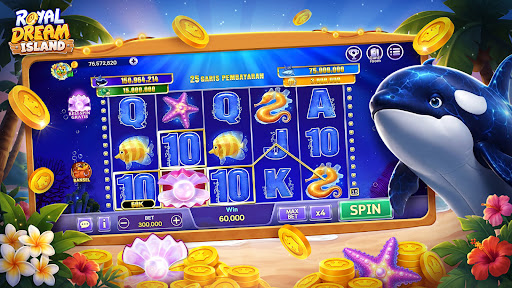
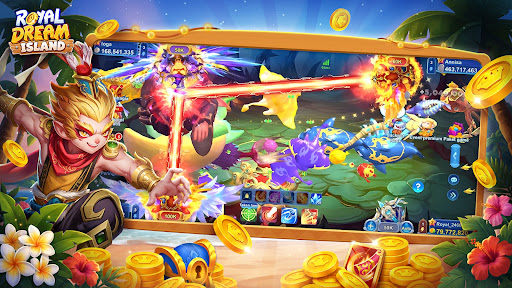
Product Overview
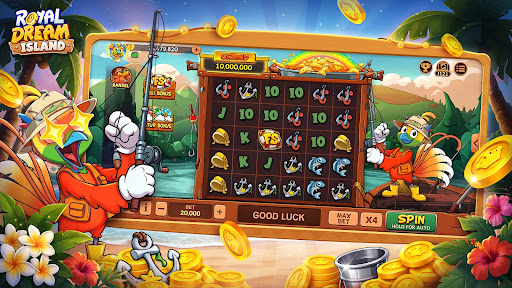
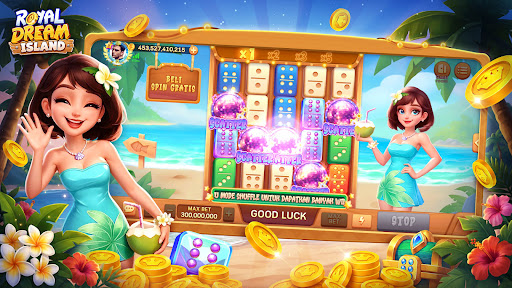
Step into Royal Dream Island and discover a world of exciting games. Royal Dream Island is a game collection app designed for casual entertainment. We provide a stable and smooth virtual gaming platform. Whether you want to relax during your free time or experience the joy of classic games, you can find a suitable way to play here.
Core Features
● Classic Board Games: Features classic board games like Domino and QiuQiu. The authentic rules and intuitive interface recreate the original tabletop experience.
● Exciting Fishing Games: Includes classic arcade games like 2 Player Fishing. The detailed graphics and smooth animations bring a rich visual experience.
● Slot Games: Features multiple slot games from Olympus to FAFAFA, with free spins & speeder functions available when you become a VIP with Royal Dream Island.
● Diverse Themes: We designed various room styles and background themes for different game modes, allowing you to switch according to your visual preferences.
● In-game Interaction: Supports emoji features, making it easy to communicate and interact with other players while playing.
We focus on a pure gaming experience by integrating popular casual modes into one app, saving you the hassle of switching between different applications. Whether you want a quick match during short breaks or to share the fun with friends, Royal Dream Island provides a relaxing space to enjoy the essence of gaming.
Important Warning:
This app is a simulation entertainment game for users aged 18 and above. Real-money gambling is not permitted. In-game coins, items, and rewards cannot be exchanged for real-world money. In-game coins and items are for entertainment purposes only and have no real monetary value. Users under 18 years of age are prohibited from accessing this app. Success in the game does not imply success in real money gambling and gaming.
Show more

1. Download MEmu installer and finish the setup

2. Start MEmu then open Google Play on the desktop

3. Search Royal Dream Island in Google Play
Install
4. Download and Install Royal Dream Island
5. On install completion click the icon to start

6. Enjoy playing Royal Dream Island on PC with MEmu
MEmu Play is the best Android emulator and 100 million people already enjoy its superb Android gaming experience. The MEmu virtualization technology empowers you to play thousands of Android games smoothly on your PC, even the most graphic-intensive ones.
Bigger screen with better graphics; Long duration, without limitation of battery or mobile data.
Full Keymapping support for precise control of keyboard and mouse or gamepad.
Multiple game accounts or tasks on single PC at one time with Multi-Instance manager.
Play Royal Dream Island on PC by following steps: