
Rune Tower
Updated
Current Version
1757591637
Offered By

With your passion for Rune Tower, you shouldn’t have to limit yourself to the small screen of a phone. Play like a pro and take full control of the game using a keyboard and mouse. MEmu gives you everything you’re looking for. Download and play Rune Tower on PC. Play as long as you want — no more worries about battery life, mobile data, or unexpected calls. The all-new MEmu 9 is the best way to play Rune Tower on PC. With our expertly designed keymapping system, Rune Tower feels just like a real PC game. The MEmu multi-instance manager lets you run two or more accounts on the same device at the same time. Most importantly, our exclusive emulation engine unlocks your PC’s full potential, delivering smooth and seamless performance.
Show more
Download Rune Tower on PC with MEmu Android Emulator. Enjoy playing on big screen. Build your perfect team.
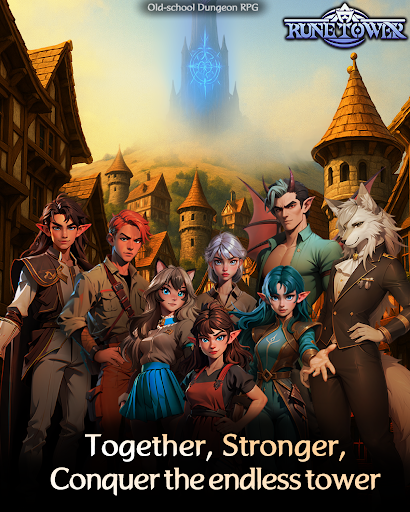
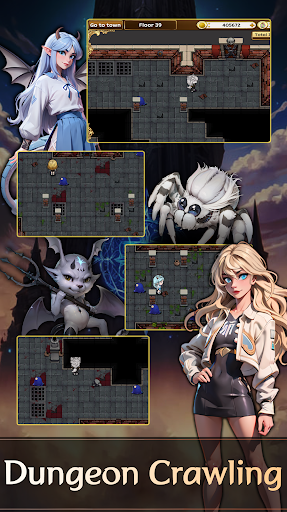
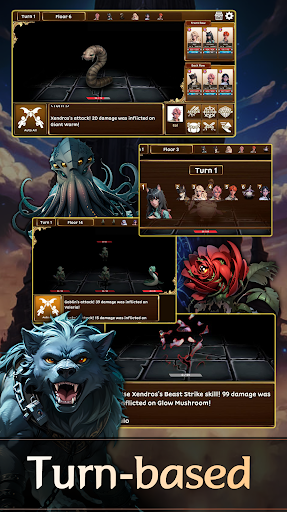
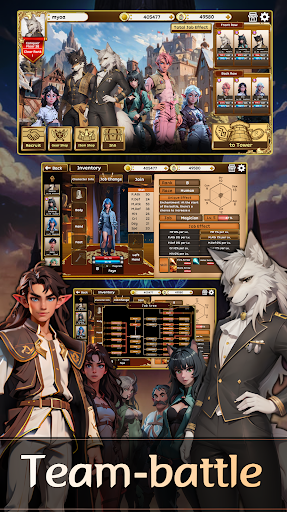
Build your perfect team. Conquer the tower.
No gacha. No ads. Just pure strategy.
Recruit from 60+ heroes across 50 jobs and 6 races.
Climb an endless tower where every floor tests your tactics.
*Pre-registration rewards are now available:
→ 10 Miraqueur
→ 10 Dungeon Camping Sets
→ 1000+100 Miradium
Release Date Update
RuneTower was originally set to launch on August 28,
but during final testing we discovered a critical crash issue that could impact the gameplay experience.
As a result, the release has been rescheduled for September.
We sincerely apologize to everyone who has been waiting.
This decision was made to ensure that RuneTower delivers a stable and truly polished RPG experience.
Thank you for your patience and support — we look forward to bringing you the best possible version of RuneTower very soon.
Features
• Deep Party Building
→ 50 jobs, 6 races—create your own meta.
• Direct Ownership
→ No gacha. Unlock and grow heroes your way.
• Runeword Gear System
→ Socket runes. Unlock powerful gear effects. Strategy meets chance.
• Endless Challenge
→ Climb higher, optimize synergies, and outsmart new threats.
Contact
• Your feedback helps make Rune Tower better, step by step.
• Reach out anytime:
dev1@ateliermirage.co.kr
https://www.youtube.com/@AtelierMirageInc
To all our beta players —
Your feedback & support helped us grow and keep going.
Thank you from the whole Rune Tower team.
Show more

1. Download MEmu installer and finish the setup

2. Start MEmu then open Google Play on the desktop

3. Search Rune Tower in Google Play
Install
4. Download and Install Rune Tower
5. On install completion click the icon to start

6. Enjoy playing Rune Tower on PC with MEmu
MEmu Play is the best Android emulator and 100 million people already enjoy its superb Android gaming experience. The MEmu virtualization technology empowers you to play thousands of Android games smoothly on your PC, even the most graphic-intensive ones.
Bigger screen with better graphics; Long duration, without limitation of battery or mobile data.
Full Keymapping support for precise control of keyboard and mouse or gamepad.
Multiple game accounts or tasks on single PC at one time with Multi-Instance manager.
Play Rune Tower on PC by following steps:

















































