
Seek Paint: Hide and Seek
Updated
Current Version
1.4
Offered By

With your passion for Seek Paint: Hide and Seek, you shouldn’t have to limit yourself to the small screen of a phone. Play like a pro and take full control of the game using a keyboard and mouse. MEmu gives you everything you’re looking for. Download and play Seek Paint: Hide and Seek on PC. Play as long as you want — no more worries about battery life, mobile data, or unexpected calls. The all-new MEmu 9 is the best way to play Seek Paint: Hide and Seek on PC. With our expertly designed keymapping system, Seek Paint: Hide and Seek feels just like a real PC game. The MEmu multi-instance manager lets you run two or more accounts on the same device at the same time. Most importantly, our exclusive emulation engine unlocks your PC’s full potential, delivering smooth and seamless performance.
Show more
Download Seek Paint: Hide and Seek on PC with MEmu Android Emulator. Enjoy playing on big screen. Seek Paint is a first-person hide and seek game where you search detailed rooms, cover suspicious surfaces with paint, and reveal players disguised among furniture and objects.
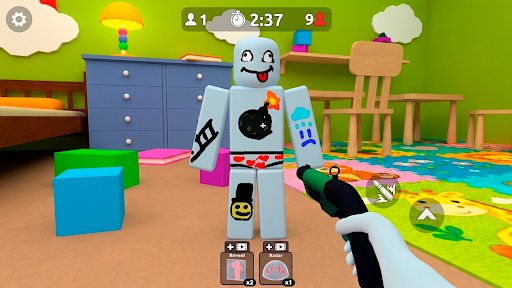
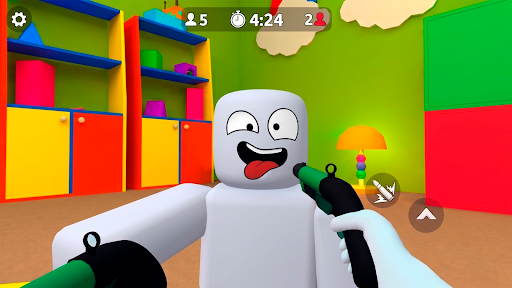
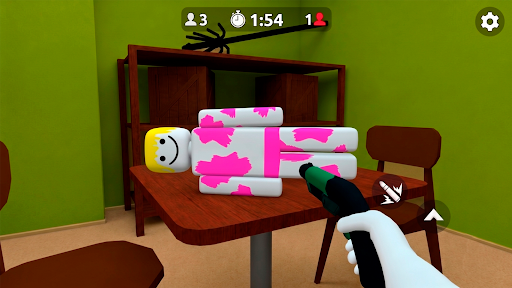
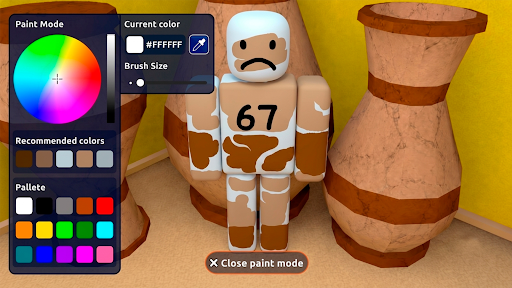
Seek Paint is a first-person hide and seek game where you search detailed rooms, cover suspicious surfaces with paint, and reveal players disguised among furniture and objects. Each hide seek game rewards careful observation, precise movement, and efficient use of your paint tool. You play hide and seek only from the seeker’s perspective, checking every corner until all hidden players are found.
Each hide n seek game introduces a new room layout, different objects, and trickier hiding spots. As the hide n seek games progress, hidden targets become more difficult to recognize and every hide and seek challenge requires closer inspection. A successful hide and seek run depends on spotting unusual shapes, following visual clues, and using the hide and seek paint mechanic without overlooking parts of the room.
The game focuses on searching and revealing hidden players rather than switching between hider and seeker roles. Different environments and object arrangements give each round a new search pattern while keeping the controls and main goal easy to understand.
Features:
• First-person gameplay focused on the seeker role
• Paint tools that reveal disguised players
• Detailed rooms filled with furniture and interactive surfaces
• New hiding spots and object arrangements across stages
• Observation-based hide and seek games with short repeatable rounds
• Simple controls focused on searching, aiming, and painting
Show more

1. Download MEmu installer and finish the setup

2. Start MEmu then open Google Play on the desktop

3. Search Seek Paint: Hide and Seek in Google Play
Install
4. Download and Install Seek Paint: Hide and Seek
5. On install completion click the icon to start

6. Enjoy playing Seek Paint: Hide and Seek on PC with MEmu
MEmu Play is the best Android emulator and 100 million people already enjoy its superb Android gaming experience. The MEmu virtualization technology empowers you to play thousands of Android games smoothly on your PC, even the most graphic-intensive ones.
Bigger screen with better graphics; Long duration, without limitation of battery or mobile data.
Full Keymapping support for precise control of keyboard and mouse or gamepad.
Multiple game accounts or tasks on single PC at one time with Multi-Instance manager.
Play Seek Paint: Hide and Seek on PC by following steps:












































