Shoot & Hide
Updated
Current Version
1.11.1
Offered By

With your passion for Shoot & Hide, you shouldn’t have to limit yourself to the small screen of a phone. Play like a pro and take full control of the game using a keyboard and mouse. MEmu gives you everything you’re looking for. Download and play Shoot & Hide on PC. Play as long as you want — no more worries about battery life, mobile data, or unexpected calls. The all-new MEmu 9 is the best way to play Shoot & Hide on PC. With our expertly designed keymapping system, Shoot & Hide feels just like a real PC game. The MEmu multi-instance manager lets you run two or more accounts on the same device at the same time. Most importantly, our exclusive emulation engine unlocks your PC’s full potential, delivering smooth and seamless performance.
Show more
Download Shoot & Hide on PC with MEmu Android Emulator. Enjoy playing on big screen. Test your timing and reflexes in a fast, satisfying game of risk and precision.
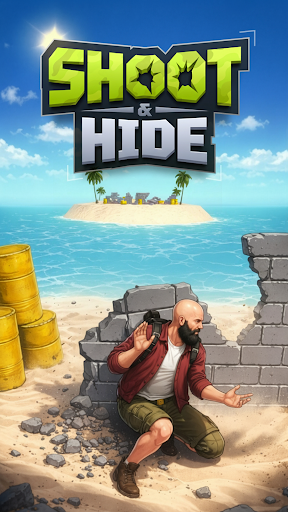
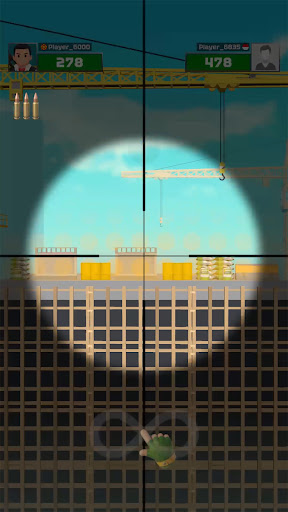
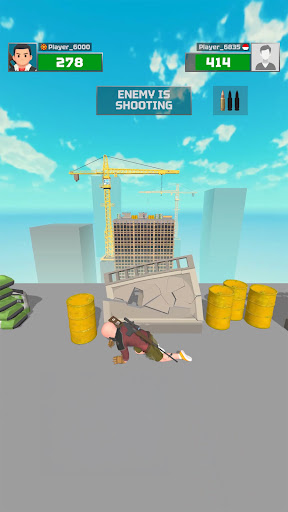
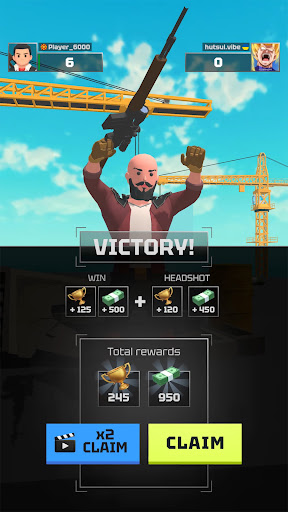
Test your timing and reflexes in a fast, satisfying game of risk and precision. In Shoot & Hide, every move is a choice — step out, take your shot, then hide before danger hits.
This is not about running through maps. It’s about perfect timing, quick decisions, and knowing when to act.
TAKE TURNS: SHOOT OR HIDE
Step out of cover to attack — but stay too long and you’re done.
Enemies react fast, so you must shoot, then instantly hide to survive.
TIMING IS EVERYTHING
Each moment matters.
Wait for the right opening, take the shot, and return to safety before enemies strike back.
SATISFYING SHOTS & IMPACT
Land precise hits with clear, rewarding feedback.
Explosions, reactions, and clean visuals make every successful move feel great.
SIMPLE CONTROLS, SKILL-BASED GAMEPLAY
Easy to pick up, but challenging to master.
The better your timing and decision-making, the further you go.
UNLOCK & UPGRADE
Progress through levels to unlock new weapons, gear, and characters.
Improve your setup and handle tougher challenges with better tools.
INCREASING CHALLENGE
Face smarter enemies and tighter timing windows.
Each level pushes your reflexes and decision-making further.
FEATURES
Unique shoot-and-hide gameplay
Timing-based action and reflex challenges
Simple tap controls
Weapon and gear upgrades
Character customization
Short, engaging levels
Play anytime, anywhere
WHY PLAY SHOOT & HIDE
If you enjoy reflex games, timing games, and hyper-casual challenges, Shoot & Hide delivers a simple but tense experience where every move matters.
Step out. Take the shot. Get back to cover.
To opt out of CrazyLabs sales of personal information as a California resident, please visit the settings page within this app. For more information visit our privacy policy: https://crazylabs.com/app
Show more

1. Download MEmu installer and finish the setup

2. Start MEmu then open Google Play on the desktop

3. Search Shoot & Hide in Google Play
Install
4. Download and Install Shoot & Hide
5. On install completion click the icon to start

6. Enjoy playing Shoot & Hide on PC with MEmu
MEmu Play is the best Android emulator and 100 million people already enjoy its superb Android gaming experience. The MEmu virtualization technology empowers you to play thousands of Android games smoothly on your PC, even the most graphic-intensive ones.
Bigger screen with better graphics; Long duration, without limitation of battery or mobile data.
Full Keymapping support for precise control of keyboard and mouse or gamepad.
Multiple game accounts or tasks on single PC at one time with Multi-Instance manager.
Play Shoot & Hide on PC by following steps: