Sinuca - Master of World
Updated
Current Version
0.49.51
Offered By

With your passion for Sinuca - Master of World, you shouldn’t have to limit yourself to the small screen of a phone. Play like a pro and take full control of the game using a keyboard and mouse. MEmu gives you everything you’re looking for. Download and play Sinuca - Master of World on PC. Play as long as you want — no more worries about battery life, mobile data, or unexpected calls. The all-new MEmu 9 is the best way to play Sinuca - Master of World on PC. With our expertly designed keymapping system, Sinuca - Master of World feels just like a real PC game. The MEmu multi-instance manager lets you run two or more accounts on the same device at the same time. Most importantly, our exclusive emulation engine unlocks your PC’s full potential, delivering smooth and seamless performance.
Show more
Download Sinuca - Master of World on PC with MEmu Android Emulator. Enjoy playing on big screen. Entre no universo da sinuca 3D em uma experiência criada para quem gosta de precisão, estratégia e grandes competições.
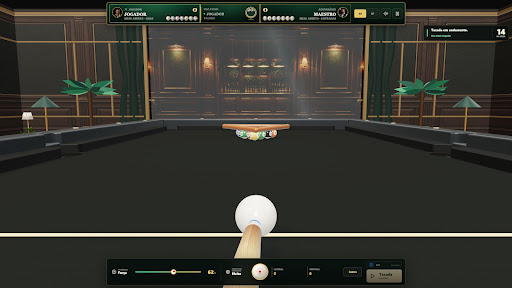
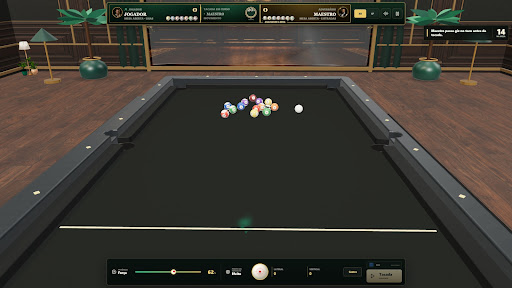
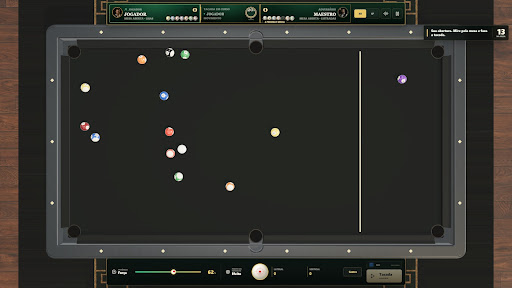
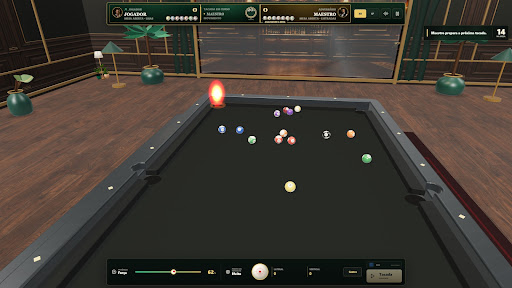
Entre no universo da sinuca 3D em uma experiência criada para quem gosta de precisão, estratégia e grandes competições.
Em Sinuca - Master of World, você enfrenta adversários controlados pela inteligência artificial, participa de campeonatos internacionais e desenvolve sua trajetória em diferentes modos de jogo. Escolha sua mesa, seu taco e seu rival antes de cada desafio.
Principais recursos:
• Partidas rápidas contra diferentes adversários
• Copa do Mundo e competições internacionais
• Torneios com jogadores de diversos países
• Modo Treino com tutoriais e dicas para iniciantes
• Diferentes opções de câmera e controle de mira
• Mesas, tacos, salões e cenários variados
• Física de bolas desenvolvida para tacadas estratégicas
• Perfil com estatísticas, vitórias e tempo de jogo
• Galeria para acompanhar troféus, medalhas e conquistas
• Progresso salvo para continuar sua jornada
• Trilha de jazz com controle de volume
Explore salões inspirados em diferentes cidades e países, domine os efeitos da bola branca, aperfeiçoe sua força e direção e avance até as maiores finais.
Cada partida exige concentração: analise a mesa, escolha o melhor ângulo e planeje sua próxima jogada. Seja em uma partida rápida, no treinamento ou em um campeonato completo, seu objetivo é evoluir e tornar-se um verdadeiro mestre da sinuca.
Show more

1. Download MEmu installer and finish the setup

2. Start MEmu then open Google Play on the desktop

3. Search Sinuca - Master of World in Google Play
Install
4. Download and Install Sinuca - Master of World
5. On install completion click the icon to start

6. Enjoy playing Sinuca - Master of World on PC with MEmu
MEmu Play is the best Android emulator and 100 million people already enjoy its superb Android gaming experience. The MEmu virtualization technology empowers you to play thousands of Android games smoothly on your PC, even the most graphic-intensive ones.
Bigger screen with better graphics; Long duration, without limitation of battery or mobile data.
Full Keymapping support for precise control of keyboard and mouse or gamepad.
Multiple game accounts or tasks on single PC at one time with Multi-Instance manager.
Play Sinuca - Master of World on PC by following steps: