Soccer Player: Legend Path
Updated
Current Version
1.14.10
Offered By

With your passion for Soccer Player: Legend Path, you shouldn’t have to limit yourself to the small screen of a phone. Play like a pro and take full control of the game using a keyboard and mouse. MEmu gives you everything you’re looking for. Download and play Soccer Player: Legend Path on PC. Play as long as you want — no more worries about battery life, mobile data, or unexpected calls. The all-new MEmu 9 is the best way to play Soccer Player: Legend Path on PC. With our expertly designed keymapping system, Soccer Player: Legend Path feels just like a real PC game. The MEmu multi-instance manager lets you run two or more accounts on the same device at the same time. Most importantly, our exclusive emulation engine unlocks your PC’s full potential, delivering smooth and seamless performance.
Show more
Download Soccer Player: Legend Path on PC with MEmu Android Emulator. Enjoy playing on big screen. Football Player is a soccer career and life simulation where you begin as an unknown amateur and try to become a world legend.
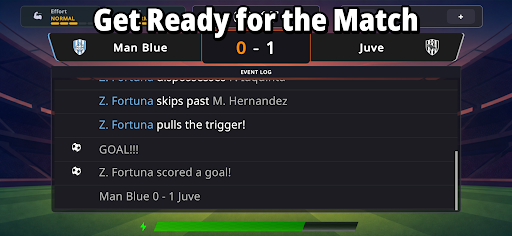
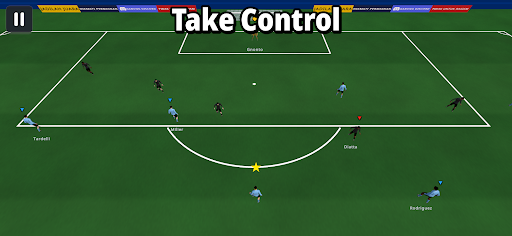
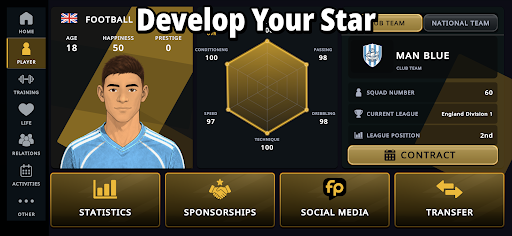
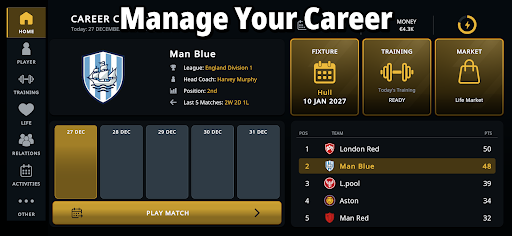
Football Player is a soccer career and life simulation where you begin as an unknown amateur and try to become a world legend.
Create your player, choose your position, sign with a club, and live a full season through fixtures, standings, training days, match moments, and simulated results. Improve your skills, raise your rating, earn better contracts, and climb from lower divisions to the biggest stages in world soccer.
Your career is not only about goals. Manage energy, money, weekly income, lifestyle costs, diet, routines, homes, vehicles, and personal items. Build trust with teammates, coaches, staff, and fans. Meet someone special, start a relationship, fall in love, and shape your private life beyond soccer.
Features:
- Full soccer career simulation
- Create and customize your player
- Play key match moments or simulate matches
- Train shooting, passing, dribbling, technique, speed, and conditioning
- Improve stats, rating, market value, and reputation
- Sign contracts with wages, fees, bonuses, and contract length
- Receive transfer offers and move to better clubs and leagues
- Manage money, energy, recovery, and lifestyle expenses
- Buy homes, vehicles, and items that affect your career
- Build friendships, rivalries, coach trust, fan reputation, and romantic relationships
- Complete coach objectives across five-match cycles
- Follow fixtures, standings, results, player stats, news, and the season calendar
- Compete in leagues, cups, and continental tournaments
- Track your achievements in the trophy cabinet
- Experience career events, media pressure, sponsorships, injuries, and social stories
- Learn the basics with a tutorial
- Play in 17 supported in-game languages
Can you handle the pressure, live like a pro, and turn one career into a legend?
Show more

1. Download MEmu installer and finish the setup

2. Start MEmu then open Google Play on the desktop

3. Search Soccer Player: Legend Path in Google Play
Install
4. Download and Install Soccer Player: Legend Path
5. On install completion click the icon to start

6. Enjoy playing Soccer Player: Legend Path on PC with MEmu
MEmu Play is the best Android emulator and 100 million people already enjoy its superb Android gaming experience. The MEmu virtualization technology empowers you to play thousands of Android games smoothly on your PC, even the most graphic-intensive ones.
Bigger screen with better graphics; Long duration, without limitation of battery or mobile data.
Full Keymapping support for precise control of keyboard and mouse or gamepad.
Multiple game accounts or tasks on single PC at one time with Multi-Instance manager.
Play Soccer Player: Legend Path on PC by following steps: