Spirits of Aetheria
Updated
Current Version
1.0.1
Offered By

With your passion for Spirits of Aetheria, you shouldn’t have to limit yourself to the small screen of a phone. Play like a pro and take full control of the game using a keyboard and mouse. MEmu gives you everything you’re looking for. Download and play Spirits of Aetheria on PC. Play as long as you want — no more worries about battery life, mobile data, or unexpected calls. The all-new MEmu 9 is the best way to play Spirits of Aetheria on PC. With our expertly designed keymapping system, Spirits of Aetheria feels just like a real PC game. The MEmu multi-instance manager lets you run two or more accounts on the same device at the same time. Most importantly, our exclusive emulation engine unlocks your PC’s full potential, delivering smooth and seamless performance.
Show more
Download Spirits of Aetheria on PC with MEmu Android Emulator. Enjoy playing on big screen. Follow us and get more informations and rewards:.
Follow us and get more informations and rewards:
Facebook: https://www.facebook.com/SpiritsOfAetheria/
Discord: https://discord.gg/5zPvjUSudY
Embark on an Epic Fantasy Adventure!
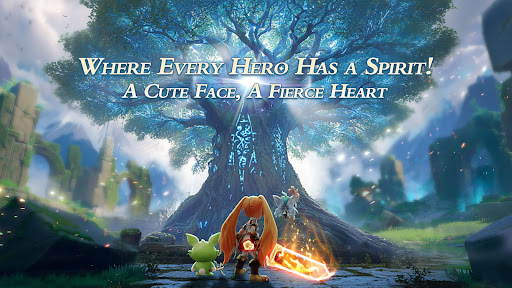
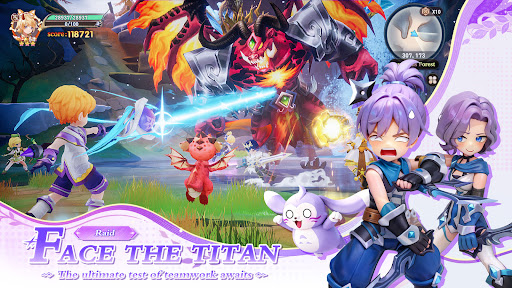
Welcome to Spirits of Aetheria, a world where magical Spirits and boundless creativity unite! Dive into a heartwarming journey filled with loyal companions, strategic battles, and limitless customization. Whether you seek thrilling combat or cozy camaraderie, your ultimate fantasy adventure begins now.
Dynamic Spirit System: Evolve, Bond, and Conquer!
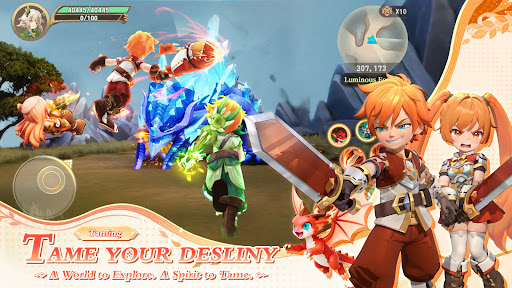
Encounter adorable Spirits with unique traits and watch them grow dynamically. Unlock multiple evolutions and dominate battles with the groundbreaking 3-Spirit rotation system. Train, collect, and rely on these loyal allies to turn the tides of war.
Unleash Your Playstyle: Infinite Builds, Endless Possibilities!
Forge your own path with class-free skill trees and fluid combat. Master hybrid roles like a frost-and-flame Mage, a tornado-summoning Archer, or a stealthy Assassin stacking critical strikes. Reshape your strategy on the fly with countless playstyles for each class.
Express Yourself: Fashion and Mounts Galore!
Stand out with exclusive class outfits and transforming appearances across advanced tiers. Adopt cute back-mounted Spirits and ride majestic mounts—from sparkling Unicorns to fluffy Corgis—across the vast landscapes of Aetheria. Your style, your rules.
A World Alive: A Thriving Social Haven!
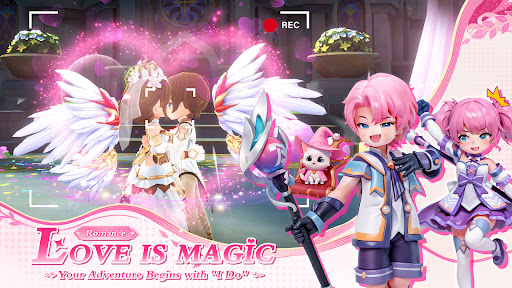
Explore the radiant world of Aetheria alongside friends or meet kindred spirits. Join forces in guild events or simply enjoy the view with your Spirit companion. This is more than a game; it’s a community brimming with warmth and wonder.
Download Now and begin your unforgettable adventure in Spirits of Aetheria!
Show more

1. Download MEmu installer and finish the setup

2. Start MEmu then open Google Play on the desktop

3. Search Spirits of Aetheria in Google Play
Install
4. Download and Install Spirits of Aetheria
5. On install completion click the icon to start

6. Enjoy playing Spirits of Aetheria on PC with MEmu
MEmu Play is the best Android emulator and 100 million people already enjoy its superb Android gaming experience. The MEmu virtualization technology empowers you to play thousands of Android games smoothly on your PC, even the most graphic-intensive ones.
Bigger screen with better graphics; Long duration, without limitation of battery or mobile data.
Full Keymapping support for precise control of keyboard and mouse or gamepad.
Multiple game accounts or tasks on single PC at one time with Multi-Instance manager.
Play Spirits of Aetheria on PC by following steps: