TEN VALKYRIE
Updated
Current Version
Offered By

With your passion for TEN VALKYRIE, you shouldn’t have to limit yourself to the small screen of a phone. Play like a pro and take full control of the game using a keyboard and mouse. MEmu gives you everything you’re looking for. Download and play TEN VALKYRIE on PC. Play as long as you want — no more worries about battery life, mobile data, or unexpected calls. The all-new MEmu 9 is the best way to play TEN VALKYRIE on PC. With our expertly designed keymapping system, TEN VALKYRIE feels just like a real PC game. The MEmu multi-instance manager lets you run two or more accounts on the same device at the same time. Most importantly, our exclusive emulation engine unlocks your PC’s full potential, delivering smooth and seamless performance.
Show more
Download TEN VALKYRIE on PC with MEmu Android Emulator. Enjoy playing on big screen. A Competition-Free RPG, Play at Your Own Pace.
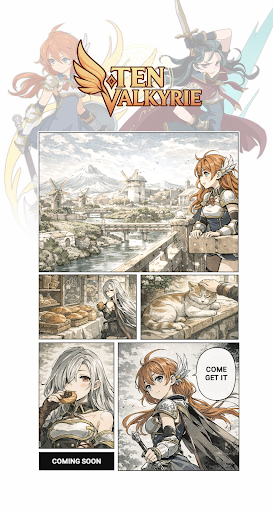
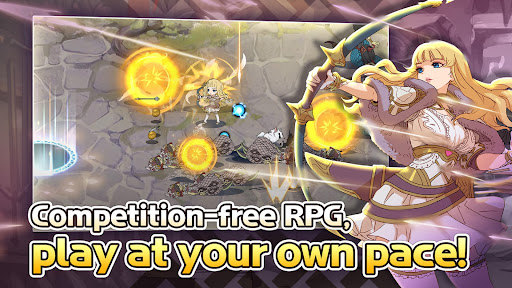
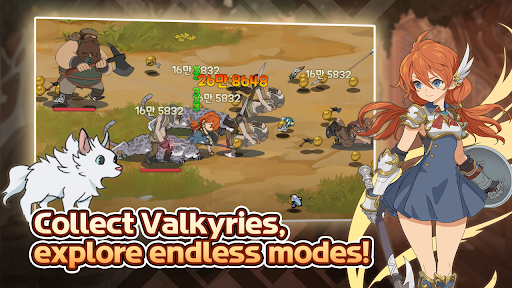
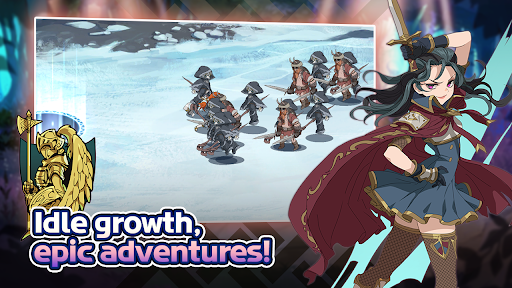
A Competition-Free RPG, Play at Your Own Pace
▶ A Reimagined Tale of Norse Mythology
The age of the fierce wolf approaches.
When Fenrir’s sons devour the sun and moon, the twilight of the gods—Ragnarök—will dawn.
Awakened from a prophetic dream, Odin journeys to Jotunheim seeking a way to stop the end.
But in his absence, Loki’s rebellion erupts—only to be quelled by the sacrifice of a Valkyrie.
Now begins the story of Freyja and her Valkyrie trainees, rebuilding their strength to face destiny.
▶ A Stunning Visual Epic
High-quality illustrations and dynamic, stylish combat
Emotional battles and dazzling costumes of the Valkyrie trainees
Immerse yourself in the mystical charm of the Valkyrie Village, inspired by Norse legends!
▶ Customize Your Own Skill System
Unique skills that reflect each Valkyrie’s personality
Combine powers with allies using the Chain Skill system for maximum synergy
▶ Limitless Growth Beyond Dimensions
Reincarnate your Valkyrie endlessly through the Rebirth System
Collect Mythic Relics and Totems to grow even stronger
Obtain the highest-grade Unique Gear
Equip Exclusive Weapons for extraordinary power
▶ Endless Content to Enjoy Anytime
Chapter Boss Battles: Defeat the bosses guarding each chapter
Daily Dungeons: Clear dungeons by day to earn valuable resources
Juice Battle: Win intense battles to gain Gold rewards
Wanted Hunt: Track down wanted monsters and claim your bounty
Dive into the Myth.
Train your Valkyries, defy fate, and forge your own legend.
Show more

1. Download MEmu installer and finish the setup

2. Start MEmu then open Google Play on the desktop

3. Search TEN VALKYRIE in Google Play
Install
4. Download and Install TEN VALKYRIE
5. On install completion click the icon to start

6. Enjoy playing TEN VALKYRIE on PC with MEmu
MEmu Play is the best Android emulator and 100 million people already enjoy its superb Android gaming experience. The MEmu virtualization technology empowers you to play thousands of Android games smoothly on your PC, even the most graphic-intensive ones.
Bigger screen with better graphics; Long duration, without limitation of battery or mobile data.
Full Keymapping support for precise control of keyboard and mouse or gamepad.
Multiple game accounts or tasks on single PC at one time with Multi-Instance manager.
Play TEN VALKYRIE on PC by following steps: