Tennis World Open Pro - Sport
Updated
Current Version
1.0.10
Offered By

With your passion for Tennis World Open Pro - Sport, you shouldn’t have to limit yourself to the small screen of a phone. Play like a pro and take full control of the game using a keyboard and mouse. MEmu gives you everything you’re looking for. Download and play Tennis World Open Pro - Sport on PC. Play as long as you want — no more worries about battery life, mobile data, or unexpected calls. The all-new MEmu 9 is the best way to play Tennis World Open Pro - Sport on PC. With our expertly designed keymapping system, Tennis World Open Pro - Sport feels just like a real PC game. The MEmu multi-instance manager lets you run two or more accounts on the same device at the same time. Most importantly, our exclusive emulation engine unlocks your PC’s full potential, delivering smooth and seamless performance.
Show more
Download Tennis World Open Pro - Sport on PC with MEmu Android Emulator. Enjoy playing on big screen. Tennis World Open Pro is here with PREMIUM playing experience and NO ADS!
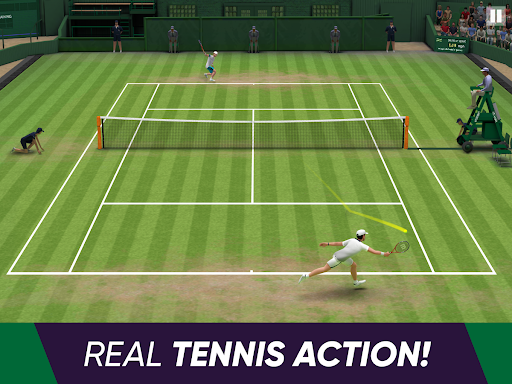

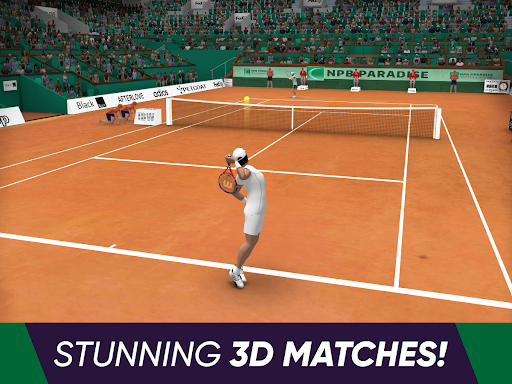
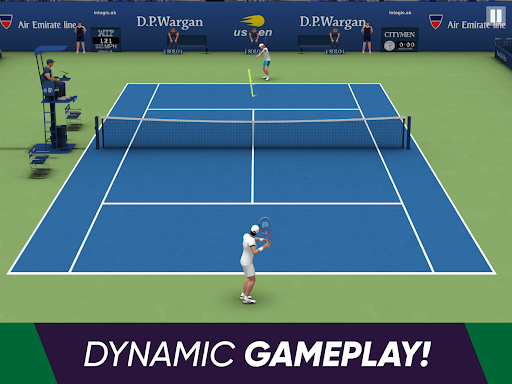
Tennis World Open Pro is here with PREMIUM playing experience and NO ADS!
Don't hesitate and enjoy the real atmosphere of this one of the best tennis games. Show other players who is the best player of the tennis games and win all tenis tournaments including French open and many more tenis matches!
Experience tennis game in 3D! Here your knowledge of tenis is a valuable asset. You will have a chance to get better in your tenis skills, playstyles, and moves where we paid attention to every detail so we can be better than any other tennis game. Also, you can enjoy the real pleasure from tennis games.
This #1 sports game is not like any other sports games, it is the real ultimate tenis!
Train and develop your skills and come to the tenis field to test yourself! Tennis games are waiting for you!
FEATURES
PREMIUM tennis games with NO ADS
More than 25 professional tenis players from around the world
16 well known unique tournaments in 4 tiers with colossal rewards (France, US, Australia, Great Britain)
Fast and Quick Play with an opponent, different playing surface, selection of playtime and difficulty in match tennis
Full player and gear customization with exclusive slam reward player kits
Specialized Training Mode for boosting player skill and enhancing tenis abilities
Implemented Lucky Wheel and Daily Reward system to ensure fluent player progress
GAME MODES
Career - Take a part in the world biggest sports game and become the #1 tenis player
Quick Play - No pressure, no expectations. Just enjoy the feeling of tennis game
Training - Improve your tenis skills (accuracy, power, endurance, moves...) to be prepared to compete in match tennis
Take total control of every action on the pitch in a way that only our sports game can provide!
Natural player movements and precision shooting (drops, lobs, slice, slams) bring the true experience of a match tennis game to your phone! From all sports games, this is the tenis that your phone is missing!
One of the best match tennis games is waiting for you! Enjoy all the openings around the world anytime and anywhere, especially in France, Australia, Great Britain, and even the US. Be a part of the best sports game, which is match tennis.
We want you to experience the real joy of this tenis game!
Good luck with the ultimate sports games!
Show more

1. Download MEmu installer and finish the setup

2. Start MEmu then open Google Play on the desktop

3. Search Tennis World Open Pro - Sport in Google Play
Install
4. Download and Install Tennis World Open Pro - Sport
5. On install completion click the icon to start

6. Enjoy playing Tennis World Open Pro - Sport on PC with MEmu
MEmu Play is the best Android emulator and 100 million people already enjoy its superb Android gaming experience. The MEmu virtualization technology empowers you to play thousands of Android games smoothly on your PC, even the most graphic-intensive ones.
Bigger screen with better graphics; Long duration, without limitation of battery or mobile data.
Full Keymapping support for precise control of keyboard and mouse or gamepad.
Multiple game accounts or tasks on single PC at one time with Multi-Instance manager.
Play Tennis World Open Pro - Sport on PC by following steps: