Tiny War: Kingdom Defense
Updated
Current Version
Offered By

With your passion for Tiny War: Kingdom Defense, you shouldn’t have to limit yourself to the small screen of a phone. Play like a pro and take full control of the game using a keyboard and mouse. MEmu gives you everything you’re looking for. Download and play Tiny War: Kingdom Defense on PC. Play as long as you want — no more worries about battery life, mobile data, or unexpected calls. The all-new MEmu 9 is the best way to play Tiny War: Kingdom Defense on PC. With our expertly designed keymapping system, Tiny War: Kingdom Defense feels just like a real PC game. The MEmu multi-instance manager lets you run two or more accounts on the same device at the same time. Most importantly, our exclusive emulation engine unlocks your PC’s full potential, delivering smooth and seamless performance.
Show more
Download Tiny War: Kingdom Defense on PC with MEmu Android Emulator. Enjoy playing on big screen. 5 minutes.
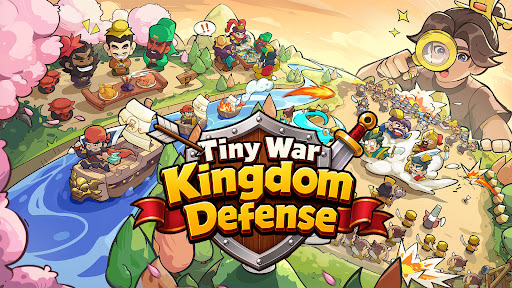

5 minutes. One run. A thousand ways to win.
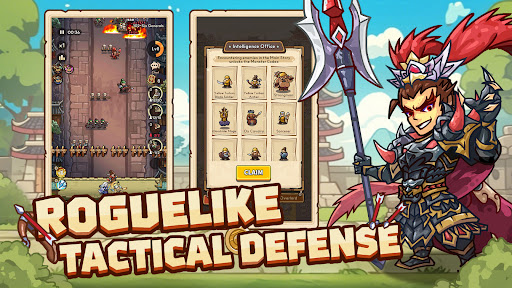
Pick cards, deploy units, and crush wave after wave in fast roguelike defense battles.
Tiny War: Kingdom Defense — a tactical roguelike defense game where you lead the charge.
■ Every run plays different! Roguelike card combat!
Pick one of 3 random cards mid-battle!
Upgrade a unit you've been building, or grab a new one — every pick stacks into a build unique to that run.
No two runs play the same. Before you know it, you're already hitting "one more round."
■ Your comp decides the fight! Strategic unit defense!
Melee, ranged, cavalry, magic, summons — mix unique unit types and build your frontline!
Wall up with spearmen while ice mages freeze enemies in their tracks. Or go full AoE and torch the field with lightning and fire.
There's no right answer. Find the comp that fits your playstyle.
■ Legendary warriors join the fight! Warlord & Strategist lineup!
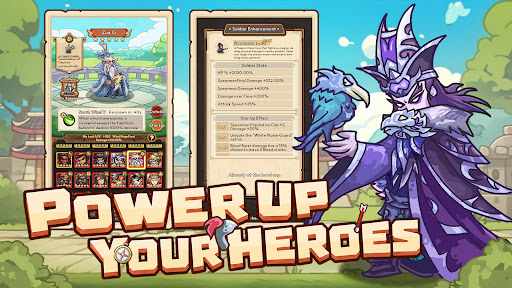
Set in the world of the Romance of the Three Kingdoms — collect and level up iconic warriors like Guan Yu and Lu Bu.
Warlords charge into battle and turn the tide. Strategists buff your army from the backline, giving you an edge before the fight begins.
■ Your kingdom keeps earning while you're away! Offline rewards!
Resources pile up over time, even when you're offline.
The more stages you've cleared, the bigger the haul. Log in, collect, gear up, and get back to battle.
■ Solo or squad up! Co-op & alliance wars!
Stuck on a tough stage? Invite a friend and take it on together.
Join an alliance for daily missions, training, and competitive wars — the battlefield only gets bigger.
5 minutes is all it takes.
Tiny War: Kingdom Defense — start your first battle today.
Show more

1. Download MEmu installer and finish the setup

2. Start MEmu then open Google Play on the desktop

3. Search Tiny War: Kingdom Defense in Google Play
Install
4. Download and Install Tiny War: Kingdom Defense
5. On install completion click the icon to start

6. Enjoy playing Tiny War: Kingdom Defense on PC with MEmu
MEmu Play is the best Android emulator and 100 million people already enjoy its superb Android gaming experience. The MEmu virtualization technology empowers you to play thousands of Android games smoothly on your PC, even the most graphic-intensive ones.
Bigger screen with better graphics; Long duration, without limitation of battery or mobile data.
Full Keymapping support for precise control of keyboard and mouse or gamepad.
Multiple game accounts or tasks on single PC at one time with Multi-Instance manager.
Play Tiny War: Kingdom Defense on PC by following steps: