
X-Legion
Updated
Current Version
0.0.6
Offered By

With your passion for X-Legion, you shouldn’t have to limit yourself to the small screen of a phone. Play like a pro and take full control of the game using a keyboard and mouse. MEmu gives you everything you’re looking for. Download and play X-Legion on PC. Play as long as you want — no more worries about battery life, mobile data, or unexpected calls. The all-new MEmu 9 is the best way to play X-Legion on PC. With our expertly designed keymapping system, X-Legion feels just like a real PC game. The MEmu multi-instance manager lets you run two or more accounts on the same device at the same time. Most importantly, our exclusive emulation engine unlocks your PC’s full potential, delivering smooth and seamless performance.
Show more
Download X-Legion on PC with MEmu Android Emulator. Enjoy playing on big screen. Welcome to X-Legion, where you will recruit various heroes, form your own adventure legion, and challenge unknown powerful bosses and ancient monsters.
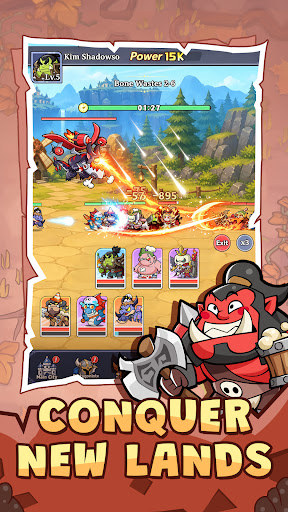
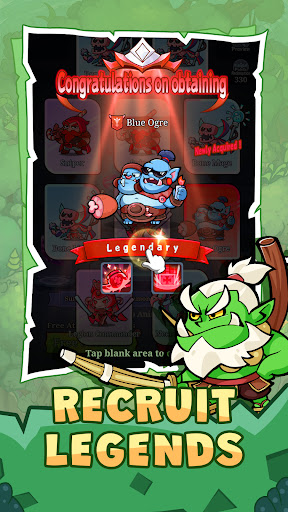

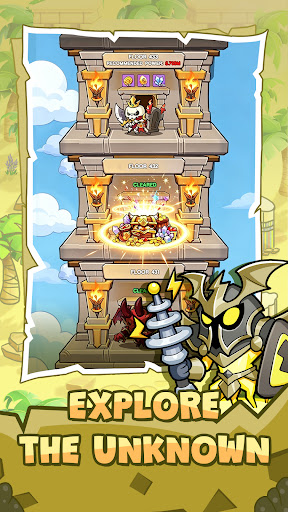
Welcome to X-Legion, where you will recruit various heroes, form your own adventure legion, and challenge unknown powerful bosses and ancient monsters.
Game Features:
1. Casual Idle Gameplay
The relaxed combat and idle gameplay allows you to easily gain game rewards, and all you need to do is enjoy the adventure journey of the game.
2.Diverse Gameplay
The game features various progression systems including Artifacts, Pets and Mounts. There are also PvE and PvP modes such as World Boss Challenge, Team Dungeons, Arena, Guild Wars and Cross-Server Battles.
3. Play with global players
Here you will meet players from all over the world. You may be allies, exploring treasures and tackling dungeons together; or rivals, fighting for glory in the peak PVP.
4. Epic Story Experience
Your adventure is about to begin. As the chosen one, are you ready to forge your own epic chapter?
Facebook:https://www.facebook.com/xlegion2026/
Show more

1. Download MEmu installer and finish the setup

2. Start MEmu then open Google Play on the desktop

3. Search X-Legion in Google Play
Install
4. Download and Install X-Legion
5. On install completion click the icon to start

6. Enjoy playing X-Legion on PC with MEmu
MEmu Play is the best Android emulator and 100 million people already enjoy its superb Android gaming experience. The MEmu virtualization technology empowers you to play thousands of Android games smoothly on your PC, even the most graphic-intensive ones.
Bigger screen with better graphics; Long duration, without limitation of battery or mobile data.
Full Keymapping support for precise control of keyboard and mouse or gamepad.
Multiple game accounts or tasks on single PC at one time with Multi-Instance manager.
Play X-Legion on PC by following steps: