Zarta Trivia Party Game
Updated
Current Version
2.5.0
Offered By

With your passion for Zarta Trivia Party Game, you shouldn’t have to limit yourself to the small screen of a phone. Play like a pro and take full control of the game using a keyboard and mouse. MEmu gives you everything you’re looking for. Download and play Zarta Trivia Party Game on PC. Play as long as you want — no more worries about battery life, mobile data, or unexpected calls. The all-new MEmu 9 is the best way to play Zarta Trivia Party Game on PC. With our expertly designed keymapping system, Zarta Trivia Party Game feels just like a real PC game. The MEmu multi-instance manager lets you run two or more accounts on the same device at the same time. Most importantly, our exclusive emulation engine unlocks your PC’s full potential, delivering smooth and seamless performance.
Show more
Download Zarta Trivia Party Game on PC with MEmu Android Emulator. Enjoy playing on big screen. The purpose in Zarta is to give misleading answers to real and difficult questions to trick your friends.

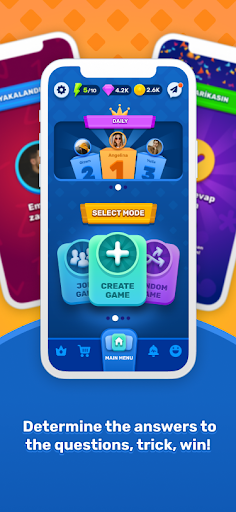

The purpose in Zarta is to give misleading answers to real and difficult questions to trick your friends. In Zarta, you can not only spend quality time with your friends but also learn new information. Zarta is a great game that you can play during course break, on long journeys, during match break or at coffee break in your office.
How to play?
One of you chooses a deck as a playmaker, builds a new room and shares the secret code with other players, and after everyone join, the playmaker starts the game by pressing the start button.
The playmaker will give you a secret code after installing the game. After entering that code on the join screen, press the join button and wait for the playmaker to start the game.
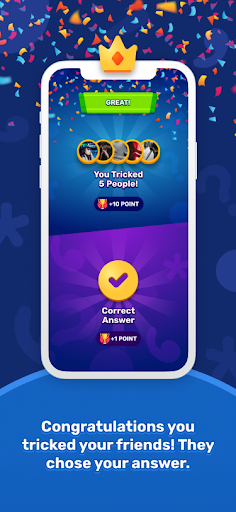
When the game starts, you will see a question that is difficult to find the right answer so you can earn points by writing a misleading answer that others might think of as the correct answer and let the other players choose your answers.
The scoring in the game is as follows: If you choose the right answer, you get 1 points. If someone chooses the answer that you created, you get 2 point.
Thank you for listening to us. We would like to listen to you about the game. You can share your comments and suggestions with info@potensas.com.
Categories :
- History&Holidays: If you are good with history and holidays, you will love this category.Your goal is to give tricky answers to questions and try to mislead your friends.
- General: There are many questions in this category related to different fields such as music, history, important people etc.
- Entertainment: In this category, you can find television characters and a lot of things about them.
- Geography :How well do you know the countries, languages and cultures of the world?
If your geography is good, you will love this category.
- Sports&Leisure: If you are good with sports and leisure activities, this category is for you.
- Science&Nature: If you are interested in science and nature, you will love this category.
- People&Places, This category includes questions about famous people and famous places.
- Music: If you are good with songs, singers and bands, this category is for you.
- Food&Drink: How much do you know the world cuisine? If you are good with food and
drinks, you will love this category.
- Religion&Mythology: How much do you know religions and mythologies? If you are interested in religions and mythologies, you will love this category.
- Art&Literature: If you are interested in art and literature, you will love this category.
- Exxen: It will come soon.
Terms & Condition: http://zartaapp.com/terms-and-condition.html
Privacy Policy : http://zartaapp.com/privacy-policy.html
Show more

1. Download MEmu installer and finish the setup

2. Start MEmu then open Google Play on the desktop

3. Search Zarta Trivia Party Game in Google Play
Install
4. Download and Install Zarta Trivia Party Game
5. On install completion click the icon to start

6. Enjoy playing Zarta Trivia Party Game on PC with MEmu
MEmu Play is the best Android emulator and 100 million people already enjoy its superb Android gaming experience. The MEmu virtualization technology empowers you to play thousands of Android games smoothly on your PC, even the most graphic-intensive ones.
Bigger screen with better graphics; Long duration, without limitation of battery or mobile data.
Full Keymapping support for precise control of keyboard and mouse or gamepad.
Multiple game accounts or tasks on single PC at one time with Multi-Instance manager.
Play Zarta Trivia Party Game on PC by following steps: