
AHEALTH: Get Healthy Get Paid
Updated
Current Version
2.9.0
Offered By

Stop worrying about high battery drain when using AHEALTH: Get Healthy Get Paid on your phone. Free yourself from the tiny screen and enjoy the app on a much larger display. From now on, get a full-screen experience of your app with the convenience of a keyboard and mouse. MEmu offers you all the surprising features you’d expect: quick installation and easy setup, intuitive controls, and no more worries about battery life, mobile data, or unexpected calls. The all-new MEmu 9 is the choice for using AHEALTH: Get Healthy Get Paid on your computer. With the MEmu multi-instance manager, you can run two or more accounts at the same time. Most importantly, our exclusive emulation engine unlocks your PC’s full potential, delivering smooth and enjoyable performance.
Show more
Enjoy superb experience of using AHEALTH: Get Healthy Get Paid on PC with MEMU App Player. It's a powerful free Android emulator which provides you with thousands of android apps for their desktop version. Enjoy connecting with friends and polishing your work with higher efficiency! Moneywalk, the global app with 8 million downloads worldwide, is now AHEALTH.
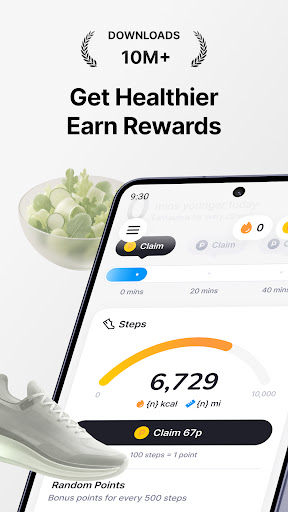
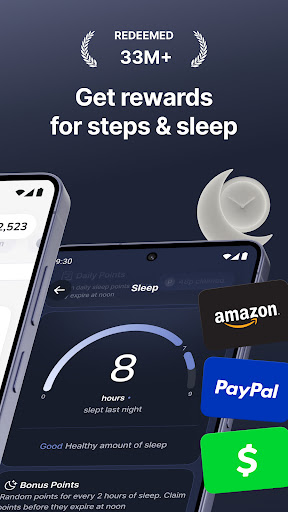
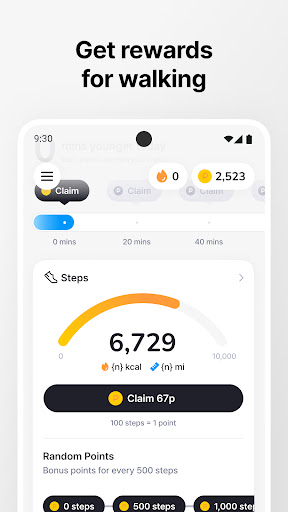
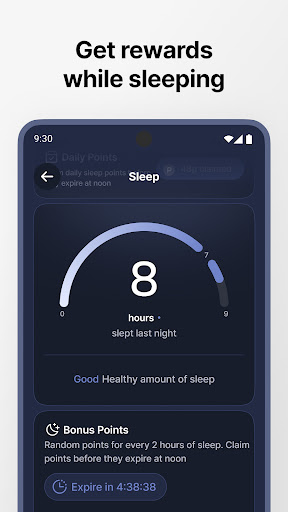
Moneywalk, the global app with 8 million downloads worldwide, is now AHEALTH.
AHEALTH stands for All for your Health
We help you build healthy habits, and reward you for keeping them.
■ The more you use the app, the younger you get every day
Have you ever imagined getting younger each day?
Keep up with the healthy habits AHEALTH recommends for you.
AHEALTH will help you enjoy a healthy, happy life for years to come.
■ Find out your bio age
Your calendar age is just a number. Your bio age tells the real story.
AHEALTH looks at how you walk, eat, and sleep, then turns those everyday habits into your bio age.
You'll get guidance made just for you, so you can drop the habits holding you back, and do more of the ones that help.
■ The healthier you get, the more points you earn
Walk enough. Eat well. Sleep deeply. Have a healthy day and watch the points pile up.
Unlike other step counters, 5,000 steps is all it takes to earn 200 points or more.
Take your vitamins, drink some water, smile wide even just take a deep breath. It all adds up, every single day.
■ Turn your points into gift cards
The points you earn on AHEALTH become real gift cards
from popular brands and major retailers.
Available rewards vary by country.
■ Walking, sleep, meals one app for all of it
Log today's meals like you would in any food diary, and the points are yours.
Check how long you slept, and that alone earns you a reward.
Every habit you build turns into points. That's what AHEALTH is.
■ Smile, have fun, and look after your mind
Start small. Hear a kind word, share a big smile.
Then listen to music, grow a plant, play a game that pays.
Let the stress go.
■ AHEALTH is made for...
Anyone who wants to stay healthy and feel good for years to come
Anyone who can't make it to the gym but still want to move
Anyone who likes making their apps pay them back
[App Permissions]
AHEALTH only asks for the permissions the service needs,and we're upfront about every one of them.
Show more

1. Download MEmu installer and finish the setup

2. Start MEmu then open Google Play on the desktop

3. Search AHEALTH: Get Healthy Get Paid in Google Play
Install
4. Download and Install AHEALTH: Get Healthy Get Paid
5. On install completion click the icon to start

6. Enjoy using AHEALTH: Get Healthy Get Paid on PC with MEmu
MEmu Play is the best Android emulator, and 100 million users already enjoy its superb Android app experience. Powered by advanced virtualization technology, it lets you enjoy thousands of Android apps smoothly on your PC—including the most graphics-intensive ones.
Bigger screen with better graphics; Long duration, without limitation of battery or mobile data.
Full Keymapping support for precise control of keyboard and mouse or gamepad.
Multiple game accounts or tasks on single PC at one time with Multi-Instance manager.
Use AHEALTH: Get Healthy Get Paid on PC by following steps: