
MyWhoosh: Indoor Cycling App
Updated
Current Version
3.9.1
Offered By

Stop worrying about high battery drain when using MyWhoosh: Indoor Cycling App on your phone. Free yourself from the tiny screen and enjoy the app on a much larger display. From now on, get a full-screen experience of your app with the convenience of a keyboard and mouse. MEmu offers you all the surprising features you’d expect: quick installation and easy setup, intuitive controls, and no more worries about battery life, mobile data, or unexpected calls. The all-new MEmu 9 is the choice for using MyWhoosh: Indoor Cycling App on your computer. With the MEmu multi-instance manager, you can run two or more accounts at the same time. Most importantly, our exclusive emulation engine unlocks your PC’s full potential, delivering smooth and enjoyable performance.
Show more
Enjoy superb experience of using MyWhoosh: Indoor Cycling App on PC with MEMU App Player. It's a powerful free Android emulator which provides you with thousands of android apps for their desktop version. Enjoy connecting with friends and polishing your work with higher efficiency! Official Partner | UCI Cycling Esports World Championships 2024-2026.



Official Partner | UCI Cycling Esports World Championships 2024-2026
MyWhoosh is a free-to-use virtual cycling platform that provides a great experience at any skill level. You can explore an extraordinary virtual world, improve your cycling goals, and be a part of a vibrant global community from the comfort of your home.
MyWhoosh has been designed with your goals in mind, whatever they may be:
• Elevating your performance as an amateur or professional cyclist.
• Racing in global esports events.
• Having a fun, social, and innovative fitness experience at home.
• Exploring new and immersive worlds.
WHY JOIN MYWHOOSH?
REALISTIC WORLDS
Explore beautiful worlds – Hudayriyat, California, Belgium, Colombia, Australia, AlUla, and Arabia – based on real-life locations from across the world. From challenging climbs to fast flats, lush jungles, and sparse deserts to dense cities and rolling countryside, MyWhoosh has it all.
WORLD-CLASS WORKOUTS AND TRAINING PLANS
Train 730+ workouts and world-class plans designed by top coaches to help you crush your cycling goals and take your fitness to the next level. Whether you are a road cyclist, a triathlete, or just looking to improve your health and get fit, there's something for everyone, and you can even create your own workout.
THE HIGHEST LEVEL OF CYCLING ESPORTS IN THE WORLD
Take part in cycling esports events with the biggest cash prize pool in virtual cycling history!
A GLOBAL COMMUNITY OF RIDERS
Never ride alone! Join a vibrant community of cyclists and fitness enthusiasts from around the world. Ride in a range of social rides and daily events targeting different time zones and make new friends while riding.
POPULAR BRAND ACCESSORIES IN THE MYWHOOSH GARAGE
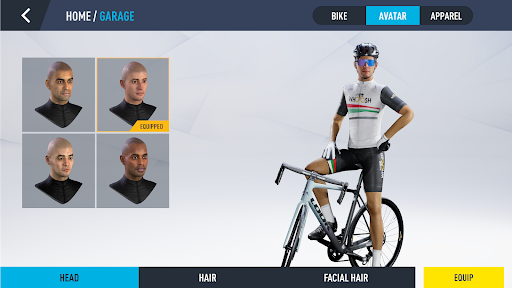
Customize your avatar completely by choosing your preferred bike and cycling accessories from popular brands like Colnago, Ekoi, Ventum, Rose, and Look and many more.
Show more

1. Download MEmu installer and finish the setup

2. Start MEmu then open Google Play on the desktop

3. Search MyWhoosh: Indoor Cycling App in Google Play
Install
4. Download and Install MyWhoosh: Indoor Cycling App
5. On install completion click the icon to start

6. Enjoy using MyWhoosh: Indoor Cycling App on PC with MEmu
MEmu Play is the best Android emulator, and 100 million users already enjoy its superb Android app experience. Powered by advanced virtualization technology, it lets you enjoy thousands of Android apps smoothly on your PC—including the most graphics-intensive ones.
Bigger screen with better graphics; Long duration, without limitation of battery or mobile data.
Full Keymapping support for precise control of keyboard and mouse or gamepad.
Multiple game accounts or tasks on single PC at one time with Multi-Instance manager.
Use MyWhoosh: Indoor Cycling App on PC by following steps: