AI PDF: Reader & Summary
Updated
Current Version
1.0.0.5
Offered By

Stop worrying about high battery drain when using AI PDF: Reader & Summary on your phone. Free yourself from the tiny screen and enjoy the app on a much larger display. From now on, get a full-screen experience of your app with the convenience of a keyboard and mouse. MEmu offers you all the surprising features you’d expect: quick installation and easy setup, intuitive controls, and no more worries about battery life, mobile data, or unexpected calls. The all-new MEmu 9 is the choice for using AI PDF: Reader & Summary on your computer. With the MEmu multi-instance manager, you can run two or more accounts at the same time. Most importantly, our exclusive emulation engine unlocks your PC’s full potential, delivering smooth and enjoyable performance.
Show more
Enjoy superb experience of using AI PDF: Reader & Summary on PC with MEMU App Player. It's a powerful free Android emulator which provides you with thousands of android apps for their desktop version. Enjoy connecting with friends and polishing your work with higher efficiency! AI PDF: Reader & Summary — Smart AI PDF Reader & Document Assistant.
AI PDF: Reader & Summary — Smart AI PDF Reader & Document Assistant
Read, summarize, chat, translate, edit, scan, convert, and manage PDF files with one powerful AI PDF app.
AI PDF: Reader & Summary combines a fast PDF Reader, AI PDF Summary, Chat with PDF, PDF Translator, PDF Editor, OCR, document scanner, PDF converter, and file manager to help you understand documents faster and work smarter.
Whether you study, review reports, read books, manage contracts, or handle daily documents, AI PDF gives you the tools you need in one place.
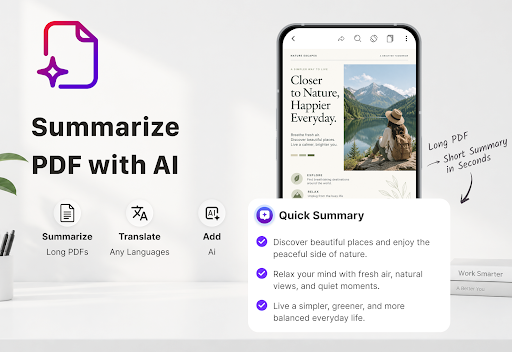
AI PDF SUMMARY — Understand Documents Faster
Save time with AI-powered PDF summaries.
• Summarize long PDF documents into key points
• Get quick overviews of reports, books, contracts, and study materials
• Extract important information and main ideas
• Understand documents without reading every page
• Turn complex files into easy-to-understand summaries
CHAT WITH PDF — Ask Questions About Documents
Interact with your PDF and find information faster.
• Ask questions based on PDF content
• Find important details without searching page by page
• Understand complex sections more easily
• Get insights from reports, research papers, manuals, and books
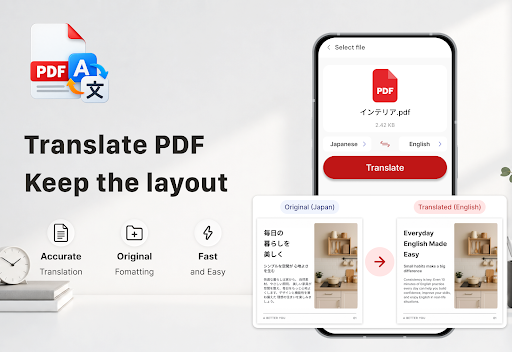
AI PDF TRANSLATOR — Translate PDF Documents
Read documents in different languages.
• Translate PDF files quickly
• Translate document text into supported languages
• Understand foreign reports, manuals, and study materials
• Read and translate PDFs in one app
PDF READER & PDF VIEWER
Enjoy a smooth and powerful PDF reading experience.
• Fast PDF Reader with smooth zoom and scrolling
• Search text inside PDF files
• Jump to any page instantly
• Rotate pages and organize your reading view
• Dark mode for comfortable reading
• Open PDFs from Files, Gmail, Drive, and other apps
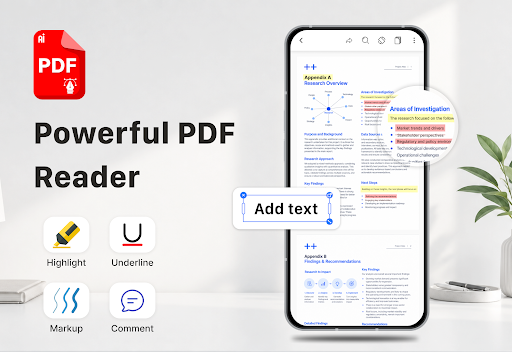
PDF EDITOR & ANNOTATION TOOLS
Edit and review PDF documents easily.
• Highlight, underline, and strikethrough text
• Draw and write on PDF pages
• Add comments and annotations
• Copy text from PDF documents
• Save edits directly to your files
PDF SCANNER & OCR
Convert paper documents into digital files.
• Scan documents, receipts, ID cards, and passports
• Auto-detect document edges
• Create multi-page PDF files
• Recognize text from scanned PDFs and images
• Copy, share, and export extracted text
MERGE, SPLIT & ORGANIZE PDF
Manage your PDF pages easily.
• Merge multiple PDF files into one document
• Split PDF into separate files
• Extract selected pages
• Reorder, rotate, and delete pages
• Add page numbers and crop margins
SIGN & PROTECT PDF
Secure and manage important documents.
• Add signatures to PDF files
• Sign contracts and forms
• Add or remove password protection
• Redact sensitive information
• Add text or image watermarks
PDF CONVERTER & EXPORT TOOLS
Convert and share documents easily.
• Image to PDF
• PDF to Image
• PDF to long image
• Web page to PDF
• Print PDF files
• Import files from your device
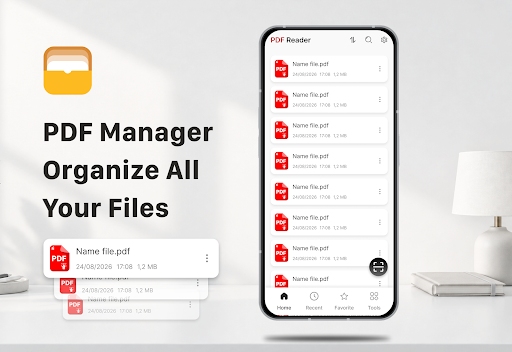
SMART PDF FILE MANAGER
Keep all your documents organized.
• Browse all PDF files on your device
• Recent files and Favorites
• Search and sort by name, date, or size
• Restore deleted files from Recycle Bin
• Share PDFs instantly
ALL-IN-ONE AI PDF TOOLKIT
AI PDF: Reader & Summary includes:
AI PDF Summary • Chat with PDF • PDF Reader • PDF Editor • PDF Translator • OCR PDF • PDF Scanner • PDF Converter • Merge PDF • Split PDF • PDF Sign • Document Manager
From reading PDFs to understanding documents with AI, AI PDF: Reader & Summary helps you save time, find information faster, and manage every document smarter.
Download AI PDF: Reader & Summary and experience the smarter way to work with PDFs.
Show more

1. Download MEmu installer and finish the setup

2. Start MEmu then open Google Play on the desktop

3. Search AI PDF: Reader & Summary in Google Play
Install
4. Download and Install AI PDF: Reader & Summary
5. On install completion click the icon to start

6. Enjoy using AI PDF: Reader & Summary on PC with MEmu
MEmu Play is the best Android emulator, and 100 million users already enjoy its superb Android app experience. Powered by advanced virtualization technology, it lets you enjoy thousands of Android apps smoothly on your PC—including the most graphics-intensive ones.
Bigger screen with better graphics; Long duration, without limitation of battery or mobile data.
Full Keymapping support for precise control of keyboard and mouse or gamepad.
Multiple game accounts or tasks on single PC at one time with Multi-Instance manager.
Use AI PDF: Reader & Summary on PC by following steps: