Kiyo - AI Chat with GPT-3
Updated
Current Version
1.59.495-563
Offered By

Stop worrying about high battery drain when using Kiyo - AI Chat with GPT-3 on your phone. Free yourself from the tiny screen and enjoy the app on a much larger display. From now on, get a full-screen experience of your app with the convenience of a keyboard and mouse. MEmu offers you all the surprising features you’d expect: quick installation and easy setup, intuitive controls, and no more worries about battery life, mobile data, or unexpected calls. The all-new MEmu 9 is the choice for using Kiyo - AI Chat with GPT-3 on your computer. With the MEmu multi-instance manager, you can run two or more accounts at the same time. Most importantly, our exclusive emulation engine unlocks your PC’s full potential, delivering smooth and enjoyable performance.
Show more
Enjoy superb experience of using Kiyo - AI Chat with GPT-3 on PC with MEMU App Player. It's a powerful free Android emulator which provides you with thousands of android apps for their desktop version. Enjoy connecting with friends and polishing your work with higher efficiency! Welcome to the world of AI-powered assistance!
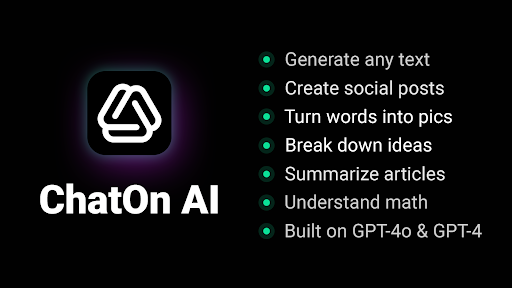
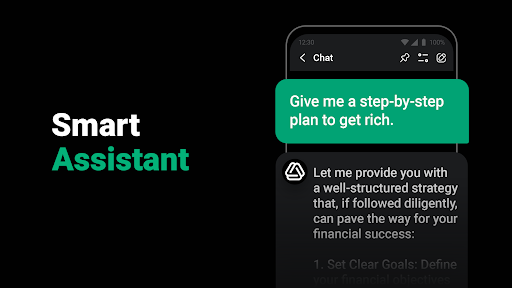
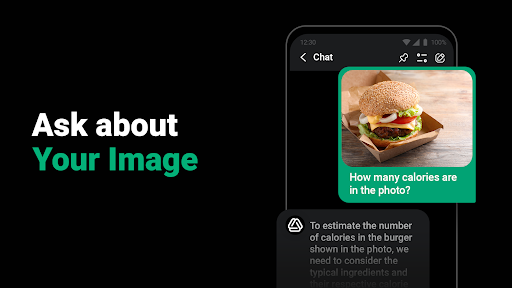
Welcome to the world of AI-powered assistance! Meet ChatOn, your chat AI and virtual assistant designed to streamline your daily tasks. Built on the latest GPT-4o, GPT-4, and Claude technologies, ChatOn offers a responsive chatbot AI experience that feels both intuitive and highly effective. Whether you need help drafting emails, creating visuals, or generating ideas, turn to this chatbot for help.
AI IMAGE GENERATOR:
Create visuals that match your style with our AI picture generator. Just tweak the image generator chat settings and turn your ideas into pics of any size and style.
IMAGE-TO-TEXT CONVERTER:
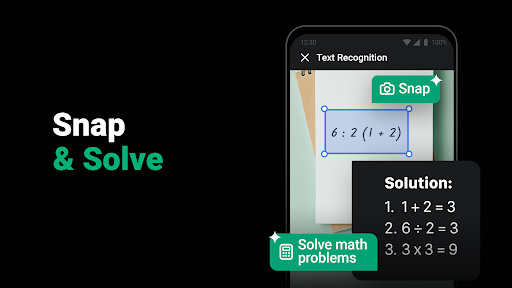
Our chatbot GPT can assist in extracting text from pics, letting you insert it into the chat AI instantly.
AI WRITING ASSISTANT:
ChatOn, powered by ChatGPT 4 and GPT 4o, offers a versatile AI writing assistant that helps with any writing project, from emails and speeches to social posts and poems. You can pick the length and tone of the chatbot GPT’s answers the chatbot GPT gives you and get ideas for follow-up questions to keep your chat going.
WEB ANALYZER:
The chatbot AI, powered by ChatGPT and GPT-4o, is ideal for finding online answers to questions. From getting to know the weather to discovering the latest fashion trends, our chatbot GPT is here for you.
DOC MASTER:
ChatOn can summarize, rewrite, and translate any doc. And if you have questions about the file’s content, the chatbot AI will answer them all.
YOUTUBE PRO:
Share any YouTube link with the chatbot GPT, and it will summarize, translate, or answer questions about the video content.
GRAMMAR AND SPELLING CHECKER:
Get ready to boost your skills in AI writing with ChatOn, powered by ChatGPT and GPT 4, as it can analyze your written work and offer suggestions to help you improve it.
AI REWRITER:
The chatbot AI can rewrite your text, making it more engaging and professional right in the chat.
SOCIAL MEDIA POSTS CREATOR:
Crafting social media posts becomes easy with ChatOn. Developed on ChatGPT and GPT 4, this AI writing assistant helps you create content for Facebook, Instagram, LinkedIn, or X profiles. And if you want an eye-catching image to go with it, our AI image generator can create one in seconds.
TEXT SUMMARIZER:
ChatOn’s summarization features, powered by ChatGPT 4 and GPT 4o, identify key information and present it in a concise way.
TEXT-TO-SPEECH OPTION:
While you can always read the bot's messages, ChatOn also lets you listen to them in the chat.
VOICE-TO-TEXT FUNCTION:
With this AI chat app, you can speak instead of typing.
AUTHENTICITY BOOSTER:
Whether you're crafting a social media post or business pitch, this chatbot GPT can help you fill your writing with genuine emotion and flair.
MATH GURU:
Developed on ChatGPT 4 and GPT4o, this chat AI helps you grasp the subject matter rather than simply get immediate solutions. You can even visualize math problems with our AI picture generator to make understanding easier.
EXPERT CODER:
ChatOn can write and check any programming code, preventing potential bugs.
CV AND COVER LETTER BUILDER:
Create a pro resume and cover letter that will show your talents and experience in the best light possible. For a visual touch, use our AI image generator to create graphics that make your CV stand out.
EMAIL GENERATOR:
Powered by ChatGPT 4, ChatOn crafts well-structured, compelling emails suited to your needs. You can enhance these emails with unique visuals created with our AI picture generator.
Whether you’re chatting, creating content, or generating images, ChatOn offers an all-in-one chatbot AI solution for your daily productivity. Just type your request or pick from the app’s 100+ ready-made prompts, and the bot will assist you.
Explore the potential of ChatGPT 4, GPT 4o, and Claude in ChatOn and discover how this intelligent assistant can help you.
Download ChatOn, start chatting in the AI chat or creating images in the AI picture generator, and boost your productivity here and now!
Show more

1. Download MEmu installer and finish the setup

2. Start MEmu then open Google Play on the desktop

3. Search Kiyo - AI Chat with GPT-3 in Google Play
Install
4. Download and Install Kiyo - AI Chat with GPT-3
5. On install completion click the icon to start

6. Enjoy using Kiyo - AI Chat with GPT-3 on PC with MEmu
MEmu Play is the best Android emulator, and 100 million users already enjoy its superb Android app experience. Powered by advanced virtualization technology, it lets you enjoy thousands of Android apps smoothly on your PC—including the most graphics-intensive ones.
Bigger screen with better graphics; Long duration, without limitation of battery or mobile data.
Full Keymapping support for precise control of keyboard and mouse or gamepad.
Multiple game accounts or tasks on single PC at one time with Multi-Instance manager.
Use Kiyo - AI Chat with GPT-3 on PC by following steps: