INSIDE
Updated
Current Version
Offered By

With your passion for INSIDE, you shouldn’t have to limit yourself to the small screen of a phone. Play like a pro and take full control of the game using a keyboard and mouse. MEmu gives you everything you’re looking for. Download and play INSIDE on PC. Play as long as you want — no more worries about battery life, mobile data, or unexpected calls. The all-new MEmu 9 is the best way to play INSIDE on PC. With our expertly designed keymapping system, INSIDE feels just like a real PC game. The MEmu multi-instance manager lets you run two or more accounts on the same device at the same time. Most importantly, our exclusive emulation engine unlocks your PC’s full potential, delivering smooth and seamless performance.
Show more
Download INSIDE on PC with MEmu Android Emulator. Enjoy playing on big screen. Discover Playdead's unique indie adventure game Inside, a dark, narrative-driven platformer combining intense action with challenging puzzles.
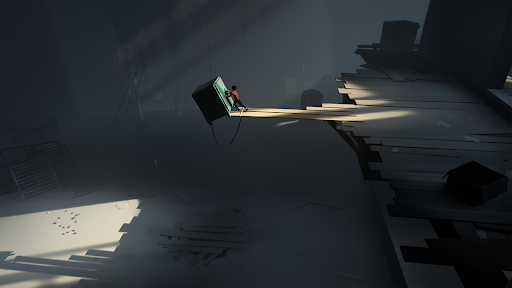
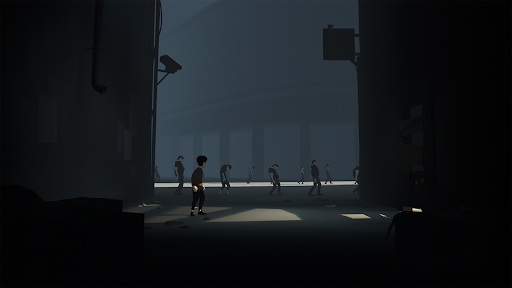
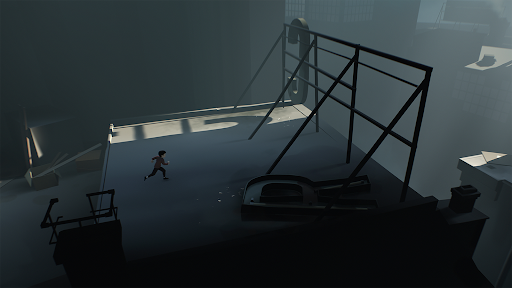
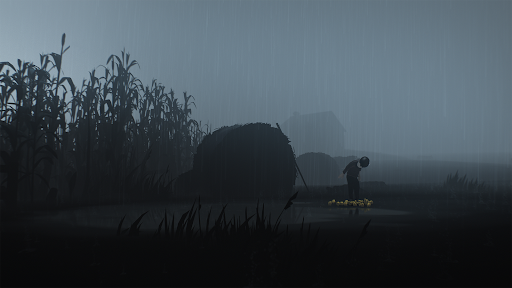
Discover Playdead's unique indie adventure game Inside, a dark, narrative-driven platformer combining intense action with challenging puzzles. It has received critical acclaim for its moody art style, ambient soundtrack and unsettling atmosphere.
What the press said:
“MASTERPIECE! Inside is a 2D puzzle platformer that builds upon what made Limbo great, and in fact builds something greater.” — 10/10
IGN
“Inside expands on the concepts and scope of its predecessor in wildly creative ways, and it's so immaculately designed and constructed from top to bottom that it almost feels suitable for display in an art museum. This is one hell of a follow-up.” — 5/5
Giant Bomb
“Gorgeous art and animations, devious puzzle design and a pitch-black sense of humor. A perfectly paced series of escalating "holy shit" moments.”
Kotaku
Winner of more than 100 awards, including:
- Artistic Achievement (BAFTA)
- Game Design (BAFTA)
- Narrative (BAFTA)
- Original Property (BAFTA)
- Best Independent Game (Game Critics Awards)
- Best Independent Game (The Game Awards)
- Best Art Direction (The Game Awards)
- Sprite Award (D.I.C.E. Awards)
- Outstanding Achievement in Art Direction (D.I.C.E. Awards)
- Outstanding Achievement in Game Direction (D.I.C.E. Awards)
- Best Audio (Game Developers Choice Awards)
- Best Visual Art (Game Developers Choice Awards)
Show more

1. Download MEmu installer and finish the setup

2. Start MEmu then open Google Play on the desktop

3. Search INSIDE in Google Play
Install
4. Download and Install INSIDE
5. On install completion click the icon to start

6. Enjoy playing INSIDE on PC with MEmu
MEmu Play is the best Android emulator and 100 million people already enjoy its superb Android gaming experience. The MEmu virtualization technology empowers you to play thousands of Android games smoothly on your PC, even the most graphic-intensive ones.
Bigger screen with better graphics; Long duration, without limitation of battery or mobile data.
Full Keymapping support for precise control of keyboard and mouse or gamepad.
Multiple game accounts or tasks on single PC at one time with Multi-Instance manager.
Play INSIDE on PC by following steps: