AirScreen - AirPlay & Cast PC

Download AirScreen - AirPlay & Cast on PC

AirScreen - AirPlay & Cast PC

AirScreen - AirPlay & Cast

  • Updated

  • Current Version

    2.18.0

  • Offered By

    AirScreen - AirPlay & Cast PC

Features of AirScreen - AirPlay & Cast on PC

Stop worrying about high battery drain when using AirScreen - AirPlay & Cast on your phone. Free yourself from the tiny screen and enjoy the app on a much larger display. From now on, get a full-screen experience of your app with the convenience of a keyboard and mouse. MEmu offers you all the surprising features you’d expect: quick installation and easy setup, intuitive controls, and no more worries about battery life, mobile data, or unexpected calls. The all-new MEmu 9 is the choice for using AirScreen - AirPlay & Cast on your computer. With the MEmu multi-instance manager, you can run two or more accounts at the same time. Most importantly, our exclusive emulation engine unlocks your PC’s full potential, delivering smooth and enjoyable performance.

Show more

Screenshots & Video of AirScreen - AirPlay & Cast PC

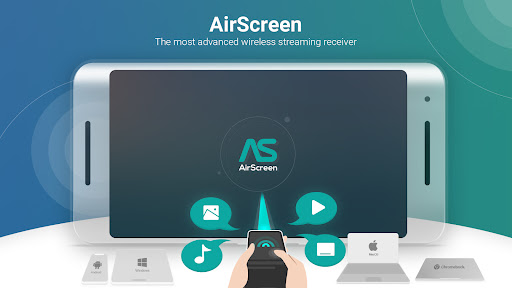
Enjoy superb experience of using AirScreen - AirPlay & Cast on PC with MEMU App Player. It's a powerful free Android emulator which provides you with thousands of android apps for their desktop version. Enjoy connecting with friends and polishing your work with higher efficiency! Experience the excitement of sharing and streaming your favorite media content on a larger screen with AirScreen, a top-notch wireless streaming receiver compatible with AirPlay, Cast, Miracast*, and DLNA.
APP Info

Experience the excitement of sharing and streaming your favorite media content on a larger screen with AirScreen, a top-notch wireless streaming receiver compatible with AirPlay, Cast, Miracast*, and DLNA.
Why pick AirScreen:


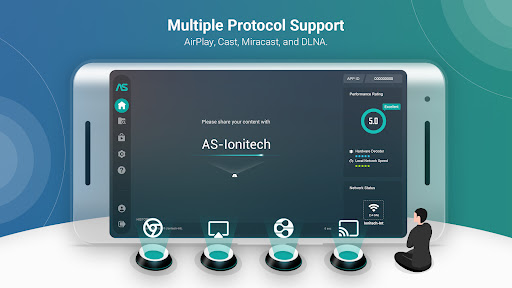
• Multiple Protocol Support: AirScreen supports AirPlay, Cast, Miracast*, and DLNA, making it easy to receive content from your devices without any cables.

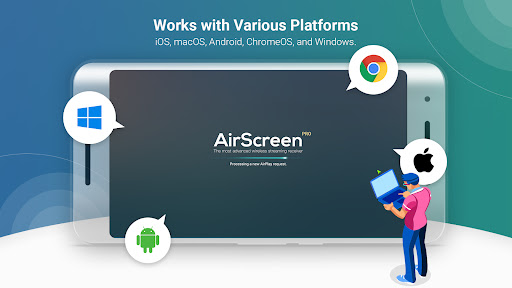
• Works with Various Platforms: Enjoy smooth media sharing across iOS 8-27, iPadOS 13-27, macOS 10.5-27, Android 5-17, ChromeOS 63-152, and Windows 7-11 devices.

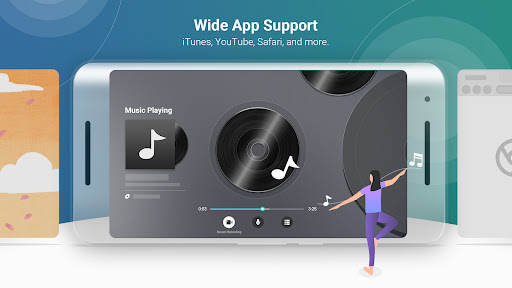
• Wide App Support: Listen to tunes from iTunes, watch videos on YouTube, browse Safari and Chrome webpages, and more. With thousands of compatible apps, AirScreen offers endless entertainment possibilities.

• Simple Installation: Set up AirScreen on the receiving devices only, with no need to install it on the sender devices.

• Screen Recording: Capture and save your favorite content with AirScreen's recording feature.

• Privacy Protection: Keep your data safe with encrypted transfers that prevent unauthorized access.

• Extra Perks: Get improved video playback with Video Hardware Acceleration, enjoy crystal-clear 4K Ultra High-Definition resolution, multitask with Background Service Mode, personalize device names, and more.

Upgrade your media sharing experience with AirScreen, the user-friendly wireless streaming receiver perfect for quality time with family and friends.

AirScreen Video Tutorials:
https://www.youtube.com/c/AirScreenApp

We want your feedback! Email your comments, questions, or concerns to support-as@ionitech.cn.

* Miracast feature disabled since Android Oreo (8.0).

PLEASE NOTE BEFORE DOWNLOADING: Some Android phones/tablets and Android TV models might not be fully supported by the current version. If you experience glitches, report any issues (including your device model and AirScreen app ID) to support-as@ionitech.cn. We're working hard to make AirScreen available on all devices as soon as possible.

Show more

How to Download AirScreen - AirPlay & Cast on PC

  • AirScreen - AirPlay & Cast PC

    1. Download MEmu installer and finish the setup

  • AirScreen - AirPlay & Cast PC

    2. Start MEmu then open Google Play on the desktop

  • AirScreen - AirPlay & Cast PC

    3. Search AirScreen - AirPlay & Cast in Google Play

  • AirScreen - AirPlay & Cast PC Install

    4. Download and Install AirScreen - AirPlay & Cast

  • AirScreen - AirPlay & Cast PC

    5. On install completion click the icon to start

  • AirScreen - AirPlay & Cast PC
    AirScreen - AirPlay & Cast PC AirScreen - AirPlay & Cast PC

    6. Enjoy using AirScreen - AirPlay & Cast on PC with MEmu

Why Use MEmu for AirScreen - AirPlay & Cast

MEmu Play is the best Android emulator, and 100 million users already enjoy its superb Android app experience. Powered by advanced virtualization technology, it lets you enjoy thousands of Android apps smoothly on your PC—including the most graphics-intensive ones.

  • Bigger screen with better graphics; Long duration, without limitation of battery or mobile data.

  • Full Keymapping support for precise control of keyboard and mouse or gamepad.

  • Multiple game accounts or tasks on single PC at one time with Multi-Instance manager.

Ready to Use?

AirScreen - AirPlay & Cast - FAQs

  • How to use AirScreen - AirPlay & Cast on PC?

    Use AirScreen - AirPlay & Cast on PC by following steps:

    • Download MEmu, then install and launch it
    • Login to Google Play Store, install the app
    • Enjoy using the app on PC with MEmu
  • What are the minimum system requirements to run AirScreen - AirPlay & Cast on PC?
    • Intel or AMD Processor
    • Microsoft Windows 7 and above
    • 2GB of memory
    • 5GB of free disk space
    • Hardware Virtualization Technology
lyzs
lyzs