
AlReader -any text book reader
Updated
Current Version
1.932102241
Offered By

Stop worrying about high battery drain when using AlReader -any text book reader on your phone. Free yourself from the tiny screen and enjoy the app on a much larger display. From now on, get a full-screen experience of your app with the convenience of a keyboard and mouse. MEmu offers you all the surprising features you’d expect: quick installation and easy setup, intuitive controls, and no more worries about battery life, mobile data, or unexpected calls. The all-new MEmu 9 is the choice for using AlReader -any text book reader on your computer. With the MEmu multi-instance manager, you can run two or more accounts at the same time. Most importantly, our exclusive emulation engine unlocks your PC’s full potential, delivering smooth and enjoyable performance.
Show more
Enjoy superb experience of using AlReader -any text book reader on PC with MEMU App Player. It's a powerful free Android emulator which provides you with thousands of android apps for their desktop version. Enjoy connecting with friends and polishing your work with higher efficiency! Program is designed for reading fiction book.
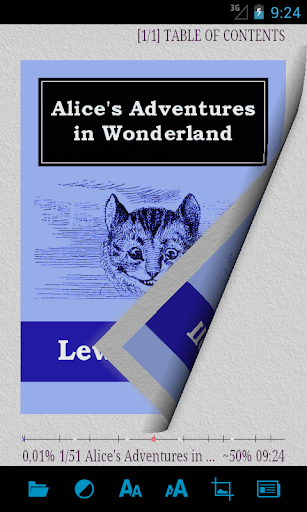
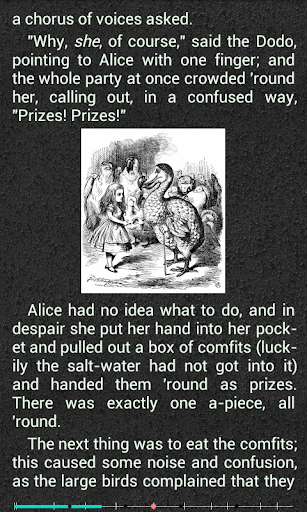
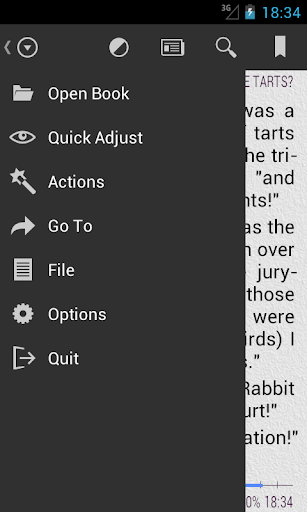
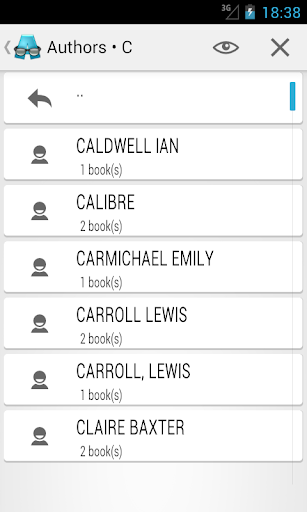
Program is designed for reading fiction book.
- Book reader compatible with Android 1.6+
- read formats: fb2, fb3, fbz, txt, epub (no DRM), html, doc, docx, odt, rtf, mobi (no DRM), prc (PalmDoc), tcr. Supported ZIP and GZ archives.
- It is possible to specify an encoding of reading file (include 932, 936, 949, 950 code page).
- Support Text-To-Speech (TTS) (permission to the calls need to stop tts while calling)
- Support network libraries (OPDS)
- Local library. The selection of authors, series, title, publication year, genre.
- Supported interface languages: russian, english, german, greek, ukrainian, belarusian, polish, chineze, bulgarian, turkish.
- Supported external dictionaries.
- Fb2 and TXT file editing. If a file is in an archive, edited file is unpacked to the same directory as the original one.
- It is possible to select code page for file names in zip.
- Correct hyphenation for 20 languages.
- Four profiles with independent font, color, brightness, gamma correction and indent of text.
- One- and two-page mode with automatic switch to the two-page mode in landscape.
- Configuring of display styles (headings, citations, abstracts, etc.). Each style includes font, color, text style, text size, shadow, indent, spacing and so on.
- Search.
- Autoscroll "wave" and "slide".
- 3D paging animation.
- Initial letter to one or two lines of text at the beginning of each chapter or paragraph.
- Independent setting of all items in the status bar and footer for windowed and full-screen mode.
- Support for display of footnotes on the page for fb2- and (most) epub-files.
- The horizontal and vertical alignment of text on the screen.
- Hanging punctuation.
- "Sections from a new page" option.
- Navigation in the text: by percents, by pages, to the beginning/end of the text, 10 pages forward/backward, to the next/previous chapter.
- Table of contents in fb2-, doc- and epub-files.
- 9 tap-zones for short and long taps, gestures, gestures with two fingers, resize text by "pinch", to assign the actions for buttons.
- Support E-Ink screens. Adaptation of appearance for the E-Ink screens, support of "fast" refresh for many EINK devices.
- Fixation of screen rotation.
- Support 9.png skins with automatic selection of one- or two-page mode.
- Upon selection of embedded texture, background color is taken into account, i.e. mix of textures and colors.
- Clock behind the text.
- Quotes, bookmarks, text labeling, sending the selected text to third-party programs.
- Creating shortcuts for books on the home screen.
- Save / restore program settings / styles / current profile (+fonts, +skins) / text styles.
- Ability to hold screen backlight (up to 20 minutes of inactivity).
- Fine-tuning of various indentations, adjusting software shading of the screen (if minimal hardware brightness level is too high for comfortable use).
- The program collects anonymous statistics of open books for creating the top -100 authors and books. This top -100 is available in program.
- Synchronize reading position via network or file system.
Show more

1. Download MEmu installer and finish the setup

2. Start MEmu then open Google Play on the desktop

3. Search AlReader -any text book reader in Google Play
Install
4. Download and Install AlReader -any text book reader
5. On install completion click the icon to start

6. Enjoy using AlReader -any text book reader on PC with MEmu
MEmu Play is the best Android emulator, and 100 million users already enjoy its superb Android app experience. Powered by advanced virtualization technology, it lets you enjoy thousands of Android apps smoothly on your PC—including the most graphics-intensive ones.
Bigger screen with better graphics; Long duration, without limitation of battery or mobile data.
Full Keymapping support for precise control of keyboard and mouse or gamepad.
Multiple game accounts or tasks on single PC at one time with Multi-Instance manager.
Use AlReader -any text book reader on PC by following steps:





















![[3D Platformer] Super Bear Adventure PC](https://dl.memuplay.com/new_market/img/com.Earthkwak.Platformer.icon.2024-09-08-15-16-43.png)









