
AniPeak - Anime TV SUB & DUB
Updated
Current Version
1.0.2
Offered By

Stop worrying about high battery drain when using AniPeak - Anime TV SUB & DUB on your phone. Free yourself from the tiny screen and enjoy the app on a much larger display. From now on, get a full-screen experience of your app with the convenience of a keyboard and mouse. MEmu offers you all the surprising features you’d expect: quick installation and easy setup, intuitive controls, and no more worries about battery life, mobile data, or unexpected calls. The all-new MEmu 9 is the choice for using AniPeak - Anime TV SUB & DUB on your computer. With the MEmu multi-instance manager, you can run two or more accounts at the same time. Most importantly, our exclusive emulation engine unlocks your PC’s full potential, delivering smooth and enjoyable performance.
Show more
Enjoy superb experience of using AniPeak - Anime TV SUB & DUB on PC with MEMU App Player. It's a powerful free Android emulator which provides you with thousands of android apps for their desktop version. Enjoy connecting with friends and polishing your work with higher efficiency! AniPeak is an anime streaming app for Android that brings Japanese anime and Chinese donghua together in one place.
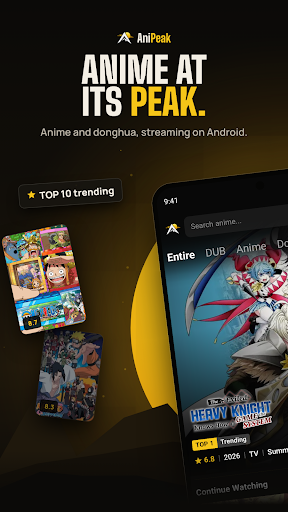
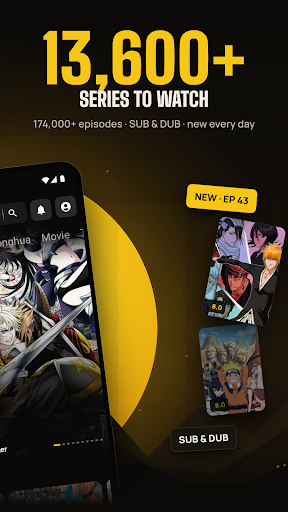
AniPeak is an anime streaming app for Android that brings Japanese anime and Chinese donghua together in one place. Browse 6500+ series, switch between subtitles and English dub, and catch new episodes every day.
WHY ANIPEAK
- 6500+ anime and donghua series and 174,000+ episodes
- SUB and DUB on the episode page, with 3,000+ dubbed series
- New episodes added daily, shortly after they air
- Built for phones and tablets, with a clean dark design
A HOME PAGE THAT KEEPS UP
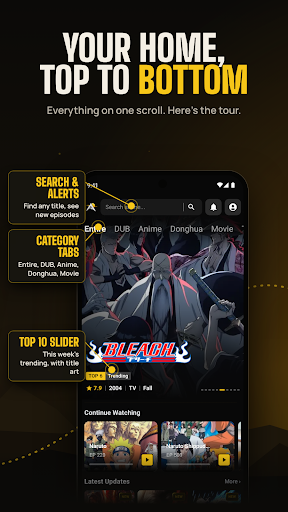
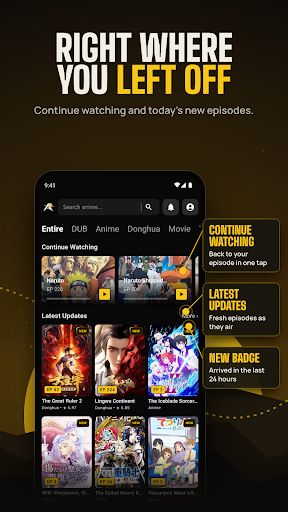
Open the app and the week's top 10 trending series are waiting at the top. Below that you'll find Continue Watching, the latest episode updates with a NEW tag on anything from the last 24 hours, plus Most Watched, Most Bookmarked and Recently Added. Category tabs let you jump straight to DUB, Anime, Donghua, Movie, TV, OVA, ONA and Special.
SUB OR DUB, YOUR CALL
Every episode page shows which versions are ready before you press play, so you can pick subtitles or the English dub. Choose your default video version, resolution and subtitle style in Settings, and turn on autoplay for the next episode or auto skip for intros and outros.
KNOW WHAT AIRS TODAY
The release schedule lists every series airing each day of the week, with its time slot, format and season.
ANIME AND DONGHUA IN ONE LIBRARY
Explore the full catalog from A to Z, filter by Anime, Donghua or Movie, browse by category, or search any title in seconds. Chinese donghua sits right next to seasonal Japanese anime, updated as new episodes arrive.
PICK UP WHERE YOU STOPPED
Your watch history remembers the exact episode you were on, grouped by day. Bookmark series to find them in one tap, and download episodes to watch later. Get a notification when a new episode is out or when someone replies to your comment.
JOIN THE CONVERSATION
Every episode has its own comment section. Share your reactions, reply to other fans and add GIFs. Sort comments by Popular or New.
WATCH WITHOUT ADS
AniPeak is free to use and supported by ads. Watch one short ad to unlock a stretch of ad-free viewing, or go VIP through Google Play to remove ads completely and get a VIP badge on your profile.
GOOD TO KNOW
• Sign in once with your Google account to save your bookmarks, history and comments
• Works on Android phones and tablets running Android 7.0 or later
• Free to download, contains ads, optional in-app purchases
Support: support@anipeak.us
Website: https://anipeak.us
Privacy Policy: https://anipeak.us/privacy
AniPeak does not own the anime titles, artwork or characters shown in the app. They belong to their respective owners.
Show more

1. Download MEmu installer and finish the setup

2. Start MEmu then open Google Play on the desktop

3. Search AniPeak - Anime TV SUB & DUB in Google Play
Install
4. Download and Install AniPeak - Anime TV SUB & DUB
5. On install completion click the icon to start

6. Enjoy using AniPeak - Anime TV SUB & DUB on PC with MEmu
MEmu Play is the best Android emulator, and 100 million users already enjoy its superb Android app experience. Powered by advanced virtualization technology, it lets you enjoy thousands of Android apps smoothly on your PC—including the most graphics-intensive ones.
Bigger screen with better graphics; Long duration, without limitation of battery or mobile data.
Full Keymapping support for precise control of keyboard and mouse or gamepad.
Multiple game accounts or tasks on single PC at one time with Multi-Instance manager.
Use AniPeak - Anime TV SUB & DUB on PC by following steps: