Baby Monitor Saby - 3G Babycam
Updated
Current Version
2.179
Offered By

Stop worrying about high battery drain when using Baby Monitor Saby - 3G Babycam on your phone. Free yourself from the tiny screen and enjoy the app on a much larger display. From now on, get a full-screen experience of your app with the convenience of a keyboard and mouse. MEmu offers you all the surprising features you’d expect: quick installation and easy setup, intuitive controls, and no more worries about battery life, mobile data, or unexpected calls. The all-new MEmu 9 is the choice for using Baby Monitor Saby - 3G Babycam on your computer. With the MEmu multi-instance manager, you can run two or more accounts at the same time. Most importantly, our exclusive emulation engine unlocks your PC’s full potential, delivering smooth and enjoyable performance.
Show more
Enjoy superb experience of using Baby Monitor Saby - 3G Babycam on PC with MEMU App Player. It's a powerful free Android emulator which provides you with thousands of android apps for their desktop version. Enjoy connecting with friends and polishing your work with higher efficiency! Audio and video monitoring of your baby over WiFi, 3G and LTE networks.
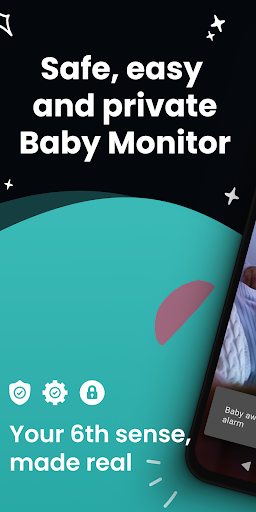
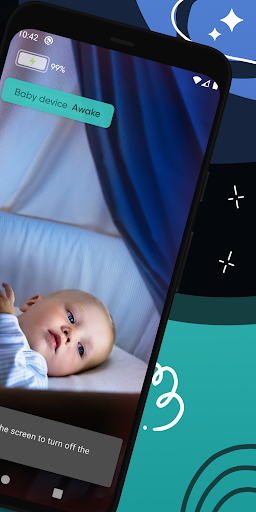
Audio and video monitoring of your baby over WiFi, 3G and LTE networks.
With nanny camera Saby now it is super easy to see what your baby is doing, you just need to use two smartphones to video watch your baby sleeping or playing and get notifications.
• AI Recognition for Waking up Child - Automatic detection of your child awakening.
It goes beyond classic noise-level observation by implementing full voice and cry recognition based on neural-networks. You will get a notification from Saby at the first signs of your baby’s waking.
• HD Stream Anywhere -Baby monitoring from any place in the world.
You can see and hear your baby from any place on Earth via WiFi, 3G and LTE networks. Saby automatically adjusts video quality according to network speed, so you’ll always be connected even on low speed networks.
• All Data Encrypted - All data is encrypted by the latest SHA256 protocol.
We encrypt all data and do not purposefully collect any personal information. You can use our application without inputting any personal data, plus, you can always see the number of connected parents at any given moment.
• Fast Initial Setting - Babycam set up is as simple as it gets.
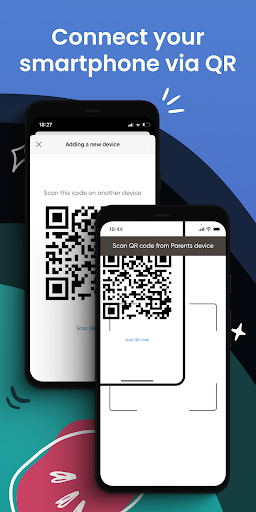
Start Saby on two Android devices on the same WiFi network and the app will automatically detect them. You only need to confirm connection on each device.
Don’t have a mutual WiFi network? Enter a uniquely generated four-digit code to find each other and get connected after reciprocal confirmation.
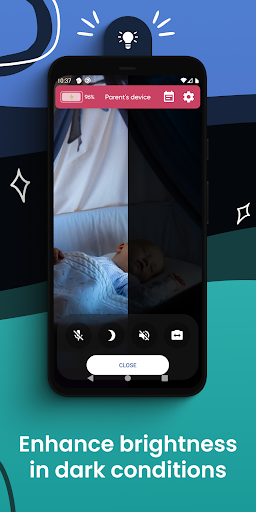
• The camera sees when the lighting is poor.
You may worry that your camera will capture just a big black rectangle in areas with poor lighting, which is not a good thing if you are trying to use it to watch your baby. That’s why we’ve added an additional process to the camera capture that brings light even when there’s nothing to see. And, no, we don’t use the camera flash, because that could wake up your child.
• Automatic Silent Mode - Mute all Notification On your child’s station Device.
Your baby will not be awakened by an undue message or call. After turning off the Saby Baby Monitor, it will go into silent mode.
• Aware of Battery - Get a notification when it get to 20% battery left.
The app shows how much charge remains on the baby station device, and it notifies you when the charge lessens to 20%.
• Full log of Recent Sleeps.
It is always useful to analyze your child’s past sleeps. You can use this information to discover the most suitable time to put your child to bed.
Now it's easy to monitor your baby, with Saby Baby Cam. Wifi Video Nanny By Saby.
You can find our Privacy Policy here: https://saby.app/privacy-policy/
Show more

1. Download MEmu installer and finish the setup

2. Start MEmu then open Google Play on the desktop

3. Search Baby Monitor Saby - 3G Babycam in Google Play
Install
4. Download and Install Baby Monitor Saby - 3G Babycam
5. On install completion click the icon to start

6. Enjoy using Baby Monitor Saby - 3G Babycam on PC with MEmu
MEmu Play is the best Android emulator, and 100 million users already enjoy its superb Android app experience. Powered by advanced virtualization technology, it lets you enjoy thousands of Android apps smoothly on your PC—including the most graphics-intensive ones.
Bigger screen with better graphics; Long duration, without limitation of battery or mobile data.
Full Keymapping support for precise control of keyboard and mouse or gamepad.
Multiple game accounts or tasks on single PC at one time with Multi-Instance manager.
Use Baby Monitor Saby - 3G Babycam on PC by following steps: