BBC iPlayer
Updated
Current Version
1792406426
Offered By

Stop worrying about high battery drain when using BBC iPlayer on your phone. Free yourself from the tiny screen and enjoy the app on a much larger display. From now on, get a full-screen experience of your app with the convenience of a keyboard and mouse. MEmu offers you all the surprising features you’d expect: quick installation and easy setup, intuitive controls, and no more worries about battery life, mobile data, or unexpected calls. The all-new MEmu 9 is the choice for using BBC iPlayer on your computer. With the MEmu multi-instance manager, you can run two or more accounts at the same time. Most importantly, our exclusive emulation engine unlocks your PC’s full potential, delivering smooth and enjoyable performance.
Show more
Enjoy superb experience of using BBC iPlayer on PC with MEMU App Player. It's a powerful free Android emulator which provides you with thousands of android apps for their desktop version. Enjoy connecting with friends and polishing your work with higher efficiency! Enjoy BBC iPlayer in the palm of your hand, from live news coverage, music and big sporting events to great comedies, gripping documentaries and nail-biting dramas.
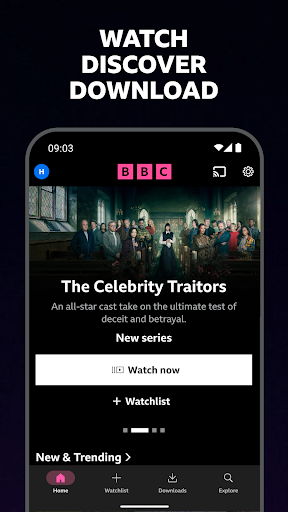
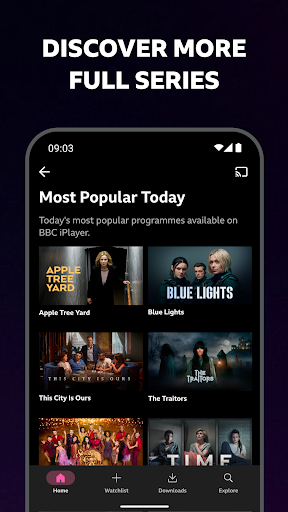
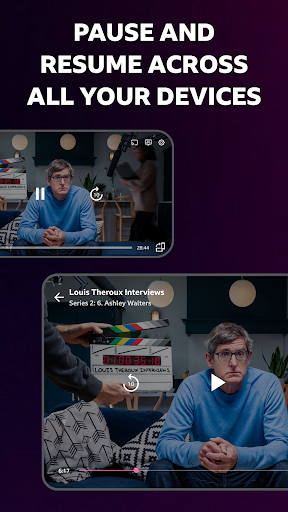
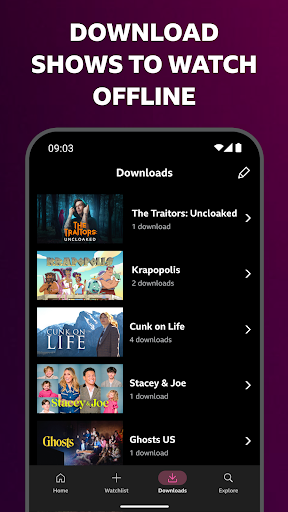
Enjoy BBC iPlayer in the palm of your hand, from live news coverage, music and big sporting events to great comedies, gripping documentaries and nail-biting dramas.
KEY FEATURES:
WATCH ON DEMAND
Discover the latest TV series including The Traitors, Race Across the World and Gladiators.
LIVE TV
Pause, restart and rewind live channels part way through so that you don’t miss a thing.
OFFLINE VIEWING
Download shows to your device so that you can watch on the go.
PARENTAL CONTROLS
Create a child profile for a more age appropriate experience with all their favourite shows from CBBC, CBeebies and more!
MORE FEATURES TO ENJOY:
- Build a watchlist of your favourite shows.
- Sign in or create an account so that you can start watching on one device and resume watching on another.
- Receive recommendations of shows we think you might enjoy.
- Stream programmes to your TV using Google Chromecast; please note this requires a supported device and compatible supported device connected to your TV
To give you the best experience, this app tracks what you’ve watched on BBC iPlayer and how long you’ve watched programmes for. You can turn this off by logging into your BBC account and turning off “Allow Personalisation”. This app also tracks when you add something to My Programmes. You can remove programmes by tapping Remove. In addition, the BBC iPlayer app uses standard Android app permissions that are defined by the Google Android platform. The device uses performance cookies for internal purposes to help us improve the app. You can choose to opt out of this at any time from the in-app Settings menu. For more information about this, privacy, cookies and Android app permissions, visit the BBC iPlayer Apps Privacy notice at https://www.bbc.co.uk/iplayer/help/app_privacy. To read the BBC’s Privacy Policy go to https://www.bbc.co.uk/privacy
You can “opt out” from our data processor’s tracking by filling the “Forget My Device” form in this link https://www.appsflyer.com/optout
If you install this app you accept the BBC Terms of Use at https://www.bbc.co.uk/terms.
The app was developed by Media AT (BBC Media Applications Technologies Limited) which is a wholly owned subsidiary of the BBC (British Broadcasting Corporation). Full details of Media AT are available on the Companies House website at: http://data.companieshouse.gov.uk/doc/company/07100235
Show more

1. Download MEmu installer and finish the setup

2. Start MEmu then open Google Play on the desktop

3. Search BBC iPlayer in Google Play
Install
4. Download and Install BBC iPlayer
5. On install completion click the icon to start

6. Enjoy using BBC iPlayer on PC with MEmu
MEmu Play is the best Android emulator, and 100 million users already enjoy its superb Android app experience. Powered by advanced virtualization technology, it lets you enjoy thousands of Android apps smoothly on your PC—including the most graphics-intensive ones.
Bigger screen with better graphics; Long duration, without limitation of battery or mobile data.
Full Keymapping support for precise control of keyboard and mouse or gamepad.
Multiple game accounts or tasks on single PC at one time with Multi-Instance manager.
Use BBC iPlayer on PC by following steps: