Beauty Camera Sweet Makeup App
Updated
Current Version
1.1.0
Offered By

Stop worrying about high battery drain when using Beauty Camera Sweet Makeup App on your phone. Free yourself from the tiny screen and enjoy the app on a much larger display. From now on, get a full-screen experience of your app with the convenience of a keyboard and mouse. MEmu offers you all the surprising features you’d expect: quick installation and easy setup, intuitive controls, and no more worries about battery life, mobile data, or unexpected calls. The all-new MEmu 9 is the choice for using Beauty Camera Sweet Makeup App on your computer. With the MEmu multi-instance manager, you can run two or more accounts at the same time. Most importantly, our exclusive emulation engine unlocks your PC’s full potential, delivering smooth and enjoyable performance.
Show more
Enjoy superb experience of using Beauty Camera Sweet Makeup App on PC with MEMU App Player. It's a powerful free Android emulator which provides you with thousands of android apps for their desktop version. Enjoy connecting with friends and polishing your work with higher efficiency! Beauty Camera – Glow Up Your Selfies.

Beauty Camera – Glow Up Your Selfies
Ready to glow up your photos? Beauty Camera is the ultimate face editor app and body editor for anyone who wants to look flawless in every shot. With this all-in-one makeup app, you can snap, retouch, and post effortlessly. Your new favorite selfie beauty camera is here!
Face Editor – Flawless Face, Instantly
Get the perfect glow-up with our photo makeup tools and makeup filters for pictures:
* Skin Makeup: Smooth out skin with our HD beauty filter camera and build that flawless foundation.
* Lips: Try makeup filters with glossy or matte lipsticks in trendy colors.
* Blush: One-tap make up photo editor for natural, rosy cheeks.
* Color Lens: Change eye color with fun face filter styles – from subtle to bold.
* Eyebrows: Use the eyebrow filter to perfect your brow game.
Body Editor – Sculpt Your Shape
Transform your look using our advanced body shape editor and body reshape editor:
* Full Body: Stretch, slim, and glow up with powerful edit body shape tools.
* Legs & Waist: Make legs longer and sculpt that hourglass shape.
* Bust & Hips: Enhance naturally with smooth reshaping features.
* Shoulders & Neck: Adjust posture for a balanced look.
* Flexibly Mode Change: Choose between Auto or Manual for total control with this smart beauty editor for photos.
Extra Magic for Your Edits
Unleash creativity with fun and aesthetic extras:
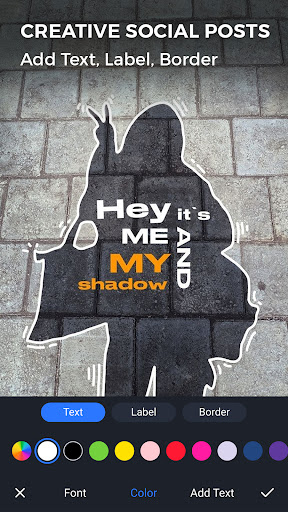
* Add Text on Photo: Use the text art photo editor with trendy fonts and colors.
* Stickers: Be playful with our photo sticker maker and decorate your selfies.
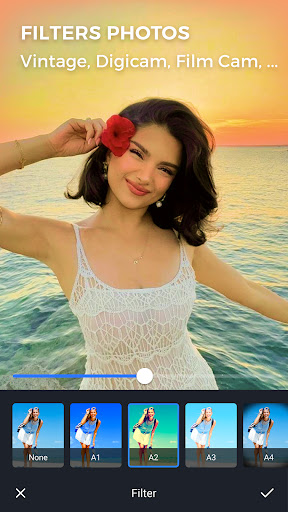
* Filters: Tons of camera filters, color filters, and filters makeup for selfies to match every vibe — from soft to glam.
* Crop Tools: Perfectly frame for any social platform with your new beautiful camera.
AI Image Generator - Create Your Style
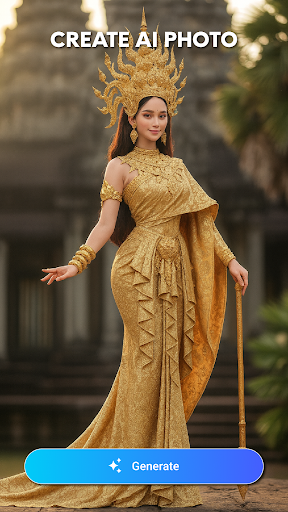
Generate unique images by using AI with pre-set templates and styles. Simply choose a template, select a photo you like, and the app will generate an image in the style you picked. Options include realistic portraits, traditional outfits like Thai dress, or fun character styles such as playful or funny looks. It’s easy to experiment and create images directly in the app.
Whether you're going for cute, glam, or bold, Beauty Camera (your new sweet selfie camera) has it all: camera with filters, selfie filters, makeup camera beautiful, and more. It's more than just a beauty plus tool — it's your personal face selfie camera and perfect selfie camera in your pocket.
Beauty Camera – where every selfie becomes your best one. Try the stunning selfie filter app !
Thank you for using our app!
Show more

1. Download MEmu installer and finish the setup

2. Start MEmu then open Google Play on the desktop

3. Search Beauty Camera Sweet Makeup App in Google Play
Install
4. Download and Install Beauty Camera Sweet Makeup App
5. On install completion click the icon to start

6. Enjoy using Beauty Camera Sweet Makeup App on PC with MEmu
MEmu Play is the best Android emulator, and 100 million users already enjoy its superb Android app experience. Powered by advanced virtualization technology, it lets you enjoy thousands of Android apps smoothly on your PC—including the most graphics-intensive ones.
Bigger screen with better graphics; Long duration, without limitation of battery or mobile data.
Full Keymapping support for precise control of keyboard and mouse or gamepad.
Multiple game accounts or tasks on single PC at one time with Multi-Instance manager.
Use Beauty Camera Sweet Makeup App on PC by following steps: