Blood Pressure Log
Updated
Current Version
1.3.3
Offered By

Stop worrying about high battery drain when using Blood Pressure Log on your phone. Free yourself from the tiny screen and enjoy the app on a much larger display. From now on, get a full-screen experience of your app with the convenience of a keyboard and mouse. MEmu offers you all the surprising features you’d expect: quick installation and easy setup, intuitive controls, and no more worries about battery life, mobile data, or unexpected calls. The all-new MEmu 9 is the choice for using Blood Pressure Log on your computer. With the MEmu multi-instance manager, you can run two or more accounts at the same time. Most importantly, our exclusive emulation engine unlocks your PC’s full potential, delivering smooth and enjoyable performance.
Show more
Enjoy superb experience of using Blood Pressure Log on PC with MEMU App Player. It's a powerful free Android emulator which provides you with thousands of android apps for their desktop version. Enjoy connecting with friends and polishing your work with higher efficiency! Introducing Blood Pressure Log, a smart and easy‑to‑use companion designed to help you build healthy habits and stay informed about your well‑being.
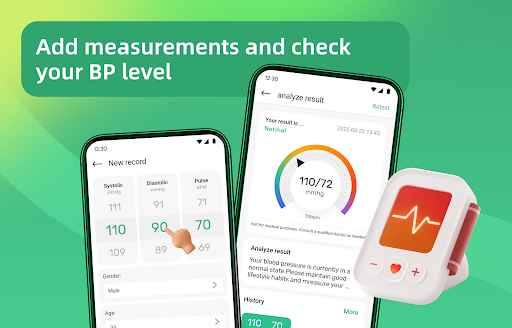
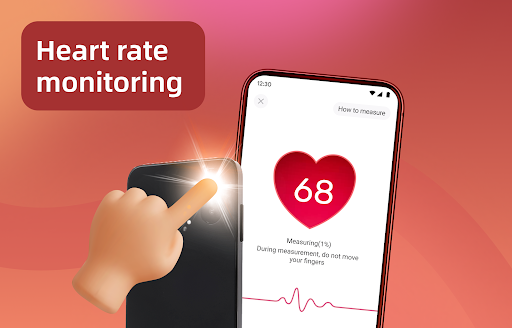
Introducing Blood Pressure Log, a smart and easy‑to‑use companion designed to help you build healthy habits and stay informed about your well‑being. With intuitive tracking tools, AI‑powered health insights, smart alerts, and educational content, managing your daily health becomes simple and reassuring.
Blood Pressure Tracking Made Simple
Record your blood pressure readings quickly and easily. Our clean interface helps you log daily measurements and observe changes over time, giving you a clearer picture of your overall health trends.
History & Visual Trends
View your blood pressure history through clear charts and timelines. Understand long‑term trends, spot changes, and stay aware of how your routine may influence your health.
AI‑Powered Image Health Insights (New)
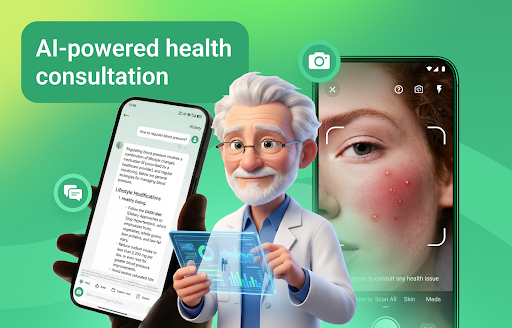
Upload health‑related images—such as photos of facial skin conditions—and receive AI‑generated general insights and wellness suggestions. This feature is designed to help users gain better awareness and educational information, not to provide medical diagnoses or treatment recommendations.
Health Check‑In & Alert Notifications (New)
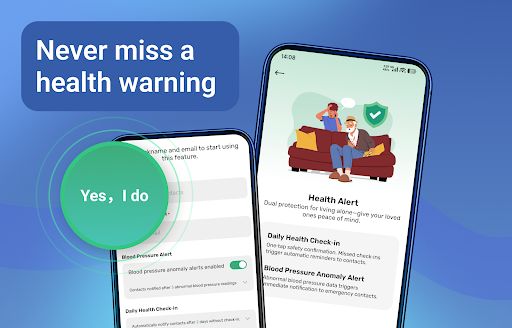
Stay consistent with your health routine using daily check‑ins and blood pressure logs. If the app detects missed check‑ins or readings outside your usual range, it can send a notification email to a trusted family member or contact, offering an extra layer of care and reassurance.
Helpful Health Articles
Access a curated collection of articles focused on blood pressure awareness, healthy lifestyles, nutrition, and daily wellness tips. Learn at your own pace and make more informed lifestyle choices.
⏰ Personalized Reminders
Set custom reminders for blood pressure measurements and daily check‑ins. Gentle notifications help you stay consistent and build lasting healthy habits.
Your Daily Wellness Companion
More than just a blood pressure log, the app also includes a step tracker and BMI calculator to encourage balanced, active living and long‑term wellness.
Download Blood Pressure Log today and take a proactive approach to your daily health. Track trends, receive AI‑powered insights, stay connected with loved ones, and build healthier habits with confidence.
##Disclaimer##
Blood Pressure Log is intended for personal tracking and general informational purposes only. It does not provide medical advice, diagnosis, or treatment. AI‑generated insights and alerts are educational and supportive in nature and should not be used as a substitute for professional medical consultation. Always seek advice from a qualified healthcare provider regarding any health concerns or medical conditions. Use of this app is at your own discretion and risk.
Show more

1. Download MEmu installer and finish the setup

2. Start MEmu then open Google Play on the desktop

3. Search Blood Pressure Log in Google Play
Install
4. Download and Install Blood Pressure Log
5. On install completion click the icon to start

6. Enjoy using Blood Pressure Log on PC with MEmu
MEmu Play is the best Android emulator, and 100 million users already enjoy its superb Android app experience. Powered by advanced virtualization technology, it lets you enjoy thousands of Android apps smoothly on your PC—including the most graphics-intensive ones.
Bigger screen with better graphics; Long duration, without limitation of battery or mobile data.
Full Keymapping support for precise control of keyboard and mouse or gamepad.
Multiple game accounts or tasks on single PC at one time with Multi-Instance manager.
Use Blood Pressure Log on PC by following steps: