Cisco Secure Client-AnyConnect
Updated
Current Version
5.1.7.84
Offered By

Stop worrying about high battery drain when using Cisco Secure Client-AnyConnect on your phone. Free yourself from the tiny screen and enjoy the app on a much larger display. From now on, get a full-screen experience of your app with the convenience of a keyboard and mouse. MEmu offers you all the surprising features you’d expect: quick installation and easy setup, intuitive controls, and no more worries about battery life, mobile data, or unexpected calls. The all-new MEmu 9 is the choice for using Cisco Secure Client-AnyConnect on your computer. With the MEmu multi-instance manager, you can run two or more accounts at the same time. Most importantly, our exclusive emulation engine unlocks your PC’s full potential, delivering smooth and enjoyable performance.
Show more
Enjoy superb experience of using Cisco Secure Client-AnyConnect on PC with MEMU App Player. It's a powerful free Android emulator which provides you with thousands of android apps for their desktop version. Enjoy connecting with friends and polishing your work with higher efficiency! Formerly AnyConnect.
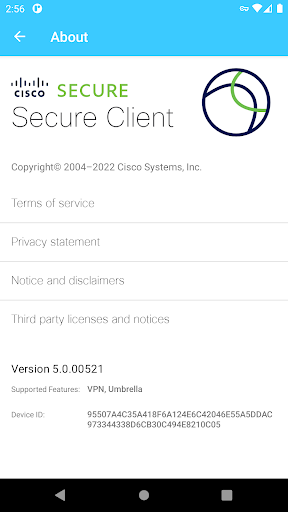
Formerly AnyConnect
COMPATIBLE DEVICES:
Android 4.X+
KNOWN ISSUES:
- Some freezes are known to occur on the Diagnostics screen
- Split DNS is not available on Android 7.x/8.x (OS limitation)
LIMITATIONS:
The following features are not supported using this package:
- Filter Support
- Trusted Network Detection
- Split Exclude
- Local LAN Exception
- Secure Gateway Web Portal (inaccessible when tunneled)
APPLICATION DESCRIPTION:
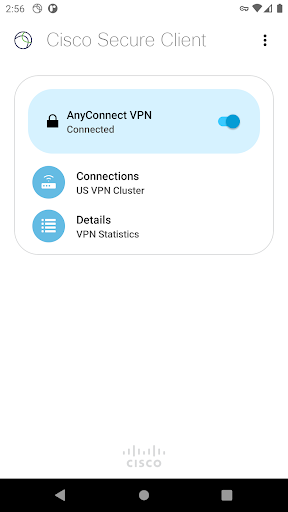
Cisco Secure Client provides reliable and easy-to-deploy encrypted network connectivity from devices by delivering persistent corporate access for users on the go. Whether providing access to business email, a virtual desktop session, or most other Android applications, Cisco Secure Client enables business-critical application connectivity.
The Cisco Umbrella module for Cisco Secure Client on Android provides DNS-layer protection for Android v6.0.1 and later and can be enabled with or without a Cisco Secure Client license
LICENSING AND INFRASTRUCTURE REQUIREMENTS:
This software is licensed for exclusive use by Cisco headend customers with active Plus, Apex or VPN Only licenses (term or perpetual with active SASU contracts). Use is no longer permitted with Essentials/Premium with Mobile license. Cisco Secure Client use with non-Cisco equipment/software is prohibited.
http://www.cisco.com/c/dam/en/us/products/security/anyconnect-og.pdf
Trial Cisco Secure Client Apex (ASA) licenses are available for administrators at www.cisco.com/go/license
Cisco Secure Client for Android requires Cisco Adaptive Security Appliance (ASA) Boot image 8.0(4) or later. For licensing questions and evaluation licenses, please contact ac-temp-license-request (AT) cisco.com and include a copy of "show version" from your Cisco ASA.
Umbrella licenses are required for the Umbrella module on Cisco Secure Client. Click the link below for more information on Umbrella licensing:
https://learn-umbrella.cisco.com/datasheets/cisco-umbrella-package-comparison-2
FEATURES:
- Automatically adapts its VPN tunneling to the most efficient method based on network constraints, using TLS and DTLS
- DTLS provides an optimized network connection
- IPsec/IKEv2 also available
- Network roaming capability allows connectivity to resume seamlessly after IP address change, loss of connectivity, or device standby
- Wide range of authentication options
- Supports certificate deployment using Cisco Secure Client integrated SCEP and the certificate import URI handler
- Policies can be configured locally, and automatically updated from the security gateway
- Access to internal IPv4/IPv6 network resources
- Administratively controlled tunnel policy
- Localizes according to the device's language and region settings
- DNS security with Umbrella module
SUPPORT:
If you are an end-user and have any issues or concerns, please contact your organization’s support department. If you are a System Administrator having difficulties configuring or utilizing the Application, please contact your designated support point of contact.
FEEDBACK:
You can provide us with feedback by sending us a log bundle by navigating to "Menu > Diagnostics > Send Logs" and choose "Feedback to Cisco" with a description of the issue. Please read the Known Issues section prior to sending feedback.
You can reach us at ac-mobile-feedback@cisco.com.
DOCUMENTATION:
Release Notes:
https://www.cisco.com/c/en/us/support/security/anyconnect-secure-mobility-client/products-release-notes-list.html
ACCESS CISCO SECURE CLIENT BETA VERSIONS:
https://play.google.com/apps/testing/com.cisco.anyconnect.vpn.android.avf
Report issues to ac-mobile-feedback@cisco.com. No TAC support for beta versions.
Show more

1. Download MEmu installer and finish the setup

2. Start MEmu then open Google Play on the desktop

3. Search Cisco Secure Client-AnyConnect in Google Play
Install
4. Download and Install Cisco Secure Client-AnyConnect
5. On install completion click the icon to start

6. Enjoy using Cisco Secure Client-AnyConnect on PC with MEmu
MEmu Play is the best Android emulator, and 100 million users already enjoy its superb Android app experience. Powered by advanced virtualization technology, it lets you enjoy thousands of Android apps smoothly on your PC—including the most graphics-intensive ones.
Bigger screen with better graphics; Long duration, without limitation of battery or mobile data.
Full Keymapping support for precise control of keyboard and mouse or gamepad.
Multiple game accounts or tasks on single PC at one time with Multi-Instance manager.
Use Cisco Secure Client-AnyConnect on PC by following steps: