Cisco Secure Client-AnyConnect
Обновлено
Текущая версия
5.1.7.84
Продавец

Перестаньте беспокоиться о быстром разряде батареи при использовании Cisco Secure Client-AnyConnect на вашем телефоне. Освободитесь от крошечного экрана и наслаждайтесь приложением на гораздо большем экране. Теперь вы можете работать с приложением в полноэкранном режиме с удобством клавиатуры и мыши. MEmu предлагает вам все ожидаемые удивительные функции: быструю установку и простую настройку, интуитивно понятное управление и больше никаких забот о времени автономной работы, мобильном трафике или неожиданных звонках. Совершенно новый MEmu 9 — идеальный выбор для использования Cisco Secure Client-AnyConnect на вашем компьютере. С помощью менеджера нескольких экземпляров MEmu вы можете одновременно использовать два или более аккаунтов. И самое главное, наш эксклюзивный движок эмуляции раскрывает весь потенциал вашего ПК, обеспечивая плавную и приятную работу.
Показать больше
Скачайте Cisco Secure Client-AnyConnect на ПК с помощью Андроид эмулятора MEmu. Наслаждайтесь на большом экране. Formerly AnyConnect.
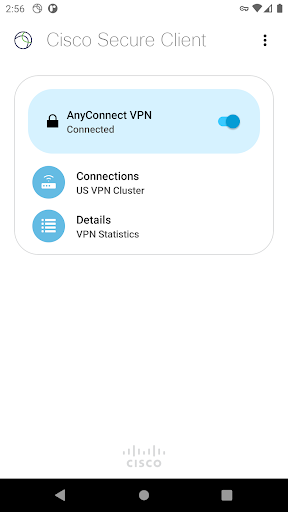
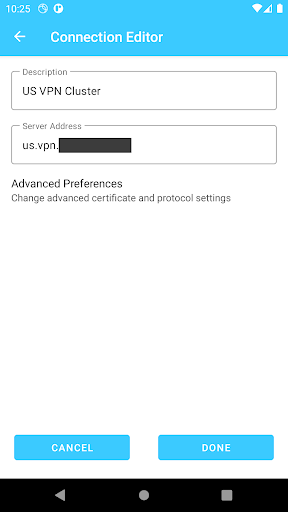
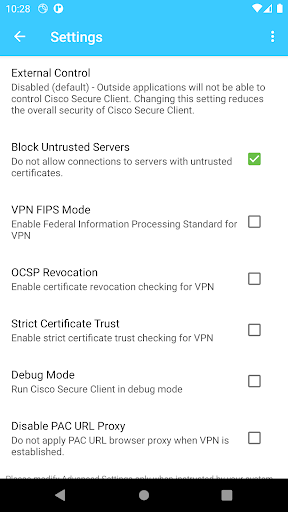
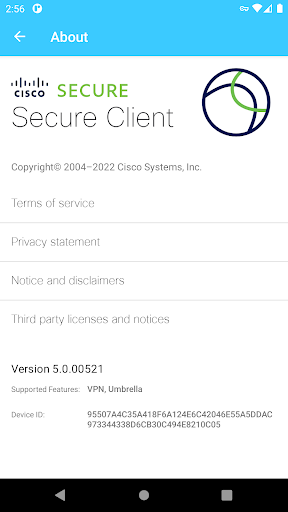
Formerly AnyConnect
COMPATIBLE DEVICES:
Android 4.X+
KNOWN ISSUES:
- Some freezes are known to occur on the Diagnostics screen
- Split DNS is not available on Android 7.x/8.x (OS limitation)
LIMITATIONS:
The following features are not supported using this package:
- Filter Support
- Trusted Network Detection
- Split Exclude
- Local LAN Exception
- Secure Gateway Web Portal (inaccessible when tunneled)
APPLICATION DESCRIPTION:
Cisco Secure Client provides reliable and easy-to-deploy encrypted network connectivity from devices by delivering persistent corporate access for users on the go. Whether providing access to business email, a virtual desktop session, or most other Android applications, Cisco Secure Client enables business-critical application connectivity.
The Cisco Umbrella module for Cisco Secure Client on Android provides DNS-layer protection for Android v6.0.1 and later and can be enabled with or without a Cisco Secure Client license
LICENSING AND INFRASTRUCTURE REQUIREMENTS:
This software is licensed for exclusive use by Cisco headend customers with active Plus, Apex or VPN Only licenses (term or perpetual with active SASU contracts). Use is no longer permitted with Essentials/Premium with Mobile license. Cisco Secure Client use with non-Cisco equipment/software is prohibited.
http://www.cisco.com/c/dam/en/us/products/security/anyconnect-og.pdf
Trial Cisco Secure Client Apex (ASA) licenses are available for administrators at www.cisco.com/go/license
Cisco Secure Client for Android requires Cisco Adaptive Security Appliance (ASA) Boot image 8.0(4) or later. For licensing questions and evaluation licenses, please contact ac-temp-license-request (AT) cisco.com and include a copy of "show version" from your Cisco ASA.
Umbrella licenses are required for the Umbrella module on Cisco Secure Client. Click the link below for more information on Umbrella licensing:
https://learn-umbrella.cisco.com/datasheets/cisco-umbrella-package-comparison-2
FEATURES:
- Automatically adapts its VPN tunneling to the most efficient method based on network constraints, using TLS and DTLS
- DTLS provides an optimized network connection
- IPsec/IKEv2 also available
- Network roaming capability allows connectivity to resume seamlessly after IP address change, loss of connectivity, or device standby
- Wide range of authentication options
- Supports certificate deployment using Cisco Secure Client integrated SCEP and the certificate import URI handler
- Policies can be configured locally, and automatically updated from the security gateway
- Access to internal IPv4/IPv6 network resources
- Administratively controlled tunnel policy
- Localizes according to the device's language and region settings
- DNS security with Umbrella module
SUPPORT:
If you are an end-user and have any issues or concerns, please contact your organization’s support department. If you are a System Administrator having difficulties configuring or utilizing the Application, please contact your designated support point of contact.
FEEDBACK:
You can provide us with feedback by sending us a log bundle by navigating to "Menu > Diagnostics > Send Logs" and choose "Feedback to Cisco" with a description of the issue. Please read the Known Issues section prior to sending feedback.
You can reach us at ac-mobile-feedback@cisco.com.
DOCUMENTATION:
Release Notes:
https://www.cisco.com/c/en/us/support/security/anyconnect-secure-mobility-client/products-release-notes-list.html
ACCESS CISCO SECURE CLIENT BETA VERSIONS:
https://play.google.com/apps/testing/com.cisco.anyconnect.vpn.android.avf
Report issues to ac-mobile-feedback@cisco.com. No TAC support for beta versions.
Показать больше

1. Скачать инсталлятор MEmu и завершайте установку

2. Запускайте MEmu, затем откройте Google Play на главной странице

3. Ищите Cisco Secure Client-AnyConnect в Google Play
Install
4. Скачайте и установите Cisco Secure Client-AnyConnect
5. При завершении установки, нажмите на значок для старта

6. Наслаждайтесь Cisco Secure Client-AnyConnect на своем компьютере с помощью MEmu.
MEmu Play — лучший бесплатный эмулятор Android, превосходный опыт работы с которым оценили 50 миллионов пользователей. Технология виртуализации MEmu позволяет без проблем запускать тысячи Android-приложений на вашем компьютере, даже самые требовательные.
Большой экран с лучшей графикой; Большая продолжительность, без ограничения батареи или мобильных данных.
Полная поддержка установки клавиш для точного управления клавиатурой и мышью или геймпадом.
Несколько игровых учетных записей или задач на одном компьютере одновременно с менеджером нескольких экземпляров.
Use Cisco Secure Client-AnyConnect on PC by following steps: