
دمج الصور مع الاغاني بدون نت
Updated
Current Version
16.6.23
Offered By

Stop worrying about high battery drain when using دمج الصور مع الاغاني بدون نت on your phone. Free yourself from the tiny screen and enjoy the app on a much larger display. From now on, get a full-screen experience of your app with the convenience of a keyboard and mouse. MEmu offers you all the surprising features you’d expect: quick installation and easy setup, intuitive controls, and no more worries about battery life, mobile data, or unexpected calls. The all-new MEmu 9 is the choice for using دمج الصور مع الاغاني بدون نت on your computer. With the MEmu multi-instance manager, you can run two or more accounts at the same time. Most importantly, our exclusive emulation engine unlocks your PC’s full potential, delivering smooth and enjoyable performance.
Show more
Enjoy superb experience of using دمج الصور مع الاغاني بدون نت on PC with MEMU App Player. It's a powerful free Android emulator which provides you with thousands of android apps for their desktop version. Enjoy connecting with friends and polishing your work with higher efficiency! The program to merge images with music is an application to create a video with music and share amazing movies and videos with friends.
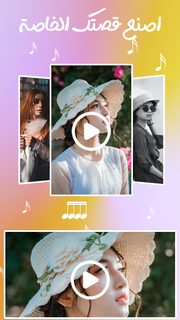
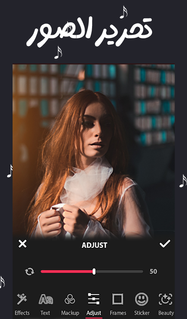
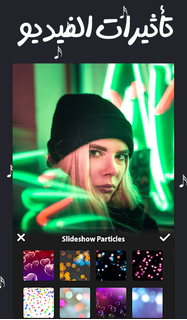
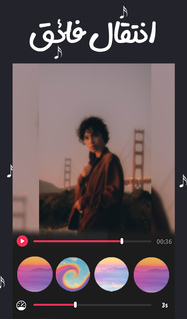
The program to merge images with music is an application to create a video with music and share amazing movies and videos with friends.The program to merge images with music is the best video editor and to create a video with music using images. With this app, you get the easiest way to create and edit your own videos and use your own photos.We are trying to build a photo and video editing program all in one program as follows: text, music, frames, effects, make a wonderful video, photos and videos + music, stickers, funny, sad, suspenseful, angry, writing on pictures, filters, wallpapers, and more...Merging photos with songs and making a 2019 video is your first friend on all occasions. You can make a video for a birthday, for joy, for an engagement, for a trip. You can collect the photos you took with your friends on any occasion, add your favorite songs and output them in a more wonderful video to share and put on Facebook, Instagram, Twitter or Any social mediaMerging images with songs and making a video enables you to add more than 100 movement types. You can make animated images and share them on various social media. You can save the videos and watch them again through the application of creating a video with pictures and music 2019Montage program, video presentation using your photos, slideshow application, free slideshow maker, slideshow with music, chelated music, make a movie using photos, edit video and photos with a complete song.The program is powerful and wonderfulThe program for merging images with music, you can use it in:Anniversaries, birthdays, weddings, parties, weddings, and marriages.Apply valid as photo or video in text, music, theme, effects, frames or themes.Video effects program to merge images with music and make your photos a story.You can save and share the video or movie and share it with friends and family and on social networks.Uses of the application, the program for merging images with music:birthdayPhoto merger program with live movie musicWonderful love stories in a videoMoments, edit your photos + music = awesome video.Application advantages:✔ Convert photos into a professional video✔ Add fancy effects to the video✔ You can add more than 100 photos to the video✔ The application is light on the phone and does not consume RAM strongly✔ Install images, combine them with songs, and make a video✔ Merging images with songs is easy to use✔ Convert photos to video with music✔ Merge images with songs, the fastest application for creating a unique video✔ You can preview what you made before saving the video to the phone✔ The number of photos allowed to be placed is infinite, meaning that you can put all your photosMake a video for your loved ones on Valentine's DayCelebrate Valentine's Day with the one you love, and instead of giving a greeting card with a video, by merging your photos with each other and your favorite songsMake a video of your baby from a picture of him when he is young, and put on it the song of my children in a sentenceThe program for installing images and merging them with the most famous and most downloaded songsThe program for merging images and songs and making a video is your first companion on all occasions. You can make a video for a birthday, for joy, for an engagement, for a trip, or documenting the special moments for you or with others via video. This application is suitable for you as it enables you to produceA video clip consisting of a group of images with music accompanying this video ((on any mobile, tablet, or anyModern devices using the Android system). So that the production of the clip requires only a few clicks, and it will beCompletely professional, the images are selected or photographed, the program adopts the method of merging the images and assembling them in order.
Show more

1. Download MEmu installer and finish the setup

2. Start MEmu then open Google Play on the desktop

3. Search دمج الصور مع الاغاني بدون نت in Google Play
Install
4. Download and Install دمج الصور مع الاغاني بدون نت
5. On install completion click the icon to start

6. Enjoy using دمج الصور مع الاغاني بدون نت on PC with MEmu
MEmu Play is the best Android emulator, and 100 million users already enjoy its superb Android app experience. Powered by advanced virtualization technology, it lets you enjoy thousands of Android apps smoothly on your PC—including the most graphics-intensive ones.
Bigger screen with better graphics; Long duration, without limitation of battery or mobile data.
Full Keymapping support for precise control of keyboard and mouse or gamepad.
Multiple game accounts or tasks on single PC at one time with Multi-Instance manager.
Use دمج الصور مع الاغاني بدون نت on PC by following steps: