GarfieldEATS Canada
Updated
Current Version
1.5.4
Offered By

Stop worrying about high battery drain when using GarfieldEATS Canada on your phone. Free yourself from the tiny screen and enjoy the app on a much larger display. From now on, get a full-screen experience of your app with the convenience of a keyboard and mouse. MEmu offers you all the surprising features you’d expect: quick installation and easy setup, intuitive controls, and no more worries about battery life, mobile data, or unexpected calls. The all-new MEmu 9 is the choice for using GarfieldEATS Canada on your computer. With the MEmu multi-instance manager, you can run two or more accounts at the same time. Most importantly, our exclusive emulation engine unlocks your PC’s full potential, delivering smooth and enjoyable performance.
Show more
Enjoy superb experience of using GarfieldEATS Canada on PC with MEMU App Player. It's a powerful free Android emulator which provides you with thousands of android apps for their desktop version. Enjoy connecting with friends and polishing your work with higher efficiency! GarfieldEATS – Love me, feed me, don’t leave me.
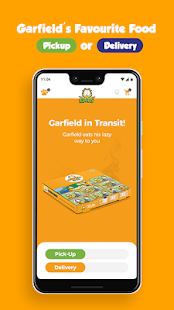
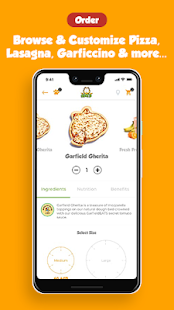
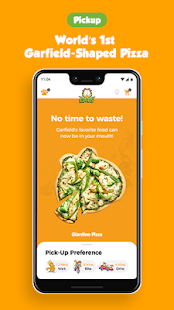
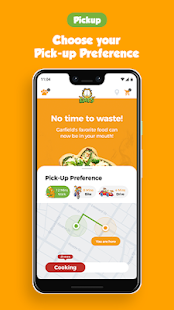
GarfieldEATS – Love me, feed me, don’t leave me
The Brand Story
WORLD'S 1st quick mobile restaurant for Garfield themed-food as seen on tv and comic books since 1978. We are known for our unique Garfield shaped pizzas,lasagnas, Garficcinos and Garfieldeats secret sauce. *Free delivery and free extra toppings always.
GarfieldEATS is the world’s 1st entergaging (entertaining + engaging) Quick Service Mobile Restaurant (QMR) delivery for Garfield – the funny, hungry, mischievous, & pop icon cat walking into people’s lives since 1978 for 40 years. The first GarfieldEATS launches in Toronto, Canada ready to deliver to your door some of Garfield’s favorite, delicious, & craving recipes – pizza, lasagna, coffee, and Garfield Cookies. The wooden fire taste of the – get this – world’s 1st Garfield-shaped Italian pizza enriched with Farm2Plate (F2P) ingredients and low processed salt encouraging healthier eating habits with no GMOs, no preservatives, no artificial colors, and no fertilizers.
Garficcino coffee is created with rich roasted espresso grains and skim milk, blended with Natural spices and flavors
Garfield is Entergaging
With GarfieldEATS, you can watch, play, order, read, collect, redeem, track, manage, chat, share, and much more with this All-in-One mobile app. We call it “Entergaging” — entertaining + engaging
Garfield Drives Green
GarfieldEATS delivers wherever you are in electric Garfield scooters, releasing green energy instead of polluting exhaust. Garfield drives Green because a green planet is a happy planet!
Re-box
At GarfieldEATS, we make sure your meals arrive fresh and safe in the most environmentally responsible and repurposed packaging available - We call it Rebox - Mother Nature will love it for a better tomorrow. Now, that’s smart!
Features:
Watch: your favorite Garfield & Friends original tv series even if outside of delivery areas
Order: your super tasty & healthy Garfield-shaped pizza, lasagna, Garficcino(100% Arabica) coffee, Garfield smoothies or Garfield cookies from our exclusive Farm 2 Plate menu. 100% natural and no GMOs
Collect: your Paws by engaging more in the app to unlock discounted Goupons and game levels. Buy more Paws at any time.
Play: your Foodattack AR with Garfield and your favorite characters to unlock. Fun and addictive for all ages while waiting for your delivery. Collect Paws for every successful level and share
Track: your order with Garfield easily at any time. Play a game in AR while waiting! You can also track your delivery or pick up.
Live Chat: with our Friends Happiness Center at GarfieldEATS instantly to answer all your questions related to technical difficulties, menu, checkout or more at any point of your app experience. If you don’t ask, we won’t know!
Apply Goupons: to your order upon checkout from our fun and best coupon deals only on GarfieldEATS app
Re-Box: with GarfieldEATS re-purposeful packaging by accessing our Re-Box step-by-step instructions from your profile settings or www.garfieldeats.com
Manage/Update Address: from an enabled touch swinging pulling rope to enter multiples addresses from wherever you are for your convenient delivery
G-Story: post and share your photos on the GarfieldEATS app and social media pages. Add your favorite Garfield characters’ avatars in your photo to share your Garfield story.
G-codes: Receive auto G Codes for 5 times you order by push notifications. Order 1st get free pizza, 2nd time get 20% off and so on. *turn on push notifications
For questions or inquiries, please contact our Friends Happiness Center here: friends@garfieldeats.com
Visit www.GarfieldEATS.com to learn more
Follow us on social media everywhere: @GarfieldEATSapp
©PAWS . ALL RIGHTS RESERVED
Show more

1. Download MEmu installer and finish the setup

2. Start MEmu then open Google Play on the desktop

3. Search GarfieldEATS Canada in Google Play
Install
4. Download and Install GarfieldEATS Canada
5. On install completion click the icon to start

6. Enjoy using GarfieldEATS Canada on PC with MEmu
MEmu Play is the best Android emulator, and 100 million users already enjoy its superb Android app experience. Powered by advanced virtualization technology, it lets you enjoy thousands of Android apps smoothly on your PC—including the most graphics-intensive ones.
Bigger screen with better graphics; Long duration, without limitation of battery or mobile data.
Full Keymapping support for precise control of keyboard and mouse or gamepad.
Multiple game accounts or tasks on single PC at one time with Multi-Instance manager.
Use GarfieldEATS Canada on PC by following steps: