Media Markt Deutschland
Updated
Current Version
4.118.0
Offered By

Stop worrying about high battery drain when using Media Markt Deutschland on your phone. Free yourself from the tiny screen and enjoy the app on a much larger display. From now on, get a full-screen experience of your app with the convenience of a keyboard and mouse. MEmu offers you all the surprising features you’d expect: quick installation and easy setup, intuitive controls, and no more worries about battery life, mobile data, or unexpected calls. The all-new MEmu 9 is the choice for using Media Markt Deutschland on your computer. With the MEmu multi-instance manager, you can run two or more accounts at the same time. Most importantly, our exclusive emulation engine unlocks your PC’s full potential, delivering smooth and enjoyable performance.
Show more
Enjoy superb experience of using Media Markt Deutschland on PC with MEMU App Player. It's a powerful free Android emulator which provides you with thousands of android apps for their desktop version. Enjoy connecting with friends and polishing your work with higher efficiency! MediaMarkt Germany App – Shop smart & save!
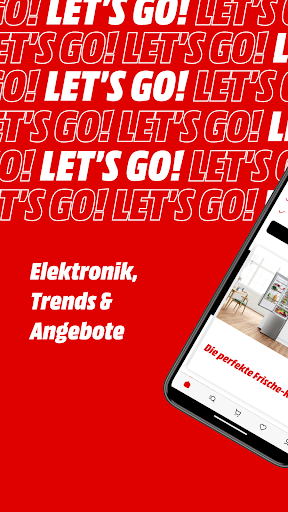
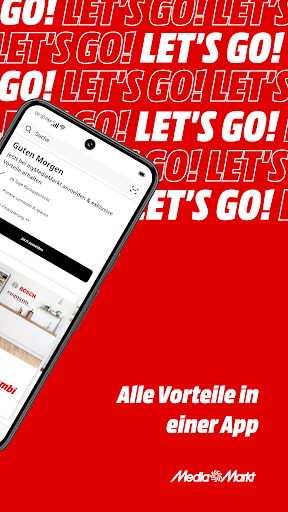
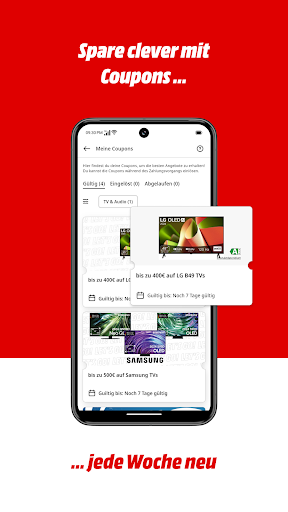
MediaMarkt Germany App – Shop smart & save!
With the MediaMarkt app, you have the entire MediaMarkt tech range at your fingertips anytime, anywhere: all products, all services, all offers. Whether it's a washing machine, smartphone, laptop, or game console, with the free MediaMarkt app, you can order the latest electronics trends from anywhere.
Benefit from many advantages:
Save smartly with exclusive coupons*
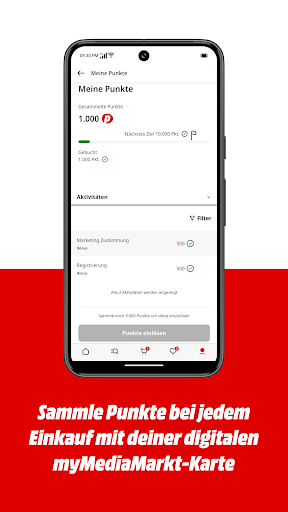
Collect points* with every order
Order quickly, conveniently delivered in 90 minutes**
Stay up-to-date with push notifications
Keep track of all your orders
Scan products in-store
SAVE WITH EXCLUSIVE COUPONS
With the MediaMarkt app, you'll never miss a coupon* or offer again! Simply register for the myMediaMarkt program for free and redeem coupons in-store or directly through the app. New coupons await you every week, exclusively in the app.
EARN POINTS WITH EVERY PURCHASE
Register for the myMediaMarkt program and earn points with every purchase – whether you shop in-store with your digital myMediaMarkt card or order directly through the app. Once you've collected enough points, you can convert them into vouchers and save on your next purchase.
SHOP QUICKLY AND CONVENIENTLY
In a hurry? Buy your desired product conveniently from anywhere. With Instant Delivery**, your order will be delivered to your home in under 90 minutes. With Express Pickup, your order will be ready for collection at MediaMarkt in 30 minutes.
NEVER MISS OUT ON NEW PRODUCTS AND OFFERS
Everything your tech-loving heart desires: Discover the latest tech trends in the MediaMarkt app. Plus, regular promotions and offers await you. Activate push notifications so you never miss a thing!
YOUR DIGITAL SHOPPING BUDDY IN-STORE
The MediaMarkt app lets you do more in-store! Scan product labels with the app to get all the technical information about a product. You'll also always have your digital myMediaMarkt card* and digital coupons* with you. Simply present them at the checkout when you shop in-store and start saving!
ALWAYS KEEP AN EYE ON ALL YOUR ORDERS
Can't wait for your order to arrive? Easily track the current delivery status in the app. Warranty, guarantee, or return? All your receipts are digitally archived and accessible at any time – eco-friendly and stress-free.
ALL PRODUCTS, SERVICES, AND MARKETS
Your electronics expert near you: With the app, you always have all the information about products and services at your fingertips. Find the nearest MediaMarkt in seconds and check product availability.
▶ Download the MediaMarkt app now and secure all the benefits!
*MyMediaMarkt membership required. **Immediate delivery available for selected products in participating stores within the delivery area during opening hours.
Show more

1. Download MEmu installer and finish the setup

2. Start MEmu then open Google Play on the desktop

3. Search Media Markt Deutschland in Google Play
Install
4. Download and Install Media Markt Deutschland
5. On install completion click the icon to start

6. Enjoy using Media Markt Deutschland on PC with MEmu
MEmu Play is the best Android emulator, and 100 million users already enjoy its superb Android app experience. Powered by advanced virtualization technology, it lets you enjoy thousands of Android apps smoothly on your PC—including the most graphics-intensive ones.
Bigger screen with better graphics; Long duration, without limitation of battery or mobile data.
Full Keymapping support for precise control of keyboard and mouse or gamepad.
Multiple game accounts or tasks on single PC at one time with Multi-Instance manager.
Use Media Markt Deutschland on PC by following steps: