
Cookpad - Create your own Recipes
Updated
Current Version
24.52.0.1
Offered By

Stop worrying about high battery drain when using Cookpad - Create your own Recipes on your phone. Free yourself from the tiny screen and enjoy the app on a much larger display. From now on, get a full-screen experience of your app with the convenience of a keyboard and mouse. MEmu offers you all the surprising features you’d expect: quick installation and easy setup, intuitive controls, and no more worries about battery life, mobile data, or unexpected calls. The all-new MEmu 9 is the choice for using Cookpad - Create your own Recipes on your computer. With the MEmu multi-instance manager, you can run two or more accounts at the same time. Most importantly, our exclusive emulation engine unlocks your PC’s full potential, delivering smooth and enjoyable performance.
Show more
Enjoy superb experience of using Cookpad - Create your own Recipes on PC with MEMU App Player. It's a powerful free Android emulator which provides you with thousands of android apps for their desktop version. Enjoy connecting with friends and polishing your work with higher efficiency! Transform your everyday ingredients and cook delicious meals with Cookpad!
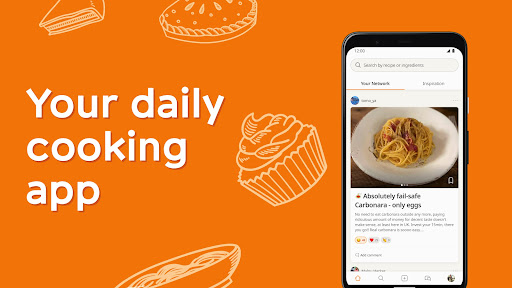
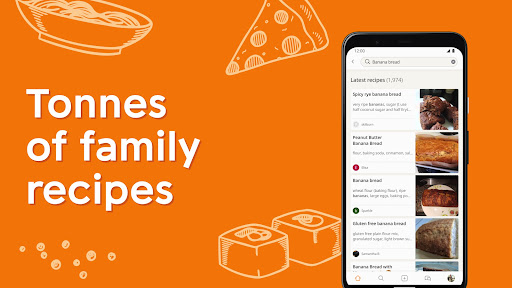
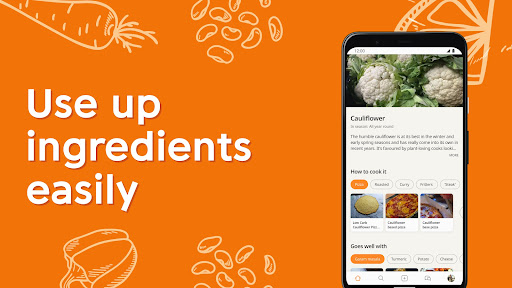
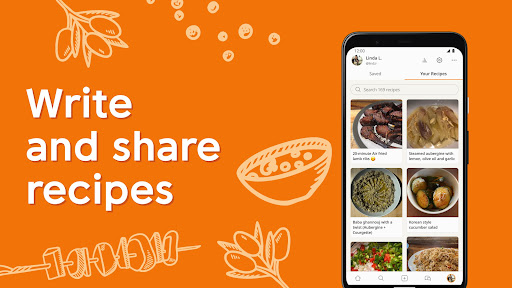
Transform your everyday ingredients and cook delicious meals with Cookpad! Our cooking app is designed for home chefs, from beginners to aspiring super cooks, with step by step homemade easy and tasty recipes. Explore a vast collection of guided cooking recipes, save your favorites, cook them and use Cookpad as a recipe keeper, creating folders as if they were your very own themed cookbooks. Write & share your own dishes and discover new ones from a vibrant food community. Download Cookpad today and start cooking!
Make everyday cooking fun with Cookpad:
DISCOVER ENDLESS COOKING RECIPES FOR YOUR DAILY MEALS
- Find inspiration for tasty & healthy breakfasts, easy and fast lunches, and plenty of dinner ideas with thousands of free step-by-step cooking recipes, crafted by home cooks just like you. And do not forget desserts, whether baked, frozen or cooked in airfryer!
- Get inspired by recipes from all over the world, for all type of tastes and adapting any missing ingredient: from Spanish, French or Italian cooking to Thai, Japanese or Chinese food
- Search recipes by ingredient and cook great meals with what you already have in your fridge or pantry. Save money, use all your leftovers and reduce food waste. Make cooking fun when searching by ingredients
- Cater to different dietary and family tastes with ease. Use filters to find easy recipes for specific preferences, allergies, or intolerances: Vegan, vegetarian, keto, gluten-free, blw recipes and more.
- Explore a wide variety of healthy recipes with different cooking methods, robots and tools: roasting, grilling, airfryer recipes, cooked with cocottes, slow cookers, bread makers and beyond, all within one only cooking app.
KEEP ALL YOUR RECIPES ORGANIZED IN ONE PLACE
- Build your own recipe collection and keep all cooking adventures in one spot.
- Create private folders as cookbooks by category (fish or meat recipes, desserts, etc.), and become your own recipe keeper.
- Organize and save your cooking meal plans or weekly menus
SHARE YOUR COOKING CREATIONS WITH ANYONE YOU WANT
- Share your favorite cooking recipes with your people and other cook chefs in the wider Cookpad community.
- Or keep private the recipes you cook
JOIN A VIBRANT COOKING COMMUNITY
- Connect with a lively community of passionate home chefs, follow other food creators, and get cooking help whenever you need it.
- Upload cooksnaps (photos) of the dishes you cook from other cooks and exchange your cooking experience with them
- Cookpad is for everyone, with cooking recipes designed for all skill levels—from beginners to already super cooks—and for every occasion, whether it's daily dinners or special Sunday family meals. Prepare all type of tacos, bbq ribs, original risottos and fresh ceviches. Or go directly for desserts, trying apple pie recipes and plenty of versions of pancakes
COOKPAD APP IS AD-FREE
- Enjoy a seamless free from interruption cooking experience with Cookpad app!
Cookpad is free to download and use. Should you choose to upgrade some of our services, we offer an auto-renewing subscription option:
- Save time by seeing the most popular recipes on the top of search results with Premium Search
- Save unlimited recipes by other home chefs so that you never run out of cooking inspiration
- Use search filters to match your cooking preferences
Get in touch with us for any feedback or suggestion: help@cookpad.com
Show more

1. Download MEmu installer and finish the setup

2. Start MEmu then open Google Play on the desktop

3. Search Cookpad - Create your own Recipes in Google Play
Install
4. Download and Install Cookpad - Create your own Recipes
5. On install completion click the icon to start

6. Enjoy using Cookpad - Create your own Recipes on PC with MEmu
MEmu Play is the best Android emulator, and 100 million users already enjoy its superb Android app experience. Powered by advanced virtualization technology, it lets you enjoy thousands of Android apps smoothly on your PC—including the most graphics-intensive ones.
Bigger screen with better graphics; Long duration, without limitation of battery or mobile data.
Full Keymapping support for precise control of keyboard and mouse or gamepad.
Multiple game accounts or tasks on single PC at one time with Multi-Instance manager.
Use Cookpad - Create your own Recipes on PC by following steps: