Samsung Pay
Updated
Current Version
2.5.53
Offered By

Stop worrying about high battery drain when using Samsung Pay on your phone. Free yourself from the tiny screen and enjoy the app on a much larger display. From now on, get a full-screen experience of your app with the convenience of a keyboard and mouse. MEmu offers you all the surprising features you’d expect: quick installation and easy setup, intuitive controls, and no more worries about battery life, mobile data, or unexpected calls. The all-new MEmu 9 is the choice for using Samsung Pay on your computer. With the MEmu multi-instance manager, you can run two or more accounts at the same time. Most importantly, our exclusive emulation engine unlocks your PC’s full potential, delivering smooth and enjoyable performance.
Show more
Enjoy superb experience of using Samsung Pay on PC with MEMU App Player. It's a powerful free Android emulator which provides you with thousands of android apps for their desktop version. Enjoy connecting with friends and polishing your work with higher efficiency! Samsung Pay got even better.
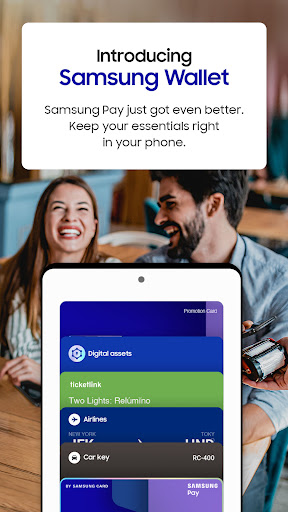
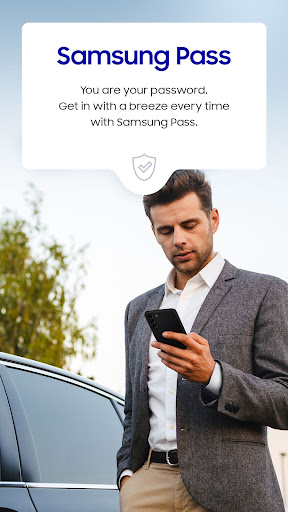
Samsung Pay got even better. Meet Samsung Wallet!
Samsung Pay is now part of Samsung Wallet. With Wallet, you get the features and benefits of Samsung Pay, plus Samsung Pass, digital home and car keys, digital asset management, and more.
All this comes in a simplified in-app experience, so you’ll get more and find it with ease. Just swipe up to launch Samsung Wallet with Quick Access.
Payment Transactions
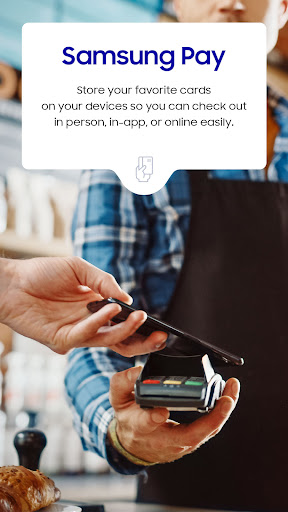
Carry your popular credit, debit, gift and membership cards on your phone. To check out, just tap, pay, and go. Get additional savings at top merchants with Cash Back Awards.
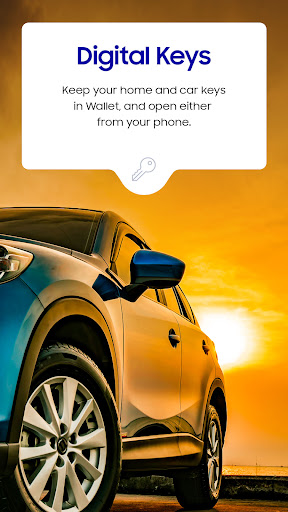
Digital Keys
Add your eligible keys to Samsung Wallet so that you have a spare set right in your phone.
Unlock your home, your car, and even start your car remotely.
Digital Asset Management
Check your crypto balances and the current crypto currency prices through our linked exchange partners.
Boarding Pass
Add your boarding pass from select airlines to Samsung Wallet and quickly access it with just a swipe.
*You may be prompted for additional updates to complete Samsung Wallet setup on your device.
*Samsung Wallet is compatible with select Samsung devices. Availability of features may vary by device model, carrier, firmware version and country/region.
*Screens are simulated; deals featured are for illustrative use only.
*Only compatible with select Visa, Mastercard, American Express, and Discover cards from participating banks and qualifying Samsung devices. Check with your bank/issuer to ensure that your card is compatible; and check the Samsung Pay Support page for additional compatibility information regarding devices, carriers and cards.
*The functions, features, and compatible applications available with Samsung Pass may vary according to the partner’s policy. The data stored inside the Samsung Pass app is safeguarded by Samsung Knox to prevent any leakage of valuable information.
*Digital keys are available for select SmartThings-compatible smart door locks and automobiles including BMW 1-8 Series, X5-X7,and iX models, launched after July, 2020, Kia Niro, and Hyundai Palisade, Genesis GV60, and G90. Exact feature availability may vary by model and is subject to change.
*Digital asset management for supported exchanges only.
*Timing and availability of features and services described may vary by model and are subject to change.
Show more

1. Download MEmu installer and finish the setup

2. Start MEmu then open Google Play on the desktop

3. Search Samsung Pay in Google Play
Install
4. Download and Install Samsung Pay
5. On install completion click the icon to start

6. Enjoy using Samsung Pay on PC with MEmu
MEmu Play is the best Android emulator, and 100 million users already enjoy its superb Android app experience. Powered by advanced virtualization technology, it lets you enjoy thousands of Android apps smoothly on your PC—including the most graphics-intensive ones.
Bigger screen with better graphics; Long duration, without limitation of battery or mobile data.
Full Keymapping support for precise control of keyboard and mouse or gamepad.
Multiple game accounts or tasks on single PC at one time with Multi-Instance manager.
Use Samsung Pay on PC by following steps: