
Start To Read-Fantasy Fictions & Romance Novels
Updated
Current Version
2.1.9
Offered By

Stop worrying about high battery drain when using Start To Read-Fantasy Fictions & Romance Novels on your phone. Free yourself from the tiny screen and enjoy the app on a much larger display. From now on, get a full-screen experience of your app with the convenience of a keyboard and mouse. MEmu offers you all the surprising features you’d expect: quick installation and easy setup, intuitive controls, and no more worries about battery life, mobile data, or unexpected calls. The all-new MEmu 9 is the choice for using Start To Read-Fantasy Fictions & Romance Novels on your computer. With the MEmu multi-instance manager, you can run two or more accounts at the same time. Most importantly, our exclusive emulation engine unlocks your PC’s full potential, delivering smooth and enjoyable performance.
Show more
Enjoy superb experience of using Start To Read-Fantasy Fictions & Romance Novels on PC with MEMU App Player. It's a powerful free Android emulator which provides you with thousands of android apps for their desktop version. Enjoy connecting with friends and polishing your work with higher efficiency! Start To Read is a platform that provides massive original web novels including romance, sci-fiction, mystery, horror, action, adventure, fan-fiction, etc.

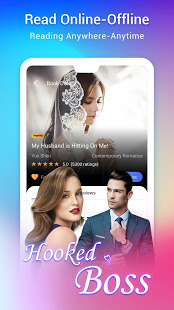

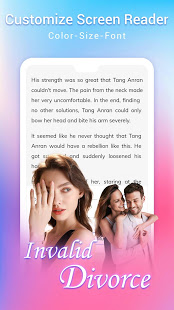
Start To Read is a platform that provides massive original web novels including romance, sci-fiction, mystery, horror, action, adventure, fan-fiction, etc. Download the app now to start your reading and writing journey.
[why us]
1) Massive Original Web Novels
Romance, sci-fiction, Xuanhuan, mystery, horror, action, adventure, Wuxia, Xianxia, magical realism, competitive sports, history, military, realism, fan-fiction as well as readers’ original works and Start To Read's exclusive release.
2) Quick and Regular Updates
Novels are updated daily with fascinating plots. You will never get bored.
3) Free Online Reading
-Free trial chapters
-Daily free Coins to unlock any e-book and chapter.
4) Get Your Stories Read
Do you have your own story? Do you want your story to be widely spread? You can write your story on our app anytime, anywhere.
5) Refreshing Reading Interface
- No advertisement.
- Change and adjust the text size, font, color, background, night mode and other settings to help you find the best reading experience on the mobile reader.
[Excerpts]
“You, you... what are you going to do?”
His tight pressed lips slowly approached her rosy lips, which made her eyes even wider in surprise. And her heart seemed to stop beating as his warm breathing came close to her.
As her blood surged and seemed to break through her body, his thin cool lips skimmed gently across her lips and cheeks. It was like a dragonfly skimming the surface of the water, finally landing on her smooth forehead.
She broke out in a cold sweat. She breathed a deep sigh. Somehow, she felt a little disappointed.
"What do you call me?"
"Hankie!" She pretended to be bold, "You're my future husband. Can't I call you in an intimate way?"
Hank could not help laughing when he heard this self-righteous and vigorous remark.
He had always loathed the terrible name, and only his father dared to call him that way, but this fearless girl dared to provoke him.
Yet he could not say she couldn't do that.
Intimate?
"I don't mind if you call me honey!"
She was mine, meant to be and I won't let her go ever.
I loved her from the first sight!
-----------------------------------------------------------------------
Angela did not know.
She did not know what feelings Hank had for her, nor did she know whether she just relied on him or liked him.
She had never tasted the love with a man.
She always felt that love should be a moment of excitement and then lifetime companionship.
She and Hank had known each other for not a long time. She did not have excitement, nor did she felt they had accompanied each other for life.
She couldn't recognize her feelings for Hank, but she did know she never want to be with Mike!
She never wanted before and would never want in the future!
------------------------------------------
Show more

1. Download MEmu installer and finish the setup

2. Start MEmu then open Google Play on the desktop

3. Search Start To Read-Fantasy Fictions & Romance Novels in Google Play
Install
4. Download and Install Start To Read-Fantasy Fictions & Romance Novels
5. On install completion click the icon to start

6. Enjoy using Start To Read-Fantasy Fictions & Romance Novels on PC with MEmu
MEmu Play is the best Android emulator, and 100 million users already enjoy its superb Android app experience. Powered by advanced virtualization technology, it lets you enjoy thousands of Android apps smoothly on your PC—including the most graphics-intensive ones.
Bigger screen with better graphics; Long duration, without limitation of battery or mobile data.
Full Keymapping support for precise control of keyboard and mouse or gamepad.
Multiple game accounts or tasks on single PC at one time with Multi-Instance manager.
Use Start To Read-Fantasy Fictions & Romance Novels on PC by following steps: