Conduit
Updated
Current Version
2.1.4
Offered By

Stop worrying about high battery drain when using Conduit on your phone. Free yourself from the tiny screen and enjoy the app on a much larger display. From now on, get a full-screen experience of your app with the convenience of a keyboard and mouse. MEmu offers you all the surprising features you’d expect: quick installation and easy setup, intuitive controls, and no more worries about battery life, mobile data, or unexpected calls. The all-new MEmu 9 is the choice for using Conduit on your computer. With the MEmu multi-instance manager, you can run two or more accounts at the same time. Most importantly, our exclusive emulation engine unlocks your PC’s full potential, delivering smooth and enjoyable performance.
Show more
Enjoy superb experience of using Conduit on PC with MEMU App Player. It's a powerful free Android emulator which provides you with thousands of android apps for their desktop version. Enjoy connecting with friends and polishing your work with higher efficiency! From the team behind Psiphon — one of the world's most trusted tools for open internet access — Conduit lets you become part of the network itself.

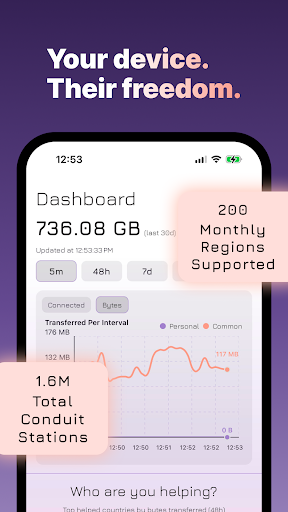
From the team behind Psiphon — one of the world's most trusted tools for open internet access — Conduit lets you become part of the network itself. Run it free from your device, or upgrade to always-on hosted infrastructure powered by Psiphon's cloud. Either way, you're not just using a tool. You're helping keep the internet open for people who need it most.
Local Conduit — Free
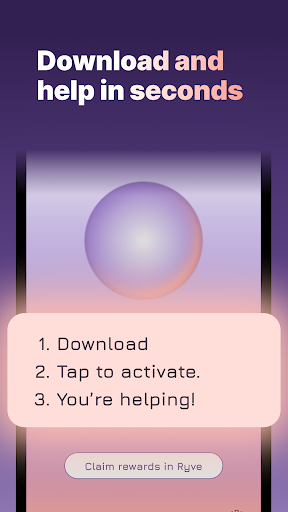
Install Conduit, press the orb, and your device becomes a local station on Psiphon's encrypted network. It runs quietly in the background, routing encrypted traffic for Psiphon users in restricted regions, without ever touching your browsing history or message content. You control how much bandwidth each peer uses and how many connections your device supports. Your station, your rules.
Personal Pairing — Share Access with People You Trust
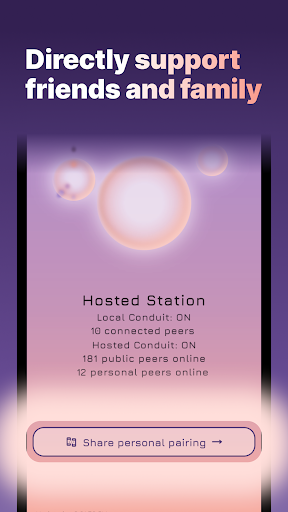
Personal Pairing lets you give friends and family a private, direct path through your station. Name your station, generate a link, and share it however you like — any app, any language you choose. The balance between personal and public connections is yours to set and adjust anytime in settings. On a hosted subscription, your Personal Station runs independently with up to 99 simultaneous personal connections — always on, no device required.
Hosted Conduit — Always On, Cloud-Powered
A Conduit subscription activates two dedicated cloud stations operated by Psiphon, running continuously with no impact on your battery or data. Your Hosted Conduit Station supports Psiphon's broader network, helping people bypass censorship and reach the open internet. Your Personal Station is private and shareable — a secure relay for the people in your life, ready the moment you share the link. Both spin up instantly when you subscribe.
Hosted Conduit is available for $9.99/month or $99/year. Subscriptions renew automatically and can be managed in your Google Play account settings.
Join the Movement
Censorship is getting more sophisticated. The tools that fight it need to be too — and they need people willing to run them. Psiphon has spent over a decade on the front lines of internet freedom, and Conduit is how you become part of that fight. Every station you run, every connection you support, makes the network harder to block and more reliable for someone trying to reach the open internet from the other side of a firewall.
Access to information is a human right. Conduit helps defend it.
Show more

1. Download MEmu installer and finish the setup

2. Start MEmu then open Google Play on the desktop

3. Search Conduit in Google Play
Install
4. Download and Install Conduit
5. On install completion click the icon to start

6. Enjoy using Conduit on PC with MEmu
MEmu Play is the best Android emulator, and 100 million users already enjoy its superb Android app experience. Powered by advanced virtualization technology, it lets you enjoy thousands of Android apps smoothly on your PC—including the most graphics-intensive ones.
Bigger screen with better graphics; Long duration, without limitation of battery or mobile data.
Full Keymapping support for precise control of keyboard and mouse or gamepad.
Multiple game accounts or tasks on single PC at one time with Multi-Instance manager.
Use Conduit on PC by following steps: