Conduit
Aktualisiert
Aktuelle Version
2.1.4
Angeboten von

Machen Sie sich keine Sorgen mehr über überhöhte Gebühren, wenn Sie Conduit auf Ihrem Mobiltelefon verwenden, befreien Sie sich von dem winzigen Bildschirm und genießen Sie die Nutzung der App auf einem viel größeren Display. Von nun an können Sie Ihre App mit Tastatur und Maus im Vollbildmodus nutzen. MEmu bietet Ihnen all die überraschenden Funktionen, die Sie erwartet haben: schnelle Installation und einfache Einrichtung, intuitive Steuerung, keine Einschränkungen mehr durch Batterie, mobile Daten und störende Anrufe. Der brandneue MEmu 9 ist die beste Wahl für die Nutzung von Conduit auf Ihrem Computer. Mit unserer Absorption kodiert, ermöglicht der Multi-Instanz-Manager die Eröffnung von 2 oder mehr Konten zur gleichen Zeit. Und das Wichtigste, unsere exklusive Emulations-Engine kann das volle Potenzial Ihres PCs freisetzen und alles reibungslos und angenehm gestalten.
Mehr anzeigen
Laden Sie Play Conduit auf dem PC mit MEmu Android Emulator. Viel Spaß beim Spielen auf großmundieren. Schließe dich Psiphon an und setze dich mit Conduit für Internetfreiheit ein.
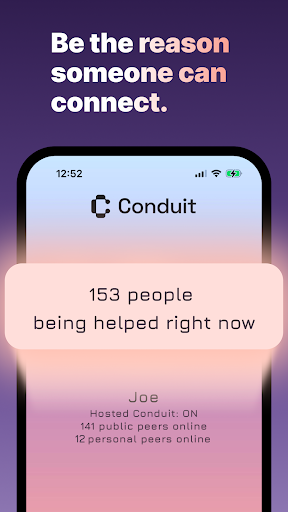
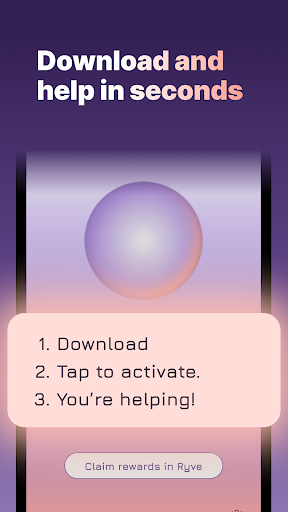
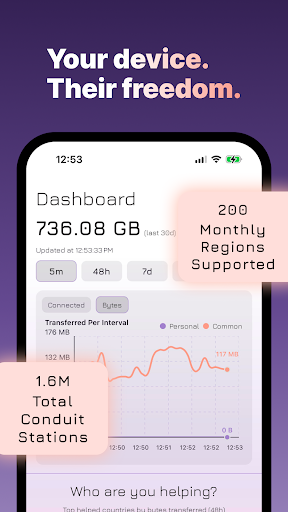
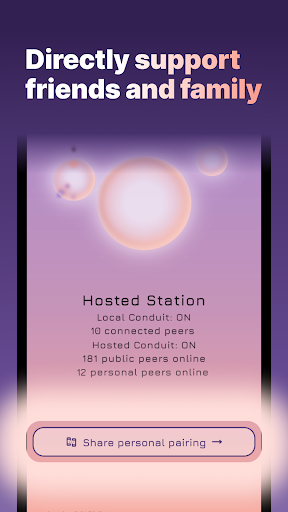
Schließe dich Psiphon an und setze dich mit Conduit für Internetfreiheit ein
Seit dem 1. Dezember 2006 ist Psiphon weltweit führend darin, Menschen Zugang zu wichtigen Informationen und digitalen Werkzeugen zu ermöglichen.
Egal, ob du ein älteres Handy oder dein tägliches Gerät nutzt – du kannst den Zugang zu einem freien und offenen Internet erweitern, eine Verbindung nach der anderen.
Wie Gandhi sagte: „Sei du selbst der Wandel.“
Mach mit und werde Teil von Psiphons Engagement für einen stabilen und effektiven Zugang zum offenen Internet.
Wenn jemand versucht, sich mit dem Psiphon-VPN zu verbinden, kann deine Conduit Station als Proxy dienen – sie verschleiert den Datenverkehr und leitet ihn sicher in das P2P-Netzwerk von Psiphon.
Die Split-Tunneling-Technologie von Psiphon bietet dabei eine zusätzliche Ebene an Schutz und Privatsphäre.
Lade Conduit noch heute herunter und verwandle dein Handy in ein Tor zur digitalen Freiheit.
WIE CONDUIT SPLIT TUNNELING FUNKTIONIERT:
Anfrage: Ein Psiphon-Nutzer ruft eine Website oder Kommunikationsplattform auf.
Conduit-Tunnel: Eine Conduit Station erstellt einen sicheren Tunnel – ohne Daten über den Nutzer zu kennen.
P2P-Verbindung: Psiphon und Conduit arbeiten zusammen, um den Datenverkehr über das P2P-Netzwerk zu verschleiern.
Zensurumgehung: Netzwerkblockaden werden durch die Kerntechnologie von Psiphon umgangen.
Sicherer Zugang: Der Nutzer erreicht anonym und geschützt sein Ziel im Internet.
FUNKTIONEN VON CONDUIT:
Nutze dein eigenes Gerät als Conduit Station
Verwandle dein Android-Gerät in einen aktiven Tunnel
Hilf anderen Psiphon-Nutzern, zensurfreie Inhalte zu erreichen, indem du ihren Datenverkehr weiterleitest
P2P-TUNNEL IM HINTERGRUND:
Schnelle Verbindungen über unser dezentrales P2P-Netzwerk
Die Tunnel laufen leise im Hintergrund – ohne deine Nutzung zu stören
Jetzt herunterladen und loslegen!
Erhebe deine Stimme für alle, die zum Schweigen gebracht werden.
Starte dein eigenes P2P-Netzwerk mit Psiphon Conduit.
Je mehr Conduit Stations, desto stärker wird das Psiphon-Netzwerk.
Internetfreiheit ist ein Menschenrecht
Wenn du eine Conduit Station betreibst, ermöglichst du nicht nur den Zugang zu Informationen – du setzt dich für diejenigen ein, deren Stimmen unterdrückt werden.
„Psiphon und Conduit basieren auf Artikel 19 der Allgemeinen Erklärung der Menschenrechte, der jedem Menschen das Recht auf freie Meinungsäußerung und Informationsfreiheit zusichert – ohne Grenzen.“
Mehr anzeigen

1. Laden das MEmu-Installationsprogramm herunter und beenden die Installation

2. MEmu starten und Google Play auf der Homepage öffnen

3. Suchen Conduit in Google Play
Install
4. Herunterladen und Installieren Conduit
5. Klicken nach Abschluss der Installation auf das Symbol, um es zu starten

6. Verwenden Sie MEmu, um Conduit auf Ihrem PC zu nutzen
MEmu Play ist aktuell der beste kostenlose Android-Emulator und bietet 50 Millionen Nutzern ein überragendes Android-App-Erlebnis. Dank der Virtualisierungstechnologie von MEmu können Sie Tausende von Android-Apps problemlos auf Ihrem Computer nutzen, selbst solche mit hohen Grafikanforderungen.
BGrößeres Bild mit besserer Grafik; Keine unterbrechungen, keine sorgen um Akku
Komplette Tastenbelegung unterstützt mit Maus und Tastatur oder Controller
Mit dem „Multi-Instance-Manager“ können Sie mehrere Spielkonten oder Spiele gleichzeitig auf einem PC ausführen.
Use Conduit on PC by following steps: