
Cricgenix
Updated
Current Version
2.8.4
Offered By

Stop worrying about high battery drain when using Cricgenix on your phone. Free yourself from the tiny screen and enjoy the app on a much larger display. From now on, get a full-screen experience of your app with the convenience of a keyboard and mouse. MEmu offers you all the surprising features you’d expect: quick installation and easy setup, intuitive controls, and no more worries about battery life, mobile data, or unexpected calls. The all-new MEmu 9 is the choice for using Cricgenix on your computer. With the MEmu multi-instance manager, you can run two or more accounts at the same time. Most importantly, our exclusive emulation engine unlocks your PC’s full potential, delivering smooth and enjoyable performance.
Show more
Enjoy superb experience of using Cricgenix on PC with MEMU App Player. It's a powerful free Android emulator which provides you with thousands of android apps for their desktop version. Enjoy connecting with friends and polishing your work with higher efficiency! Cricgenix suits fans who want quick access to matches and schedules on a phone.
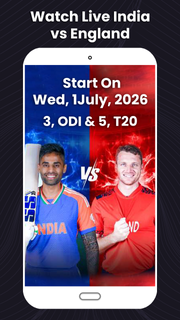

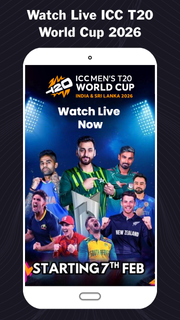
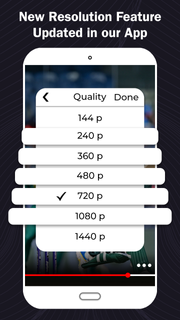
Cricgenix suits fans who want quick access to matches and schedules on a phone. It brings live action and score updates from international events and domestic leagues into one simple view, so you can follow cricket during busy days. Because fixtures span different regions, the app helps you check what is on without digging through multiple sources. If you prefer a lightweight install, the Cricgenix APK offers an easy way to keep cricket close at hand.Cricgenix FeaturesLive match center Cricgenix shows ball by ball updates during ongoing games. See full scorecards for batters and bowlers as play progresses. Check match status, venue details, and the record of recent deliveries. Access live streaming for covered competitions alongside score updates.Completed match detailsWhen a game ends, Cricgenix keeps the information available for review. You can read ball by ball commentary for finished matches and open detailed player scorecards with squad lists and roles.Upcoming matches and seasons View fixtures planned for later today and the next few days with local time zones. See venues and team names for easy planning. Open season pages to explore teams, match lists, points tables for completed games, and dates for upcoming tournaments.Teams and quick searchCricgenix includes a broad list of international and league teams with a simple search tool. Tap a team to see recent results and upcoming fixtures in one place. The Cricgenix latest version supports T20, ODI, and Test formats and keeps navigation straightforward for fast checks.Start tracking cricket nowCricgenix brings live streaming, scores, and schedules into a clear mobile layout. Use it to follow tournaments, leagues, and teams without extra steps. If this matches your needs, download Cricgenix and begin checking matches in minutes.
Show more

1. Download MEmu installer and finish the setup

2. Start MEmu then open Google Play on the desktop

3. Search Cricgenix in Google Play
Install
4. Download and Install Cricgenix
5. On install completion click the icon to start

6. Enjoy using Cricgenix on PC with MEmu
MEmu Play is the best Android emulator, and 100 million users already enjoy its superb Android app experience. Powered by advanced virtualization technology, it lets you enjoy thousands of Android apps smoothly on your PC—including the most graphics-intensive ones.
Bigger screen with better graphics; Long duration, without limitation of battery or mobile data.
Full Keymapping support for precise control of keyboard and mouse or gamepad.
Multiple game accounts or tasks on single PC at one time with Multi-Instance manager.
Use Cricgenix on PC by following steps: