CryAnalyzer - baby translator
Updated
Current Version
1.3.22
Offered By

Stop worrying about high battery drain when using CryAnalyzer - baby translator on your phone. Free yourself from the tiny screen and enjoy the app on a much larger display. From now on, get a full-screen experience of your app with the convenience of a keyboard and mouse. MEmu offers you all the surprising features you’d expect: quick installation and easy setup, intuitive controls, and no more worries about battery life, mobile data, or unexpected calls. The all-new MEmu 9 is the choice for using CryAnalyzer - baby translator on your computer. With the MEmu multi-instance manager, you can run two or more accounts at the same time. Most importantly, our exclusive emulation engine unlocks your PC’s full potential, delivering smooth and enjoyable performance.
Show more
Enjoy superb experience of using CryAnalyzer - baby translator on PC with MEMU App Player. It's a powerful free Android emulator which provides you with thousands of android apps for their desktop version. Enjoy connecting with friends and polishing your work with higher efficiency! Join over 2 million users worldwide with our innovative app that analyzes crying sounds.
Join over 2 million users worldwide with our innovative app that analyzes crying sounds.
Enjoy free access by watching ads, or subscribe for an ad-free experience.
Parenting is harder than you may think.
That's why we're here to assist you in understanding your baby's emotions through their cries.
Let’s try it when you are having trouble with a crying baby.
You can understand why your baby is crying.
◆ Topics
We've expanded language support in the app to include:
- Arabic
- Chinese
- English
- French
- German
- Hindi
- Indonesian
- Hindi Indonesian
- Japanese
- Korean
- Portuguese
- Russian
- Spanish
◆ Cryanalyzer is beneficial for parents who:
〇 Want to know whether their baby needs sleep, milk, or breastfeeding.
〇 Want to know if the baby's crying is due to growing pains or a disturbance in their life rhythm.
〇 Have a baby struggling to sleep even with soothing sounds.
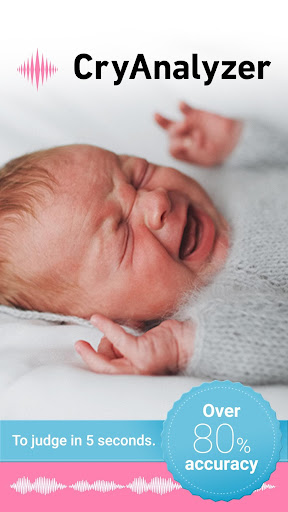
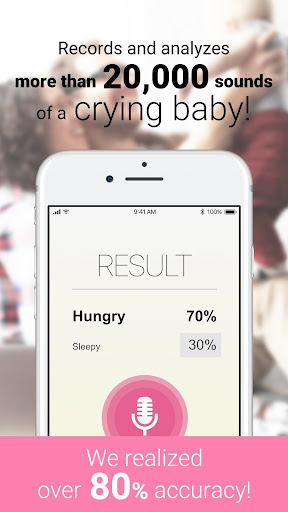
◆ Cry Analyzers has over 80% accuracy in identifying a baby’s emotional state from baby cry and predicts why a baby is crying.
〇 We’ve recorded and analyzed more than 20 million baby crying sounds.
〇 The accuracy of this APP is over 80%.
◆ Age range of accuracy
Recommended age for newborn 0-6months and you can use this APP until 2 years old.
◆ Reliable Infant rearing APP
FIRSTASCENT INC. offers "Cry Analyzer". The company has collaborated with the National Center for Child Health and Development (NCCHD) to research children's lifestyles, baby growth, and development. NCCHD is the only specialized research institution for pediatric healthcare in Japan.
FIRSTASCENT INC. created an algorithm capable of recording and analyzing over 20 million different baby crying sounds.
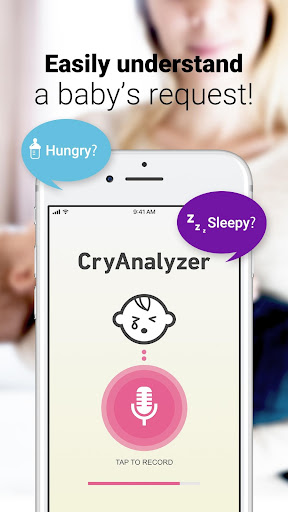
◆ Is your baby hungry? Is your baby sleepy? Easily understand your baby’s request
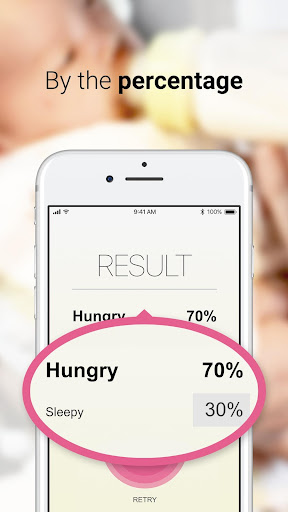
〇 The APP records the pitch and frequency of baby cry to predict the emotional state. It analyzes why the baby is crying and displays the percentage on your smartphone, guiding you on breastfeeding time.
〇 You can easily understand your baby’s request on the display.
◆ Personalized for accuracy
〇 The APP has an algorithm of the personalization. If you feed back the emotional state, it will be more accurate.
◆ Tracking records
〇 You can track your baby’s record. It helps you to calm and smooth your upset baby.
◆ Cry Analyzer will help you...
〇 When your baby won’t stop crying and you don’t know what to do.
〇 When your baby never stops crying at night.
〇 When feeding and burping seems ineffective.
〇 To understand your baby’s request, enabling you to calm them even in public places like busy restaurants.
===================================
■ Contacts us
If you have any questions or inquiries, feel free to contact us through the form in the APP.
■Terms of Use
https://cry-analyzer.com/contents/term.html
■Privacy Policy
https://cry-analyzer.com/contents/privacy.html
===================================
Show more

1. Download MEmu installer and finish the setup

2. Start MEmu then open Google Play on the desktop

3. Search CryAnalyzer - baby translator in Google Play
Install
4. Download and Install CryAnalyzer - baby translator
5. On install completion click the icon to start

6. Enjoy using CryAnalyzer - baby translator on PC with MEmu
MEmu Play is the best Android emulator, and 100 million users already enjoy its superb Android app experience. Powered by advanced virtualization technology, it lets you enjoy thousands of Android apps smoothly on your PC—including the most graphics-intensive ones.
Bigger screen with better graphics; Long duration, without limitation of battery or mobile data.
Full Keymapping support for precise control of keyboard and mouse or gamepad.
Multiple game accounts or tasks on single PC at one time with Multi-Instance manager.
Use CryAnalyzer - baby translator on PC by following steps: