waipu.tv – Live TV-Streaming
Updated
Current Version
Offered By

Stop worrying about high battery drain when using waipu.tv – Live TV-Streaming on your phone. Free yourself from the tiny screen and enjoy the app on a much larger display. From now on, get a full-screen experience of your app with the convenience of a keyboard and mouse. MEmu offers you all the surprising features you’d expect: quick installation and easy setup, intuitive controls, and no more worries about battery life, mobile data, or unexpected calls. The all-new MEmu 9 is the choice for using waipu.tv – Live TV-Streaming on your computer. With the MEmu multi-instance manager, you can run two or more accounts at the same time. Most importantly, our exclusive emulation engine unlocks your PC’s full potential, delivering smooth and enjoyable performance.
Show more
Enjoy superb experience of using waipu.tv – Live TV-Streaming on PC with MEMU App Player. It's a powerful free Android emulator which provides you with thousands of android apps for their desktop version. Enjoy connecting with friends and polishing your work with higher efficiency! BRILLIANT TV ON ALL DEVICES .
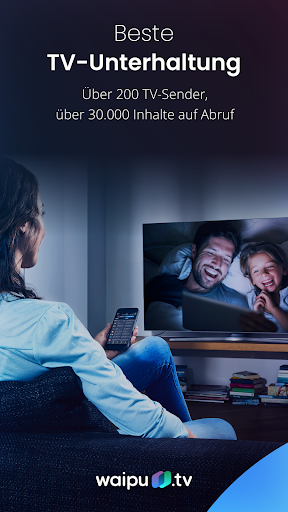
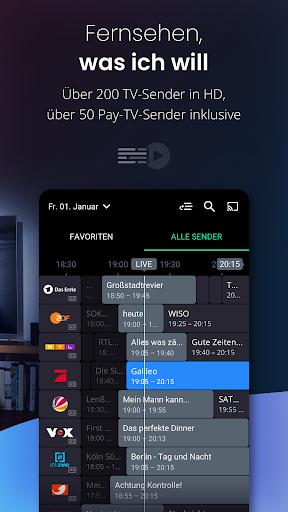
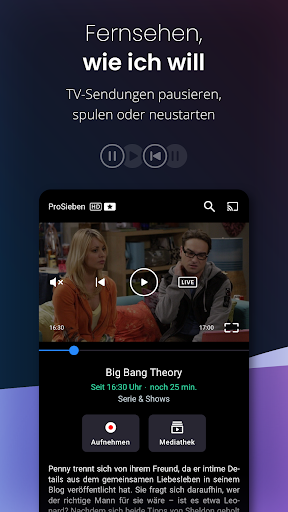
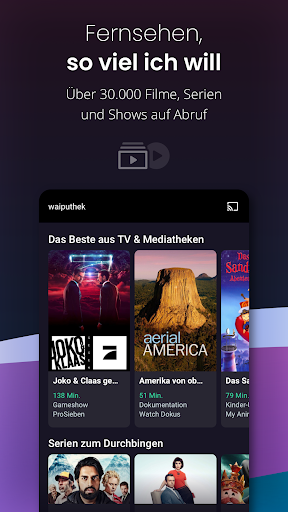
BRILLIANT TV ON ALL DEVICES
Perfect quality and fastest TV transmission: With waipu.tv you stream over 280 TV channels on all your devices: smartphone, tablet, television and laptop. Best HD entertainment in live stream or recording. Everything in one package.
Try 1 month free now.
THE PERFECT PLUS PACKAGE AT A GLANCE
- Over 280 TV channels in HD
- waiputhek: Over 30,000 films and series on demand at any time
- More than 70 pay TV channels included
- Continuous recording and 150 hours of online storage
- Best picture quality and lightning-fast channel changes
- Pause and restart function
- Live TV also on other devices: Smart TV, smartphone, tablet & laptop
- Up to 4 streams in parallel - perfect for the whole family
- Watch TV even while on vacation in the EU
- Picture-in-picture function: Watch TV and use other apps at the same time
- Free trial phase, can be canceled monthly
WATCH TV VIA WIFI. WITHOUT CABLE SOCKET OR SATELLITE DISH.
Living room, bedroom, kitchen, balcony. With waipu.tv you can watch TV in every room and on every TV screen. Alternatively, you can easily transfer the TV program to the television using a waipu.tv 4K Stick, a Google Chromecast, Amazon Fire TV or your Apple TV.
SUPERLATIVE TV ENTERTAINMENT ON MORE THAN 280 CHANNELS
Classic free TV channels: Das Erste, ZDF, RTL, ProSieben, VOX, and much more.
More than 70 pay TV channels: 13th Street, SYFY, Universal TV, Warner TV Serie, EUROSPORT 2, ProSieben FUN, Romance TV, RTL Crime, FILMTASTIC, HISTORY, SPORT1+, GEO TELEVISION, SPORTDIGITAL FOOTBALL, and much more.
LIVE AND ON DEMAND
Attractive TV channels live and over 30,000 films and series on demand at any time in the waiputhek: everyone can find their favorite entertainment at waipu.tv.
RECORD SHOWS. EVEN ON THE GO.
With the recording function you can record programs spontaneously and conveniently. Using series recording, all episodes of a series are automatically recorded. You don't have to be at home to program a recording - start recordings directly from your smartphone - from anywhere.
PAUSE AND RESTART
A great film is playing, but suddenly the doorbell rings? This isn't a problem with the pause function - just resume the program at the same point later. If you missed the start of a program, simply use Restart to jump back to the beginning of the program.
FOR THE WHOLE FAMILY & ON ALL DEVICES
Enjoy up to 4 streams at the same time on all your devices: in the living room on the TV, with your smartphone or tablet on the balcony and with your laptop in bed. Perfect for the whole family.
MOBILE FREEDOM
If you don't want to miss out on the best entertainment while on vacation, you can also use waipu.tv within the EU.
COSTS
New customers can test the Perfect Plus package for 1 month free of charge. The package then only costs €14.99 per month and can be canceled monthly. Unless you cancel before the end of the contract month, your package will automatically be extended for another month. You can stop automatic renewal at any time in your waipu.tv account or in the Google Play Store.
WAIPU.TV ON THE TV
You can use waipu.tv with the waipu.tv 4K Stick, Google Chromecast, Android TV or Google TV, Amazon Fire TV, LG TV (from 2018), Samsung TV (from 2017), Roku and via AirPlay with your Apple TV conveniently on any television.
You can find our general terms and conditions and data protection regulations here: https://waipu.tv/agb or https://waipu.tv/dse
Additional Information
waipu.tv is a service from EXARING AG, Leopoldstraße 236, 80807 Munich.
Show more

1. Download MEmu installer and finish the setup

2. Start MEmu then open Google Play on the desktop

3. Search waipu.tv – Live TV-Streaming in Google Play
Install
4. Download and Install waipu.tv – Live TV-Streaming
5. On install completion click the icon to start

6. Enjoy using waipu.tv – Live TV-Streaming on PC with MEmu
MEmu Play is the best Android emulator, and 100 million users already enjoy its superb Android app experience. Powered by advanced virtualization technology, it lets you enjoy thousands of Android apps smoothly on your PC—including the most graphics-intensive ones.
Bigger screen with better graphics; Long duration, without limitation of battery or mobile data.
Full Keymapping support for precise control of keyboard and mouse or gamepad.
Multiple game accounts or tasks on single PC at one time with Multi-Instance manager.
Use waipu.tv – Live TV-Streaming on PC by following steps: