
HD+
Updated
Current Version
3.9.7
Offered By

Stop worrying about high battery drain when using HD+ on your phone. Free yourself from the tiny screen and enjoy the app on a much larger display. From now on, get a full-screen experience of your app with the convenience of a keyboard and mouse. MEmu offers you all the surprising features you’d expect: quick installation and easy setup, intuitive controls, and no more worries about battery life, mobile data, or unexpected calls. The all-new MEmu 9 is the choice for using HD+ on your computer. With the MEmu multi-instance manager, you can run two or more accounts at the same time. Most importantly, our exclusive emulation engine unlocks your PC’s full potential, delivering smooth and enjoyable performance.
Show more
Enjoy superb experience of using HD+ on PC with MEMU App Player. It's a powerful free Android emulator which provides you with thousands of android apps for their desktop version. Enjoy connecting with friends and polishing your work with higher efficiency! Mit der HD+ App streamst du über 80 HD-Sender live und jede Menge Mediatheken-Inhalte auf deinem Smartphone oder Tablet.
Mit der HD+ App streamst du über 80 HD-Sender live und jede Menge Mediatheken-Inhalte auf deinem Smartphone oder Tablet. Jetzt kostenlos testen.
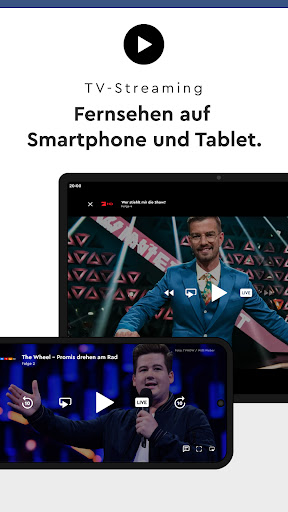
TV-Streaming
Mit der HD+ App kannst du immer und überall fernsehen: zuhause über WLAN oder unterwegs über das Mobilfunknetz. Auf deinem Smartphone oder Tablet streamst du über 80 HD-Sender – auf bis zu 2 Geräten gleichzeitig und ohne Zusatzkosten im EU-Ausland.
Neustart
Wenn du den Anfang von bestimmten bereits laufende Sendungen verpasst hast, kannst du diese einfach neu starten.
Mediatheken
Durchsuche zahlreiche Mediatheken gleichzeitig und streame die Inhalte direkt auf deinem Smartphone oder Tablet. Dazu zählen nicht nur Mediatheken der privaten Sender wie z.B. ProSieben und SAT.1 sondern auch der öffentlich-rechtlichen Sender wie ARD und ZDF.
Die kostenlosen Funktionen:
Senderlisten
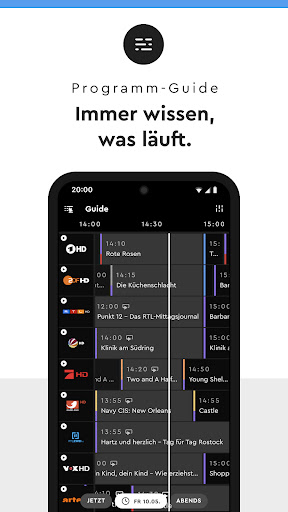
Individualisiertes TV-Programm durch einfaches Anlegen eigener Senderlisten (inkl. Sky-Sender). Du kannst das Programm deiner Lieblingssender übersichtlich und nach persönlichen Präferenzen anordnen.
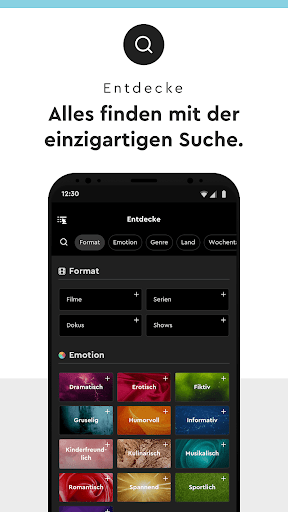
Suchfunktion
Noch schneller zu deiner TV-Sendung dank einzigartiger Suche: Durchsuche das Live-Programm, die Mediatheken und das kommende TV-Programm anhand verschiedener Suchkritieren. Du kannst u.a. aus folgenden Kategorien wählen und diese auch kombinieren: Emotionen (z.B. romantisch), Format (z.B. Spielfilm), Genre (z.B. Komödie).
Merkliste & Erinnerungsfunktion
Auf der praktischen Merkliste kannst du deine TV-Highlights markieren und dich zum Sendungsstart per Push-Nachricht erinnern lassen.
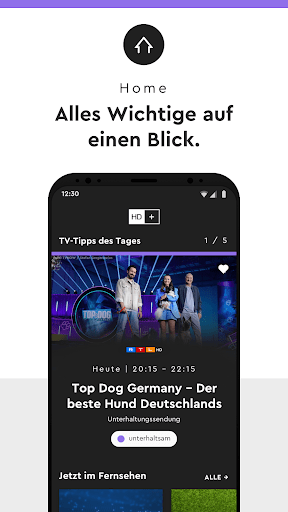
Home-Screen
Auf der Startseite der App siehst du das aktuelle Live-Programm, Empfehlungen aus den Mediatheken und TV-Tipps für die kommenden Tage.
Farbwahl
Passe mit dem Dark-/Light-Mode die App optisch an deine Bedürfnisse an.
Show more

1. Download MEmu installer and finish the setup

2. Start MEmu then open Google Play on the desktop

3. Search HD+ in Google Play
Install
4. Download and Install HD+
5. On install completion click the icon to start

6. Enjoy using HD+ on PC with MEmu
MEmu Play is the best Android emulator, and 100 million users already enjoy its superb Android app experience. Powered by advanced virtualization technology, it lets you enjoy thousands of Android apps smoothly on your PC—including the most graphics-intensive ones.
Bigger screen with better graphics; Long duration, without limitation of battery or mobile data.
Full Keymapping support for precise control of keyboard and mouse or gamepad.
Multiple game accounts or tasks on single PC at one time with Multi-Instance manager.
Use HD+ on PC by following steps: