Draw Music: Sketch to Sound
Updated
Current Version
1.5
Offered By

Stop worrying about high battery drain when using Draw Music: Sketch to Sound on your phone. Free yourself from the tiny screen and enjoy the app on a much larger display. From now on, get a full-screen experience of your app with the convenience of a keyboard and mouse. MEmu offers you all the surprising features you’d expect: quick installation and easy setup, intuitive controls, and no more worries about battery life, mobile data, or unexpected calls. The all-new MEmu 9 is the choice for using Draw Music: Sketch to Sound on your computer. With the MEmu multi-instance manager, you can run two or more accounts at the same time. Most importantly, our exclusive emulation engine unlocks your PC’s full potential, delivering smooth and enjoyable performance.
Show more
Enjoy superb experience of using Draw Music: Sketch to Sound on PC with MEMU App Player. It's a powerful free Android emulator which provides you with thousands of android apps for their desktop version. Enjoy connecting with friends and polishing your work with higher efficiency! DRAW FREELY — HEAR MUSIC INSTANTLY.
DRAW FREELY — HEAR MUSIC INSTANTLY
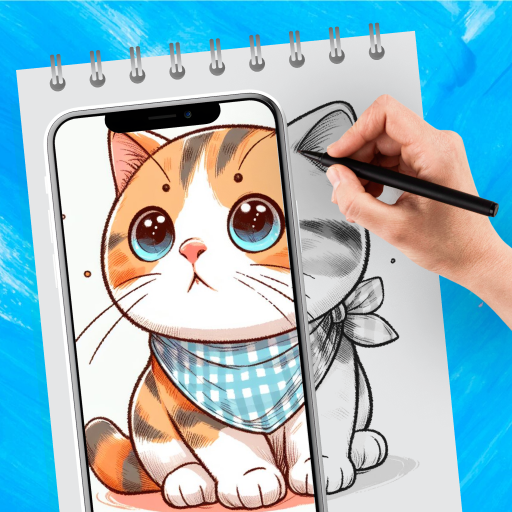
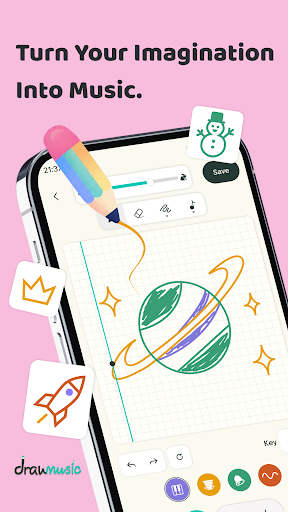
Draw Music turns your finger into a real instrument. You don't need to know a single note or any music theory — just draw any stroke on the canvas, hit Play, and listen as your sketch turns into a real melody. Straight lines, curves, scribbles, or scattered dots — every shape becomes its own musical phrase.
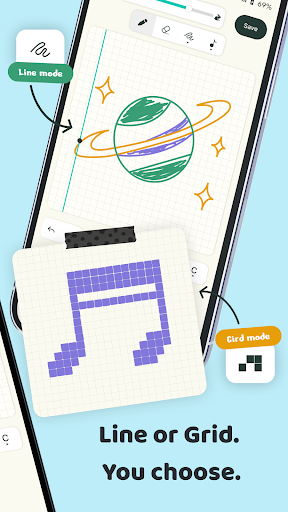
Behind that simple drawing surface is an invisible 32 x 20 grid: the horizontal axis is time, the vertical axis is pitch. Every stroke you draw is automatically snapped to the right cell, right on beat — you focus on creating, Draw Music handles the rest.
A RICH TEMPLATE LIBRARY — STUCK FOR IDEAS? START HERE
Not sure where to begin? Draw Music comes packed with a rich library of ready-made templates — birds, animals, landscapes, people, and more — free for you to explore. Pick a template, hear it play instantly, then freely edit and build on it in your own style — take a ready-made idea and turn it into something uniquely yours.
4 INSTRUMENTS, 4 SIGNATURE COLORS
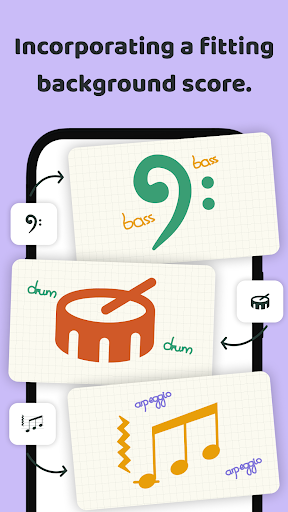
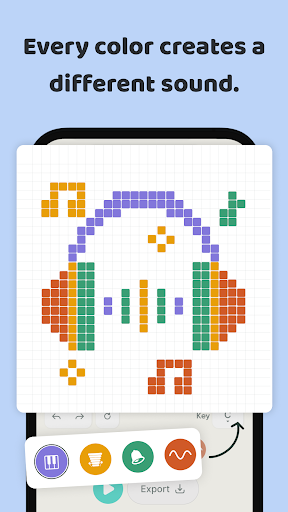
Pick a color, pick an instrument: Soft Key (a warm, gentle electric-piano tone), Marimba (an earthy, wooden mallet sound), Warm Synth (a thick, ambient pad) and Bells (a bright, metallic chime). Layer multiple strokes in different colors on the same canvas to build a full multi-part arrangement — rhythm, melody, and harmony all at once. Newer strokes always take priority over older ones underneath, so you can freely redraw and tweak without ever needing to erase and start over.
ALWAYS IN TUNE, NEVER A WRONG NOTE
Here's the magic: every stroke automatically snaps to the scale you've selected (Pentatonic, Major, or Minor) — whether you draw with intention, a shaky hand, or pure chaos, the result always sounds harmonious. No note ever clashes. Want to shift the whole vibe? Pick a new Root note from 12 options to transpose the entire piece up or down. Want it faster or slower? Drag the Tempo slider anywhere from 40 to 240 BPM, applied instantly.
FULL CONTROL, ZERO CLUTTER
Toggle colored grid cells on or off to see exactly which notes you've drawn, use Undo to step back stroke by stroke, hit Clear to start fresh from a blank canvas, or turn on Loop to hear your piece play continuously while you keep editing. Every action responds instantly and smoothly.
EXPORT REAL FILES — USE THEM ANYWHERE
Happy with what you drew? Export it straight to WAV (real audio, playable on any device or music player) or MIDI (a lightweight file you can keep editing in your favorite DAW or music software), then share it wherever you like — send it to a friend, set it as a ringtone, or use it as the seed idea for a bigger track.
100% OFFLINE — NO INTERNET NEEDED
Every sound is synthesized on-device using pure math, with no sample files and no internet connection required. Open the app, draw, and hear it — anywhere, anytime.
WHO IS IT FOR?
Total beginners who want the feeling of composing without theory getting in the way. Producers and musicians who need a fast way to sketch out ideas before building them up in a full DAW. Parents looking for a visual, playful way to introduce kids to music. Or simply anyone who enjoys tinkering and experimenting with sound in their spare time.
Draw Music turns any spontaneous scribble — even a single messy line — into a real piece of music that's uniquely yours. No talent required, no experience needed. Just a finger and a little curiosity.
Download Draw Music: Sketch to Sound today and start drawing your own music!
Show more

1. Download MEmu installer and finish the setup

2. Start MEmu then open Google Play on the desktop

3. Search Draw Music: Sketch to Sound in Google Play
Install
4. Download and Install Draw Music: Sketch to Sound
5. On install completion click the icon to start

6. Enjoy using Draw Music: Sketch to Sound on PC with MEmu
MEmu Play is the best Android emulator, and 100 million users already enjoy its superb Android app experience. Powered by advanced virtualization technology, it lets you enjoy thousands of Android apps smoothly on your PC—including the most graphics-intensive ones.
Bigger screen with better graphics; Long duration, without limitation of battery or mobile data.
Full Keymapping support for precise control of keyboard and mouse or gamepad.
Multiple game accounts or tasks on single PC at one time with Multi-Instance manager.
Use Draw Music: Sketch to Sound on PC by following steps: