Drawing Desk: Learn to Draw
Updated
Current Version
10.0.3
Offered By

Stop worrying about high battery drain when using Drawing Desk: Learn to Draw on your phone. Free yourself from the tiny screen and enjoy the app on a much larger display. From now on, get a full-screen experience of your app with the convenience of a keyboard and mouse. MEmu offers you all the surprising features you’d expect: quick installation and easy setup, intuitive controls, and no more worries about battery life, mobile data, or unexpected calls. The all-new MEmu 9 is the choice for using Drawing Desk: Learn to Draw on your computer. With the MEmu multi-instance manager, you can run two or more accounts at the same time. Most importantly, our exclusive emulation engine unlocks your PC’s full potential, delivering smooth and enjoyable performance.
Show more
Enjoy superb experience of using Drawing Desk: Learn to Draw on PC with MEMU App Player. It's a powerful free Android emulator which provides you with thousands of android apps for their desktop version. Enjoy connecting with friends and polishing your work with higher efficiency! Trusted by over 70 million users worldwide with over 100000+ 5 star reviews, Drawing Desk is the #1 app for learning and practicing drawing & painting skills.
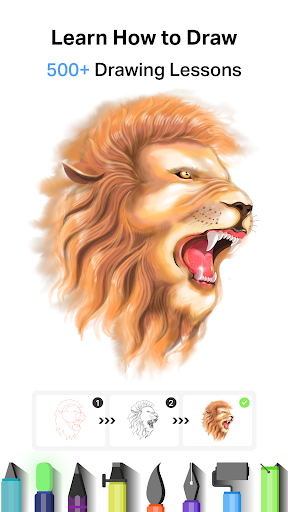
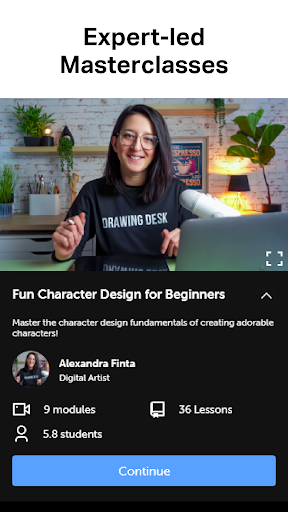
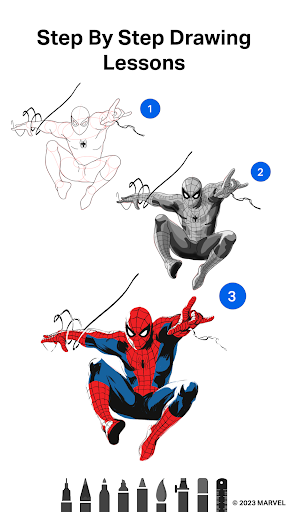
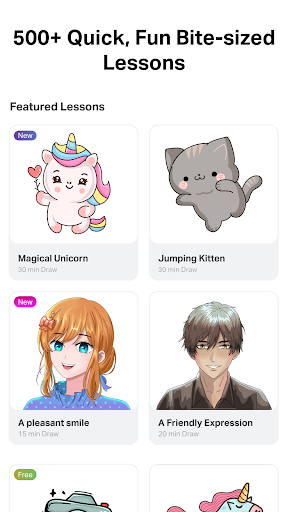
Trusted by over 70 million users worldwide with over 100000+ 5 star reviews, Drawing Desk is the #1 app for learning and practicing drawing & painting skills.
Now you can draw, doodle, sketch, paint or color with the Drawing Desk app on your phone or pad. Our unique collection of pro tools such as pencils, crayons, watercolor brushes and much more will help anyone to create amazing art works. Drawing Desk app is one of the best apps to learn and draw art or illustrations.
Learn How to Draw with Brand-new Marvel Super Hero Drawing Lessons!
- Collection of 50+ Marvel Super Hero lessons making it easier for everyone to draw their favorite Super Heroes!
- Featuring all of Marvel’s iconic Super Heroes including Spider-Man, Iron Man, Captain America, Thor, Black Panther, Wolverine, Marvel Mini Heroes, Marvel Emoji and so many more
- Learn how to draw these Super Heroes in multiple poses with clear on-screen instructions, user-friendly canvas guides, and intuitive options
- More Marvel step-by-step lessons to be released monthly
-Enjoy additional 800+ lessons across a range of topics including drawing cartoons, Anime & Manga art, adorable Chibi characters and more, all thoughtfully crafted by professional artists
-Try your first Marvel Lesson today!
Learn to draw from scratch with Drawing Desk Masterclasses conducted by professional artists teaching the full process of drawing from the basics to advanced tips & tricks of Digital Art.
Masterclasses offer;
-Videos of a professional artist explaining the lessons
-Step-by-step on screen lesson guides
-Text & voice instructions
-Offer all the digital Drawing tools, in a single platform
Best app to draw, sketch ,paint and to practice drawing skills
-25+ sketch tools including pen, pencil, crayon, neon, watercolor brush, ink, smudge, eraser, fill bucket
-Draw & paint in various Canvas sizes (Pad app only)
-Unlimited layers
-Draw Quick Shapes
-Draw your art using a symmetry tool.
-200+ instant shapes to draw & paint
-Color palettes & gradients for painting
-Fill bucket drawing tool with 125+ textures
-Auto Colorize - Color your sketch or drawing in 10 seconds. (Powered by AI)
DOWNLOAD DRAWING DESK GAME!
Drawing Desk game is for anyone who likes drawing, painting, designing, and learning digital art. The Drawing Desk game has been developed to make sketching, painting, designing, and learning digital art enjoyable.
Drawing Desk is an app that caters to the creative spirit in everyone. It is truly the best app to draw, paint & scribble, and create pro digital illustrations and art
Show more

1. Download MEmu installer and finish the setup

2. Start MEmu then open Google Play on the desktop

3. Search Drawing Desk: Learn to Draw in Google Play
Install
4. Download and Install Drawing Desk: Learn to Draw
5. On install completion click the icon to start

6. Enjoy using Drawing Desk: Learn to Draw on PC with MEmu
MEmu Play is the best Android emulator, and 100 million users already enjoy its superb Android app experience. Powered by advanced virtualization technology, it lets you enjoy thousands of Android apps smoothly on your PC—including the most graphics-intensive ones.
Bigger screen with better graphics; Long duration, without limitation of battery or mobile data.
Full Keymapping support for precise control of keyboard and mouse or gamepad.
Multiple game accounts or tasks on single PC at one time with Multi-Instance manager.
Use Drawing Desk: Learn to Draw on PC by following steps: