
DreamFace: AI Video Generator
Updated
Current Version
6.35.0
Offered By

Stop worrying about high battery drain when using DreamFace: AI Video Generator on your phone. Free yourself from the tiny screen and enjoy the app on a much larger display. From now on, get a full-screen experience of your app with the convenience of a keyboard and mouse. MEmu offers you all the surprising features you’d expect: quick installation and easy setup, intuitive controls, and no more worries about battery life, mobile data, or unexpected calls. The all-new MEmu 9 is the choice for using DreamFace: AI Video Generator on your computer. With the MEmu multi-instance manager, you can run two or more accounts at the same time. Most importantly, our exclusive emulation engine unlocks your PC’s full potential, delivering smooth and enjoyable performance.
Show more
Enjoy superb experience of using DreamFace: AI Video Generator on PC with MEMU App Player. It's a powerful free Android emulator which provides you with thousands of android apps for their desktop version. Enjoy connecting with friends and polishing your work with higher efficiency! DreamFace – AI Video & Avatar Generator.
DreamFace – AI Video & Avatar Generator
Bring your ideas to life with DreamFace, an all-in-one AI video creator designed for anyone who wants to create engaging videos, talking avatars, animated photos, and creative visual content. Transform photos, text, and audio into high-quality videos in just a few taps—no editing experience required.
Whether you're creating content for social media, promoting a business, entertaining friends, or exploring creative ideas, DreamFace makes video creation simple, fast, and fun.
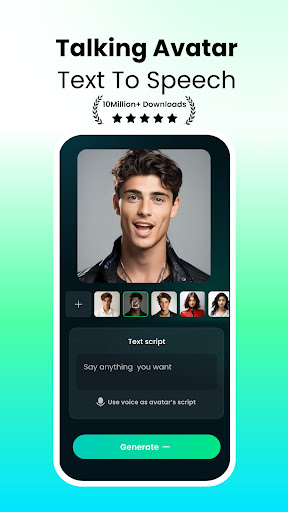
*Create Talking Avatars
Turn a single photo into a realistic talking avatar. Generate expressive videos with natural lip sync using your own voice, uploaded audio, or AI-generated speech. You can also create presenter-style videos for tutorials, storytelling, and educational content.
Features include:
Animate portraits from photos
Create realistic lip-sync videos
Convert text into spoken avatar videos
Support full-body avatar animation
Customize voices for different creative styles
*AI Video Generator
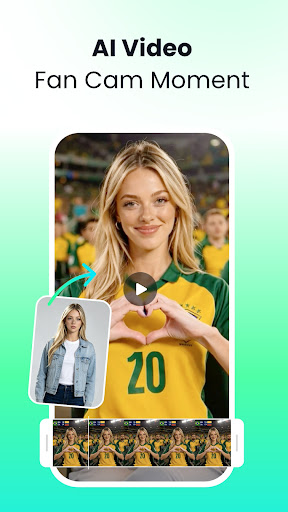
Create professional-looking videos from text prompts or images in minutes.
DreamFace supports multiple creative workflows, allowing you to generate short videos, animate still photos, or create cinematic content for social media and personal projects.
You can:
Turn text into videos
Convert images into animated clips
Control key frames for smoother storytelling
Create engaging short-form content
*Voice Studio
Powerful AI voice tools help you create expressive audio for videos, podcasts, and creative projects.
Available features include:
Voice Clone
Singing Voice Conversion
AI Voice Translation
AI Cover Creation
Vocal Separation
Voice Clone supports more than 19 languages, making it easy to create multilingual content for audiences around the world.
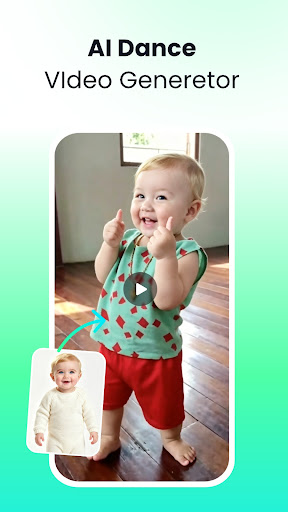
*DreamAct Motion Animation
Bring characters and portraits to life with AI motion generation.
Upload a reference video and a character image to create natural dance performances, acting scenes, and expressive motion videos that are perfect for sharing online.
*Pet Video Creator
Turn your favorite pet photos into fun talking or singing videos with realistic mouth animation and synchronized audio.
Perfect for creating entertaining clips to share with family and friends.
*AI Image Tools
DreamFace also includes a complete collection of AI image editing tools.
Create original artwork from text prompts, transform existing images into new styles, or enhance photo quality with intelligent editing features.
Available tools include:
Text to Image
Image to Image
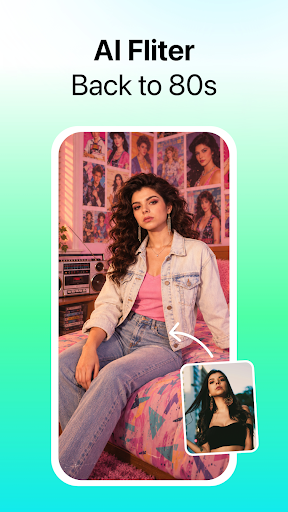
AI Portrait Styles
AI Filters
Photo Enhancement
Background Removal
Object Removal
Magic Eraser
Restore blurry photos, remove unwanted objects, and create polished images in seconds.
*Perfect for Every Creator
DreamFace is designed for a wide range of creative projects, including:
Social media videos
Digital avatars
AI-generated portraits
Short-form video creation
Marketing content
Product showcases
Educational videos
Entertainment and memes
Family and pet videos
Whether you're a content creator, designer, educator, marketer, or simply someone who enjoys creating fun videos, DreamFace provides powerful AI tools in an easy-to-use experience.
Why Choose DreamFace?
Fast AI-powered video creation
Realistic talking avatars and lip sync
Professional voice generation and voice cloning
Creative image and video editing tools
High-quality exports for sharing anywhere
Beginner-friendly workflow with professional results
Download DreamFace today and discover an easier way to create AI videos, animated photos, talking avatars, voice-powered content, and creative visual stories.
If you have any questions or suggestions, we'd love to hear from you:
Email: dreamface@newportai.com
Terms of Service:
https://dreamfaceapp.com/contact.html
Privacy Policy:
https://dreamfaceapp.com/privacy.html
Show more

1. Download MEmu installer and finish the setup

2. Start MEmu then open Google Play on the desktop

3. Search DreamFace: AI Video Generator in Google Play
Install
4. Download and Install DreamFace: AI Video Generator
5. On install completion click the icon to start

6. Enjoy using DreamFace: AI Video Generator on PC with MEmu
MEmu Play is the best Android emulator, and 100 million users already enjoy its superb Android app experience. Powered by advanced virtualization technology, it lets you enjoy thousands of Android apps smoothly on your PC—including the most graphics-intensive ones.
Bigger screen with better graphics; Long duration, without limitation of battery or mobile data.
Full Keymapping support for precise control of keyboard and mouse or gamepad.
Multiple game accounts or tasks on single PC at one time with Multi-Instance manager.
Use DreamFace: AI Video Generator on PC by following steps:





























