FanCode-Live Cricket, Formula1
Updated
Current Version
9.13.0
Offered By

Stop worrying about high battery drain when using FanCode-Live Cricket, Formula1 on your phone. Free yourself from the tiny screen and enjoy the app on a much larger display. From now on, get a full-screen experience of your app with the convenience of a keyboard and mouse. MEmu offers you all the surprising features you’d expect: quick installation and easy setup, intuitive controls, and no more worries about battery life, mobile data, or unexpected calls. The all-new MEmu 9 is the choice for using FanCode-Live Cricket, Formula1 on your computer. With the MEmu multi-instance manager, you can run two or more accounts at the same time. Most importantly, our exclusive emulation engine unlocks your PC’s full potential, delivering smooth and enjoyable performance.
Show more
Enjoy superb experience of using FanCode-Live Cricket, Formula1 on PC with MEMU App Player. It's a powerful free Android emulator which provides you with thousands of android apps for their desktop version. Enjoy connecting with friends and polishing your work with higher efficiency! FanCode is India’s premium destination for live sports streaming.

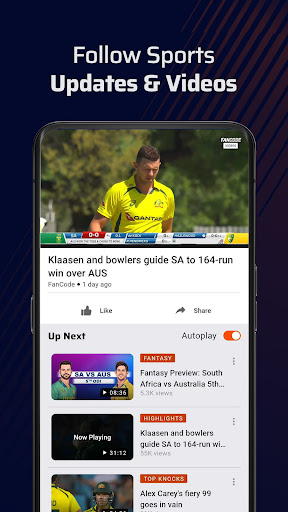
FanCode is India’s premium destination for live sports streaming.
Watch the India vs Afghanistan 3-match T20I series LIVE and exclusively on FanCode. Stream every IND vs AFG T20I live on your mobile, TV, or tablet and catch all the action, from the first ball to the final over.
Looking for India vs Afghanistan live streaming, IND vs AFG live, or a place to watch cricket live? FanCode brings you live cricket streaming along with football, Formula 1, MotoGP, tennis, golf, and more.
WATCH INDIA VS AFGHANISTAN LIVE
Don’t miss the India vs Afghanistan T20I series. Watch all 3 T20Is LIVE and exclusively on FanCode.
Follow every boundary, wicket, partnership, and match-defining moment with high-quality live streaming, match highlights, full replays, and more.
LIVE CRICKET STREAMING
Catch international cricket, T20 leagues, and major domestic tournaments LIVE on FanCode.
Watch live cricket including The Hundred, T20 Blast, Super Smash, international tours, and more.
Whether you’re looking for a cricket live match, T20 live streaming, match highlights, or full replays, FanCode keeps you closer to the action.
WATCH LIVE SPORTS
Stream some of the world’s biggest sporting events LIVE on mobile, TV, or tablet with high-quality, low-latency video.
Football: Watch top football competitions including LaLiga, Carabao Cup, Copa del Rey, and the Indian Super League (ISL) live. Follow global stars including Cristiano Ronaldo, Sunil Chhetri, Lamine Yamal, and more.
Motorsports: Feel the adrenaline of Formula 1 and MotoGP LIVE. Watch the world’s top drivers and riders battle across iconic circuits and Grand Prix weekends.
Tennis: Stream ATP Tour and WTA events and watch stars including Carlos Alcaraz, Novak Djokovic, Jannik Sinner, and more.
More Live Sports: Watch live Golf, Hockey, Rugby, and more from around the world.
UNMATCHED VIDEO EXPERIENCE
FanCode is built for fans who want to watch the action, not just read about it.
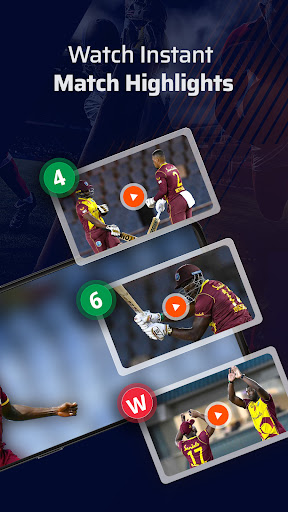
Match Highlights: Short on time? Catch the biggest moments with curated highlight packages after the match.
Full Match Replays: Missed the live game? Watch the complete match on demand.
Video Moments: Jump straight to the action. Rewatch the best sixes, wickets, goals, overtakes, and match-winning moments.
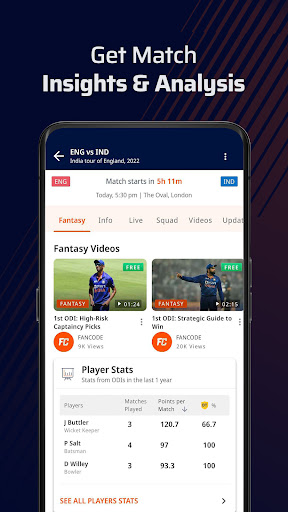
Real-Time Overlays: Enjoy an interactive viewing experience with live information and overlays while you watch.
LIVE SCORES & MATCH UPDATES
Stay connected to the game even when you can’t watch.
Real-Time Scores: Follow live scores and match updates across your favourite sports.
Match Alerts: Get customised notifications for wickets, kick-offs, match starts, results, and other key moments.
DOWNLOAD FANCODE TODAY
Watch India vs Afghanistan LIVE, stream live cricket, and enjoy football, Formula 1, MotoGP, tennis, golf, and more—all on FanCode.
From IND vs AFG T20I live streaming to the biggest sporting events from around the world, FanCode puts the action in your hands.
Don’t just follow the game. Watch it LIVE.
Show more

1. Download MEmu installer and finish the setup

2. Start MEmu then open Google Play on the desktop

3. Search FanCode-Live Cricket, Formula1 in Google Play
Install
4. Download and Install FanCode-Live Cricket, Formula1
5. On install completion click the icon to start

6. Enjoy using FanCode-Live Cricket, Formula1 on PC with MEmu
MEmu Play is the best Android emulator, and 100 million users already enjoy its superb Android app experience. Powered by advanced virtualization technology, it lets you enjoy thousands of Android apps smoothly on your PC—including the most graphics-intensive ones.
Bigger screen with better graphics; Long duration, without limitation of battery or mobile data.
Full Keymapping support for precise control of keyboard and mouse or gamepad.
Multiple game accounts or tasks on single PC at one time with Multi-Instance manager.
Use FanCode-Live Cricket, Formula1 on PC by following steps: