Framly - AI Photo Video Maker
Updated
Current Version
2.3.0
Offered By

Stop worrying about high battery drain when using Framly - AI Photo Video Maker on your phone. Free yourself from the tiny screen and enjoy the app on a much larger display. From now on, get a full-screen experience of your app with the convenience of a keyboard and mouse. MEmu offers you all the surprising features you’d expect: quick installation and easy setup, intuitive controls, and no more worries about battery life, mobile data, or unexpected calls. The all-new MEmu 9 is the choice for using Framly - AI Photo Video Maker on your computer. With the MEmu multi-instance manager, you can run two or more accounts at the same time. Most importantly, our exclusive emulation engine unlocks your PC’s full potential, delivering smooth and enjoyable performance.
Show more
Enjoy superb experience of using Framly - AI Photo Video Maker on PC with MEMU App Player. It's a powerful free Android emulator which provides you with thousands of android apps for their desktop version. Enjoy connecting with friends and polishing your work with higher efficiency! Framly – AI Photo Video Maker is your all-in-one AI creative studio to turn ideas, photos, and text into stunning visuals and videos in seconds.

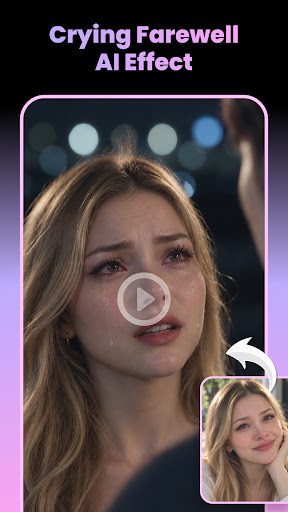
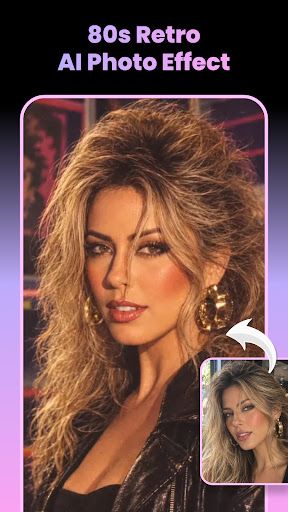
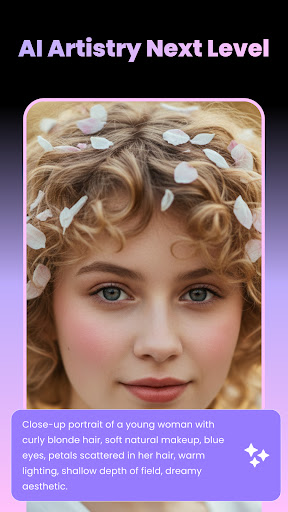
Framly – AI Photo Video Maker is your all-in-one AI creative studio to turn ideas, photos, and text into stunning visuals and videos in seconds. Whether you want to upgrade your photos, create AI art, or generate viral videos, Framly makes everything simple, fast, and fun—no editing skills needed.
Create AI Photos from Anything
Turn your photos into eye-catching AI visuals instantly. Upload an image and explore multiple styles—from aesthetic portraits, artistic edits, to trendy social media looks.
Framly helps you transform ordinary photos into something unique, creative, and ready to share.
Text to Image – Turn Ideas into Visuals
Got an idea but no photo? Just type it. Framly’s powerful text-to-image AI lets you create stunning images from simple prompts—whether it’s a concept, character, or creative scene.
Perfect for creators, social content, or anyone who wants to visualize ideas instantly.
AI Video Generator – Bring Images to Life
Make your photos move with AI.
Framly transforms static images into dynamic videos with smooth motion and engaging effects.
Create scroll-stopping content for social media posts in just a few taps.
Text to Video – Create Videos from Words
No footage? No problem.
Simply describe what you want, and Framly will generate a complete video for you—fast, easy, and ready to share.
Ideal for storytelling, content creation, and quick video production without editing skills.
Smart AI, Stunning Results
From “AI artistry next level” to realistic transformations and creative edits, Framly helps you explore endless styles and bring your imagination to life.
Fast, Easy, No Skills Needed
Just:
Upload a photo or type your idea
Choose a style or template
Let AI do the rest
Everything is generated in seconds.
Who Is This App For?
- Social media creators
- Users looking for AI photo & video tools
- Anyone who wants to create content fast
- Beginners with no editing experience
⭐ Why Choose Framly?
- All-in-one AI photo & video generator
- Supports image-to-image, text-to-image, image-to-video, text-to-video-
- Easy to use, beginner-friendly
- High-quality results in seconds
- Perfect for viral and creative content
Create. Transform. Animate.
With Framly – AI Photo Video Maker, your ideas become visuals—and your visuals come to life.
Show more

1. Download MEmu installer and finish the setup

2. Start MEmu then open Google Play on the desktop

3. Search Framly - AI Photo Video Maker in Google Play
Install
4. Download and Install Framly - AI Photo Video Maker
5. On install completion click the icon to start

6. Enjoy using Framly - AI Photo Video Maker on PC with MEmu
MEmu Play is the best Android emulator, and 100 million users already enjoy its superb Android app experience. Powered by advanced virtualization technology, it lets you enjoy thousands of Android apps smoothly on your PC—including the most graphics-intensive ones.
Bigger screen with better graphics; Long duration, without limitation of battery or mobile data.
Full Keymapping support for precise control of keyboard and mouse or gamepad.
Multiple game accounts or tasks on single PC at one time with Multi-Instance manager.
Use Framly - AI Photo Video Maker on PC by following steps: