
Full HD Film PRO
Updated
Current Version
3.44.0.33
Offered By

Stop worrying about high battery drain when using Full HD Film PRO on your phone. Free yourself from the tiny screen and enjoy the app on a much larger display. From now on, get a full-screen experience of your app with the convenience of a keyboard and mouse. MEmu offers you all the surprising features you’d expect: quick installation and easy setup, intuitive controls, and no more worries about battery life, mobile data, or unexpected calls. The all-new MEmu 9 is the choice for using Full HD Film PRO on your computer. With the MEmu multi-instance manager, you can run two or more accounts at the same time. Most importantly, our exclusive emulation engine unlocks your PC’s full potential, delivering smooth and enjoyable performance.
Show more
Enjoy superb experience of using Full HD Film PRO on PC with MEMU App Player. It's a powerful free Android emulator which provides you with thousands of android apps for their desktop version. Enjoy connecting with friends and polishing your work with higher efficiency! Full HD Film PRO mobil uygulaması ile canlı TV, sinema, film, belgesel, Yeşilçam ve yerli dizilere ücretsiz ulaşabilirsiniz.
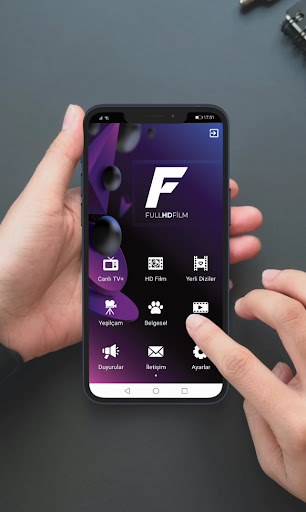
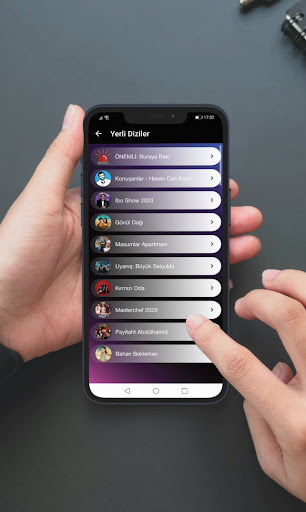
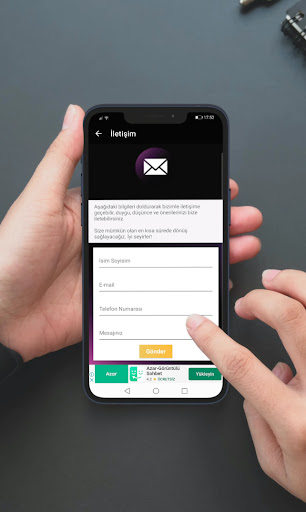
Full HD Film PRO mobil uygulaması ile canlı TV, sinema, film, belgesel, Yeşilçam ve yerli dizilere ücretsiz ulaşabilirsiniz.
Full HD Film PRO uygulaması tamamen ücretsiz bir platformdur.
Canlı TV menüsü ile yerli TV kanallarına canlı olarak erişebilirsiniz. İstediğiniz yerden TV izleyebilirsiniz.
HD Film kanalı ile istediğiniz sinema filmine ücretsiz erişebilirsiniz. Sinema filmleri için geliştirilen sayfamız sürekli gelişmektedir.
Yerli diziler kanalı ile yerli dizilerin tüm bölümlerine ulaşabilirsiniz. Haftalık olarak güncellenen sayfamız sürekli yeni bölümler ile desteklenmeketedir.
Yeşilçam kanalı ile geçmişe damga vuran Yeşilçam filmlerini izleyebilirsiniz.
Belgesel kanalı ile farklı kategorideki belgeselleri istediğiniz zaman HD kalitede izleyebilirsiniz.
DigiTube kanalı ile sosyal içerik paylaşımlarına ulaşabilirsiniz.
Uygulamamız sürekli gelişmeye devam etmektedir. Sizde bize katılarak gelişmemize katkı sağlayabilirsiniz.
Uygulamamıza önerilerde bulunabilir ve istek yapabilirsiniz.
Telif Hakları Not: Uygulamamız, 5651 sayılı yasanın 5. maddesinde tanımlanan yer sağlayıcı olarak hizmet vermektedir. İlgili yasaya göre, site yönetiminin hukuka aykırı içerikleri kontrol etme yükümlülüğü yoktur. Bu sebeple, sitemiz uyar ve kaldır prensibini benimsemiştir. Telif hakkına konu olan eserlerin yasal olmayan bir biçimde paylaşıldığını ve yasal haklarının çiğnendiğini düşünen hak sahipleri veya meslek birlikleri, "arxdeveloper07@gmail.com" mail adresinden bize ulaşabilirler. Buraya ulaşan talep ve şikayetler hukuksal olarak incelenecek, şikayet yerinde görüldüğü takdirde, ihlal olduğu düşünülen içerikler uygulamadan kaldırılacaktır.
Show more

1. Download MEmu installer and finish the setup

2. Start MEmu then open Google Play on the desktop

3. Search Full HD Film PRO in Google Play
Install
4. Download and Install Full HD Film PRO
5. On install completion click the icon to start

6. Enjoy using Full HD Film PRO on PC with MEmu
MEmu Play is the best Android emulator, and 100 million users already enjoy its superb Android app experience. Powered by advanced virtualization technology, it lets you enjoy thousands of Android apps smoothly on your PC—including the most graphics-intensive ones.
Bigger screen with better graphics; Long duration, without limitation of battery or mobile data.
Full Keymapping support for precise control of keyboard and mouse or gamepad.
Multiple game accounts or tasks on single PC at one time with Multi-Instance manager.
Use Full HD Film PRO on PC by following steps: