
GDevelop - Create & Play Games
Updated
Current Version
1.0.342
Offered By

Stop worrying about high battery drain when using GDevelop - Create & Play Games on your phone. Free yourself from the tiny screen and enjoy the app on a much larger display. From now on, get a full-screen experience of your app with the convenience of a keyboard and mouse. MEmu offers you all the surprising features you’d expect: quick installation and easy setup, intuitive controls, and no more worries about battery life, mobile data, or unexpected calls. The all-new MEmu 9 is the choice for using GDevelop - Create & Play Games on your computer. With the MEmu multi-instance manager, you can run two or more accounts at the same time. Most importantly, our exclusive emulation engine unlocks your PC’s full potential, delivering smooth and enjoyable performance.
Show more
Enjoy superb experience of using GDevelop - Create & Play Games on PC with MEMU App Player. It's a powerful free Android emulator which provides you with thousands of android apps for their desktop version. Enjoy connecting with friends and polishing your work with higher efficiency! Play a growing world of quirky, joyful indie games.
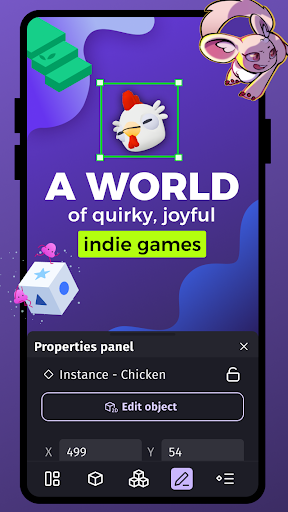
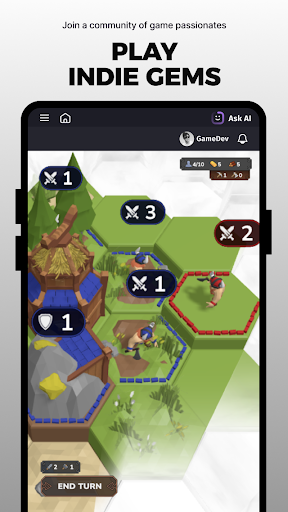
Play a growing world of quirky, joyful indie games.
Discover, play and support games made by independent creators from around the world... and create your own!
Play for free, help shape the next indie gem:
- Unlimited indie games instantly in-app, no install needed
- Hidden gems you won’t see on big stores
- Sharing feedback with creators and earn GD coins
- Exchanging your GD coins into gift cards
- Explore new games every week, from around the world
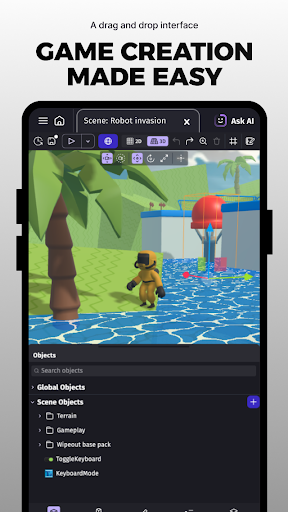
Every game in the app was built with GDevelop: the no-code and AI powered, open-source game engine used by thousands of creators, artists, and independent developers.
Start exploring. Play something small. Or weird. Or wonderful.
Create your own games. Or play any game you're dreaming of!
It's fast, easy, and no technical knowledge is required to get started! Games made with GDevelop have been published on Steam, Play Store, and other stores or gaming platforms!
Try it for free, or get a GDevelop subscription to unlock every feature!
GDevelop is the first game creation app that allows you to build and play any game you're dreaming of, directly on your phone or tablet:
- Explore dozens of game templates or start from scratch.
- Use AI to help you build your game step by step.
- Use your own characters, or choose from a library of pre-made objects such as characters, animations, sounds, and music.
- Quickly add pre-made logic to your game objects with GDevelop's Behaviors.
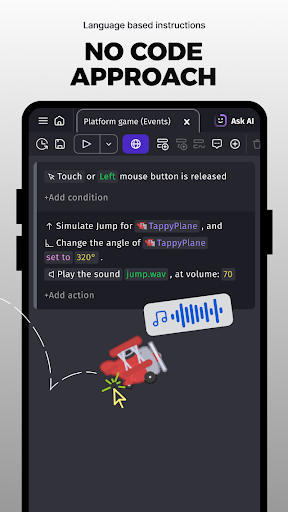
- Write game logic with GDevelop's innovative event system based on "if / then" actions and conditions.
- Publish your game in a few seconds and share it with your friends, colleagues, or customers.
- Allow players to submit their scores with ready-to-use leaderboards.
Dozens of thousands of games are made every month with GDevelop.
Unleash your creativity, and create all kinds of games: platformers, shoot’em up, strategy, 8-bit, or hyper-casual games... the sky is the limit.
GDevelop is a powerful game engine, based on an open-source technology, that allows you to use up-to-date game dev technology:
- Explosions and effects with particles.
- Visual effects ("shaders").
- Pathfinding and advanced movements (bounce, elliptic movement, screen wrap, projectiles...).
- Advanced rendering engine for pixel-art games, modern 2D games, and 2.5D isometric games.
- Ready-to-use objects for your game interface: text input, buttons, progress bars...
- Touch and virtual joysticks support
- Text objects for scores, and dialogues with optional typewriter effects.
- Transitions and smooth objects movements.
- Leaderboards and optional player feedback
- Lighting system
- Realistic physics
- Sound effects and music handling
- Game analytics
- Gamepad support
- Dozens of extensions with advanced Behaviors: checkpoints, object shaking, 3D flip effects...
GDevelop makes game development easy, even for those with no prior experience.
Download the app and join a community of 400k+ monthly creators: gamers, hobbyists, teachers, and professionals.
GDevelop's unique design makes game creation fast and fun!
Our Terms & Conditions: https://gdevelop.io/page/terms-and-conditions
Our Privacy Policy: https://gdevelop.io/page/privacy-policy
Show more

1. Download MEmu installer and finish the setup

2. Start MEmu then open Google Play on the desktop

3. Search GDevelop - Create & Play Games in Google Play
Install
4. Download and Install GDevelop - Create & Play Games
5. On install completion click the icon to start

6. Enjoy using GDevelop - Create & Play Games on PC with MEmu
MEmu Play is the best Android emulator, and 100 million users already enjoy its superb Android app experience. Powered by advanced virtualization technology, it lets you enjoy thousands of Android apps smoothly on your PC—including the most graphics-intensive ones.
Bigger screen with better graphics; Long duration, without limitation of battery or mobile data.
Full Keymapping support for precise control of keyboard and mouse or gamepad.
Multiple game accounts or tasks on single PC at one time with Multi-Instance manager.
Use GDevelop - Create & Play Games on PC by following steps: