Ghost Detector Real Life Radar
Updated
Current Version
3.5
Offered By

Stop worrying about high battery drain when using Ghost Detector Real Life Radar on your phone. Free yourself from the tiny screen and enjoy the app on a much larger display. From now on, get a full-screen experience of your app with the convenience of a keyboard and mouse. MEmu offers you all the surprising features you’d expect: quick installation and easy setup, intuitive controls, and no more worries about battery life, mobile data, or unexpected calls. The all-new MEmu 9 is the choice for using Ghost Detector Real Life Radar on your computer. With the MEmu multi-instance manager, you can run two or more accounts at the same time. Most importantly, our exclusive emulation engine unlocks your PC’s full potential, delivering smooth and enjoyable performance.
Show more
Enjoy superb experience of using Ghost Detector Real Life Radar on PC with MEMU App Player. It's a powerful free Android emulator which provides you with thousands of android apps for their desktop version. Enjoy connecting with friends and polishing your work with higher efficiency! The ghost detector is a device that detects the presence of ghosts using the ghost radar and camera scanner.
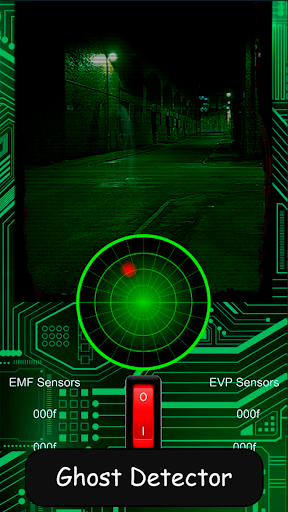
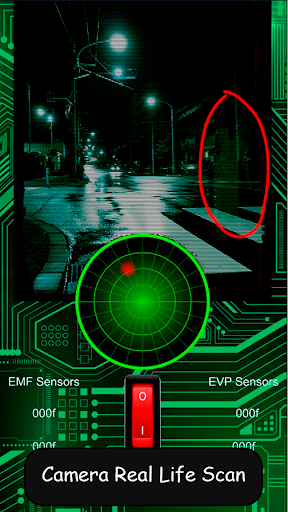
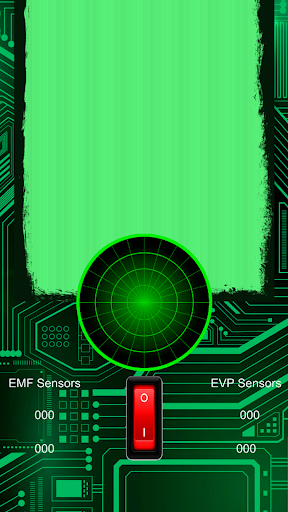
The ghost detector is a device that detects the presence of ghosts using the ghost radar and camera scanner. Built with the latest in radar, camera, and evp recorder technology, the ghost detector is the best way to capture evidence of paranormal activity. Developed with ghostbusters in mind, the device has one simple function: to detect the presence of ghosts. However, don't let the simplicity fool you! The Ghost Detector is a powerful and versatile tool that can be used to detect other paranormal entities and phenomena as well. With its three sensors and built in camera, the ghost detector is the only device of its kind on the market.
The ghost detector is a powerful, sleek and stylish piece of technology that can be used ghost radar to investigate paranormal activity.
Ghost radar is a ghost detector app that is designed to find ghost in your home. This app uses ghost radar and entities to create a map of where the ghost is. This app will also tell you if you have a spirit in your home.
You're a ghost hunter and your new partner is a spirit communicator. Together you are on a mission to find a ghost at 3 a.m. The only clue you have is the name Mary Bloody.
Live a real life experience like: Using your night vision camera, you find yourself in a dark and eerie graveyard. The bright moonlight bounces off of the tombstones, illuminating the names and dates. You snap a few pictures, just to document your ghost hunting adventure. Suddenly, you hear a scream. You turn on your night vision camera, which also work like binoculars and see a little girl standing next to a grave. You're not sure if she is a living girl or a ghost because she disappears before you can get a close look. You decide to check out the grave and see if you can find any clues.
WARNING:
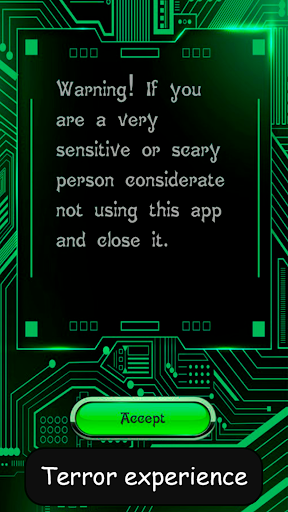
If you are a very sensitive or scary person considerate not using this app and close it. Do not put yourself in danger while using this app, and if you think you are in dangerous, turn the app off, and contact help, and immediately leave the area.
DISCLAIMER:
Keep in mind that we do not offer any guarantee of accuracy with the ghost detector, since the application makes use of the different sensors of the device, so it depends largely on the precision and quality of the terminal. Since paranormal activity can't be scientifically proven, we can't guarantee that the app communicates with real spirits. The results of this app cannot be scientifically verified.
Show more

1. Download MEmu installer and finish the setup

2. Start MEmu then open Google Play on the desktop

3. Search Ghost Detector Real Life Radar in Google Play
Install
4. Download and Install Ghost Detector Real Life Radar
5. On install completion click the icon to start

6. Enjoy using Ghost Detector Real Life Radar on PC with MEmu
MEmu Play is the best Android emulator, and 100 million users already enjoy its superb Android app experience. Powered by advanced virtualization technology, it lets you enjoy thousands of Android apps smoothly on your PC—including the most graphics-intensive ones.
Bigger screen with better graphics; Long duration, without limitation of battery or mobile data.
Full Keymapping support for precise control of keyboard and mouse or gamepad.
Multiple game accounts or tasks on single PC at one time with Multi-Instance manager.
Use Ghost Detector Real Life Radar on PC by following steps:































