Glovo: Food & Grocery Delivery
Updated
Current Version
5.299.0
Offered By

Stop worrying about high battery drain when using Glovo: Food & Grocery Delivery on your phone. Free yourself from the tiny screen and enjoy the app on a much larger display. From now on, get a full-screen experience of your app with the convenience of a keyboard and mouse. MEmu offers you all the surprising features you’d expect: quick installation and easy setup, intuitive controls, and no more worries about battery life, mobile data, or unexpected calls. The all-new MEmu 9 is the choice for using Glovo: Food & Grocery Delivery on your computer. With the MEmu multi-instance manager, you can run two or more accounts at the same time. Most importantly, our exclusive emulation engine unlocks your PC’s full potential, delivering smooth and enjoyable performance.
Show more
Enjoy superb experience of using Glovo: Food & Grocery Delivery on PC with MEMU App Player. It's a powerful free Android emulator which provides you with thousands of android apps for their desktop version. Enjoy connecting with friends and polishing your work with higher efficiency! Glovo is the number one app for ordering anything you want!
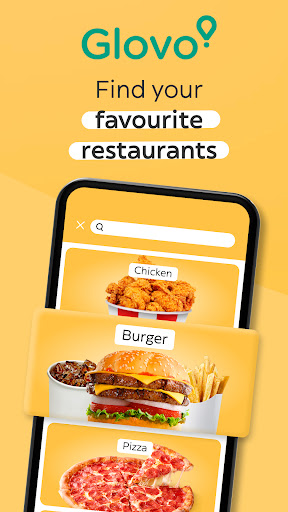
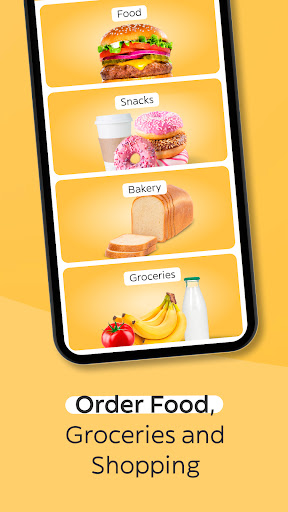
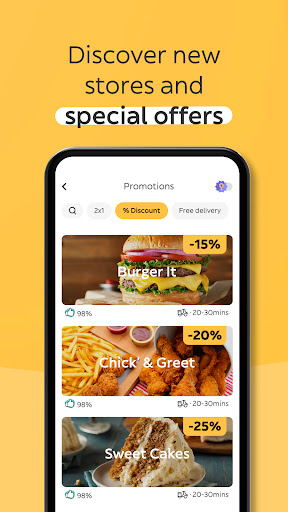
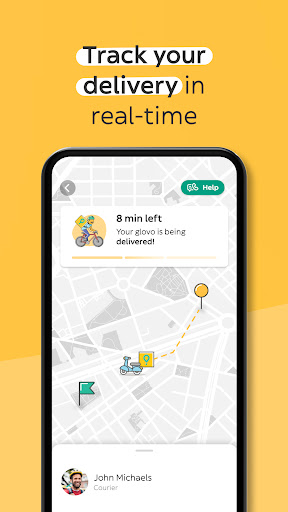
Glovo is the number one app for ordering anything you want! With more than 240,000 restaurants and stores available, and delivery in minutes. Want to order food straight to your door? Or get a grocery delivery of your essentials? We save you time, when you don’t have it. Order food, groceries and gifts in your city without leaving home. With Glovo, you have the city in the palm of your hands.
WHY USE GLOVO?
★ Over 80 million downloads worldwide.
★ Order from 25 countries including Spain, Portugal, Romania, Morocco, Italy, Poland, Croatia, Ukraine, Georgia, Kazakhstan, Kyrgyzstan, Tunisia, Kenya, Uganda, Ivory Coast, Ghana, Nigeria, Bulgaria, Serbia, Armenia, Slovenia, Bosnia-herzegovina, Montenegro, Moldova & Andorra.
★ More than 240,000 restaurants, supermarkets and stores available globally.
★ Deliveries from the biggest chains: McDonald's, Burger King, KFC, Pizza Hut, Taco Bell, Telepizza, Starbucks, Domino’s Pizza, Carrefour, PENNY., Eataly, Flying Tiger, Kiko Milano, Lafarmacia, Auchan, Decathlon, MediaMarkt and many more.
★ Your favourite food delivery in minutes: Order burgers, pizza, chicken, kebab, pasta, sandwiches, sushi, poké…anything you want.
★ Pay however you like. We accept PayPal, card payment, cash and even restaurant vouchers.
★ Track your delivery or takeaway in real time and chat with our support team if need be.
★ Subscribe to Glovo Prime and get unlimited free deliveries of food, groceries, and shopping. Save on every delivery! Available in selected countries.
★ Invite your friends and earn money for each one who places an order on the app.
Your favourite food, in minutes
Fancy a tasty dinner? Has it been a long day? You deserve to have your food delivered to your door! Or are you on your way somewhere? You can order to take away and grab it on the go.
With Glovo, you can order up to 65 different types of food in your city. Including a burger from the most famous restaurants, to ordering from your favourite sushi place. There are more than 216,000 restaurants available worldwide for delivery or takeaway in a matter of minutes.
Grocery delivery without leaving home
Forget something from the supermarket? Got friends over and want to order another round of drinks or snacks?
Now you can also order your groceries from the supermarket. Choose whatever you want from your favourite supermarket or local store and Glovo will deliver it to you in a few minutes. Snacks, drinks, something sweet, a missing ingredient... any groceries you need!
The app to order anything
Glovo delivers everything. Find more than 27000 stores on the app, with all kinds of products. All your shopping on one app: surprise gifts, a last-minute purchase or whatever you need.
And if you need to send or pick up something in your city, Glovo can run errands for you. Choose a pick-up and delivery point and a courier will take care of the rest, with delivery in minutes!
Need help? Contact us!
If you’re looking for help with an order or have any questions about Glovo, please contact our support team via the support section in our app or on our website.
You can also find us on:
★ Our site: https://glovoapp.com/
★ Facebook:https://www.facebook.com/glovoappES
★ Instagram: https://www.instagram.com/glovo_es/
★ Twitter: https://twitter.com/Glovo_ES
Download Glovo now! Get food, groceries and shopping - with delivery in minutes or for take away.
Show more

1. Download MEmu installer and finish the setup

2. Start MEmu then open Google Play on the desktop

3. Search Glovo: Food & Grocery Delivery in Google Play
Install
4. Download and Install Glovo: Food & Grocery Delivery
5. On install completion click the icon to start

6. Enjoy using Glovo: Food & Grocery Delivery on PC with MEmu
MEmu Play is the best Android emulator, and 100 million users already enjoy its superb Android app experience. Powered by advanced virtualization technology, it lets you enjoy thousands of Android apps smoothly on your PC—including the most graphics-intensive ones.
Bigger screen with better graphics; Long duration, without limitation of battery or mobile data.
Full Keymapping support for precise control of keyboard and mouse or gamepad.
Multiple game accounts or tasks on single PC at one time with Multi-Instance manager.
Use Glovo: Food & Grocery Delivery on PC by following steps: