COVIDWISE
Updated
Current Version
1.3
Offered By

Stop worrying about high battery drain when using COVIDWISE on your phone. Free yourself from the tiny screen and enjoy the app on a much larger display. From now on, get a full-screen experience of your app with the convenience of a keyboard and mouse. MEmu offers you all the surprising features you’d expect: quick installation and easy setup, intuitive controls, and no more worries about battery life, mobile data, or unexpected calls. The all-new MEmu 9 is the choice for using COVIDWISE on your computer. With the MEmu multi-instance manager, you can run two or more accounts at the same time. Most importantly, our exclusive emulation engine unlocks your PC’s full potential, delivering smooth and enjoyable performance.
Show more
Enjoy superb experience of using COVIDWISE on PC with MEMU App Player. It's a powerful free Android emulator which provides you with thousands of android apps for their desktop version. Enjoy connecting with friends and polishing your work with higher efficiency! COVIDWISE is the official COVID-19 exposure notification app for the Commonwealth of Virginia’s Department of Health (VDH).
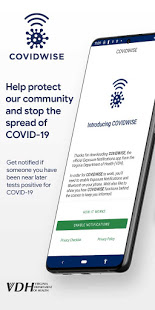
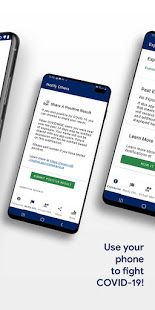
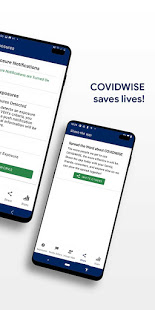
COVIDWISE is the official COVID-19 exposure notification app for the Commonwealth of Virginia’s Department of Health (VDH). The app was developed in partnership with SpringML using a Bluetooth Low Energy (BLE) API framework created through a unique collaboration between Apple and Google.
Your personal use of COVIDWISE will significantly help inform Virginians suspected of having been within close proximity to someone with a positive COVID-19 diagnosis. When you download COVIDWISE, you are doing your part to efficiently and effectively help your community stay ahead of any potential resurgent trends in cases. This is vitally important as the business sector, healthcare industry, K-12 schools, institutions of higher education, religious organizations, sporting/recreation activities, and others rely on appropriate interventions to ensure the health of our communities and maintain economic viability.
How COVIDWISE Works:
If someone reports to the app that they tested positive, the signals from their app will search for other app users who shared that signal. The BLE signals are date-stamped and the app estimates how close the two devices were based on signal strength. If the timeframe was at least 15 minutes and the estimated distance was within six feet, then the other user receives a notification of a possible exposure. No names! No location!
The BLE framework within COVIDWISE will run in the background, even if the exposure notification app is closed. It will not drain the device battery at a rate that would occur with other apps that use normal Bluetooth and/or are open and running constantly.
How COVIDWISE Protects Your Privacy:
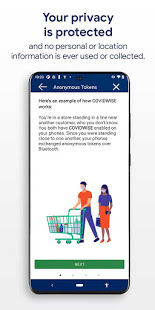
VDH takes your privacy and confidentiality very seriously. This is why we chose to use the Apple and Google BLE framework. No personal data or location tracking occurs within this app. In fact, there is no need for VDH to know where or who you are for COVIDWISE to work. If you are close enough to another app user, the BLE technology will share signals with that user.
Laboratory results for all persons who test positive for COVID-19 are sent to VDH. This is not associated with the app. Our staff follows up with persons reported as positive, based on information provided within the laboratory report.
Anonymously Share Positive Test Results With COVIDWISE:
When VDH receives any positive COVID-19 lab result registered with a valid mobile phone number, we will automatically send a text message to that individual, which provides rapid notification and encourages them to stay home and away from other people. The text also lets individuals who have tested positive know they may retrieve an 8-digit verification code from the COVIDWISE Verification Portal at https://apps.vdh.virginia.gov/CWP. You must enter your last name, date of birth, and the phone number that matches the information from your registered COVID-19 test to verify your positive result.
You may use that 8-digit verification code in order to anonymously report a positive result to the app. This prevents people from falsely reporting positive results, which could generate false exposure notifications. VDH wants all app users to feel confident that when a possible COVID-19 exposure is received via the app, that it is a real event.
If you have the current Apple or Google operating system installed on your device, you may have noticed that Exposure Notifications are now included. Apple and Google will delete the exposure notification service tools from their respective operating systems once the pandemic reaches a point that public health no longer requires the use of this technology.
Thank you for downloading COVIDWISE! Together, we can protect our family, friends, neighbors, and colleagues, and keep Virginia moving forward!
Show more

1. Download MEmu installer and finish the setup

2. Start MEmu then open Google Play on the desktop

3. Search COVIDWISE in Google Play
Install
4. Download and Install COVIDWISE
5. On install completion click the icon to start

6. Enjoy using COVIDWISE on PC with MEmu
MEmu Play is the best Android emulator, and 100 million users already enjoy its superb Android app experience. Powered by advanced virtualization technology, it lets you enjoy thousands of Android apps smoothly on your PC—including the most graphics-intensive ones.
Bigger screen with better graphics; Long duration, without limitation of battery or mobile data.
Full Keymapping support for precise control of keyboard and mouse or gamepad.
Multiple game accounts or tasks on single PC at one time with Multi-Instance manager.
Use COVIDWISE on PC by following steps: