
HotLive - Live Bar bar
Updated
Current Version
1.0.10
Offered By

Stop worrying about high battery drain when using HotLive - Live Bar bar on your phone. Free yourself from the tiny screen and enjoy the app on a much larger display. From now on, get a full-screen experience of your app with the convenience of a keyboard and mouse. MEmu offers you all the surprising features you’d expect: quick installation and easy setup, intuitive controls, and no more worries about battery life, mobile data, or unexpected calls. The all-new MEmu 9 is the choice for using HotLive - Live Bar bar on your computer. With the MEmu multi-instance manager, you can run two or more accounts at the same time. Most importantly, our exclusive emulation engine unlocks your PC’s full potential, delivering smooth and enjoyable performance.
Show more
Enjoy superb experience of using HotLive - Live Bar bar on PC with MEMU App Player. It's a powerful free Android emulator which provides you with thousands of android apps for their desktop version. Enjoy connecting with friends and polishing your work with higher efficiency! ## HotLive – Live Streaming, Video Chat & Komunitas Online.
## HotLive – Live Streaming, Video Chat & Komunitas Online
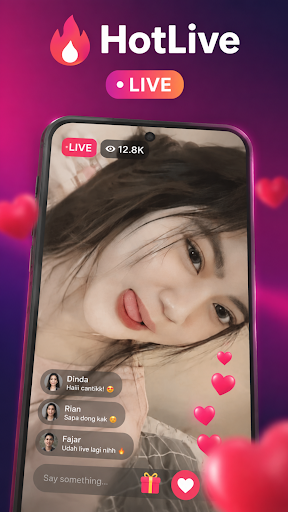
Selamat datang di **HotLive**, aplikasi live streaming yang menghadirkan hiburan, interaksi, dan komunitas dalam satu platform. Nikmati pengalaman menonton siaran langsung dari berbagai streamer, kreator, dan host favoritmu kapan saja dan di mana saja.
Dengan HotLive, kamu dapat menemukan berbagai konten menarik setiap hari, mulai dari obrolan santai, hiburan, musik, karaoke, gaming, hingga aktivitas kreator yang seru untuk diikuti. Berinteraksi secara langsung melalui komentar, like, dan hadiah virtual yang membuat pengalaman live streaming menjadi lebih menyenangkan.
### Fitur Utama HotLive
**Live Streaming 24 Jam**
Tonton siaran langsung kapan saja dengan kualitas streaming yang stabil dan nyaman.
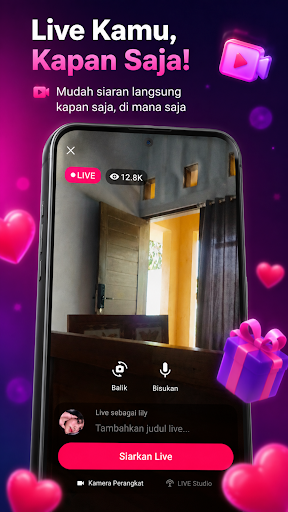
**Mulai Live dengan Mudah**
Bagikan aktivitas, bakat, dan momen spesialmu kepada pengguna lain hanya dalam beberapa langkah.
**Chat dan Interaksi Real-Time**
Berkomunikasi langsung dengan streamer dan pengguna lainnya melalui komentar dan fitur interaktif.
**Gift Virtual Menarik**
Dukung streamer favoritmu dengan berbagai hadiah virtual dan animasi spesial.
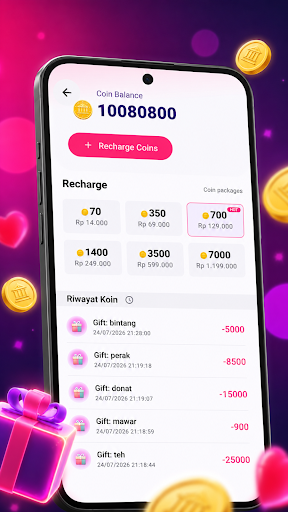
**Sistem Koin Praktis**
Beli koin dengan mudah untuk mengirim gift dan menikmati berbagai fitur premium dalam aplikasi.
**Temukan Teman Baru**
Bergabung dengan komunitas aktif dan bertemu pengguna dari berbagai daerah.
⭐ **Ikuti Streamer Favorit**
Dapatkan notifikasi saat streamer favoritmu sedang melakukan siaran langsung.
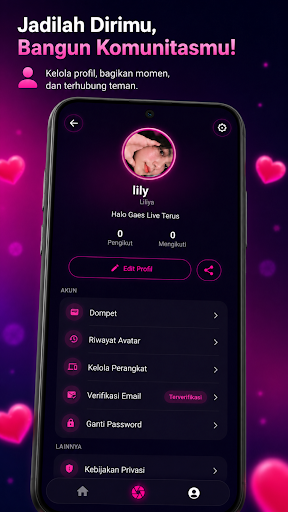
**Profil Personal**
Kelola profil, pengikut, dan informasi akunmu dengan mudah.
**Aman dan Nyaman**
Dilengkapi dengan fitur keamanan, privasi akun, dan sistem pelaporan pengguna.
### Kenapa Memilih HotLive?
Streaming kapan saja dan di mana saja
Komunitas aktif setiap hari
Interaksi real-time yang seru
Tampilan modern dan mudah digunakan
Ringan dan cepat di berbagai perangkat Android
Event dan aktivitas menarik setiap saat
Mudah digunakan untuk pemula maupun streamer berpengalaman
Baik kamu ingin menjadi penonton, kreator, maupun streamer, HotLive menyediakan tempat untuk berbagi momen, membangun komunitas, dan menikmati hiburan tanpa batas.
**Download HotLive sekarang dan rasakan pengalaman live streaming yang lebih seru, interaktif, dan menyenangkan.**
**HotLive — Streaming Kapan Saja dan Di Mana Saja.**
Show more

1. Download MEmu installer and finish the setup

2. Start MEmu then open Google Play on the desktop

3. Search HotLive - Live Bar bar in Google Play
Install
4. Download and Install HotLive - Live Bar bar
5. On install completion click the icon to start

6. Enjoy using HotLive - Live Bar bar on PC with MEmu
MEmu Play is the best Android emulator, and 100 million users already enjoy its superb Android app experience. Powered by advanced virtualization technology, it lets you enjoy thousands of Android apps smoothly on your PC—including the most graphics-intensive ones.
Bigger screen with better graphics; Long duration, without limitation of battery or mobile data.
Full Keymapping support for precise control of keyboard and mouse or gamepad.
Multiple game accounts or tasks on single PC at one time with Multi-Instance manager.
Use HotLive - Live Bar bar on PC by following steps:































