
How to Draw People
Updated
Current Version
2.2.9
Offered By

Stop worrying about high battery drain when using How to Draw People on your phone. Free yourself from the tiny screen and enjoy the app on a much larger display. From now on, get a full-screen experience of your app with the convenience of a keyboard and mouse. MEmu offers you all the surprising features you’d expect: quick installation and easy setup, intuitive controls, and no more worries about battery life, mobile data, or unexpected calls. The all-new MEmu 9 is the choice for using How to Draw People on your computer. With the MEmu multi-instance manager, you can run two or more accounts at the same time. Most importantly, our exclusive emulation engine unlocks your PC’s full potential, delivering smooth and enjoyable performance.
Show more
Enjoy superb experience of using How to Draw People on PC with MEMU App Player. It's a powerful free Android emulator which provides you with thousands of android apps for their desktop version. Enjoy connecting with friends and polishing your work with higher efficiency! With the application "How to draw: Draw people step by step" you will learn how to draw a person, his face, arms, legs and other parts of the body step by step, a person in full growth, celebrities.
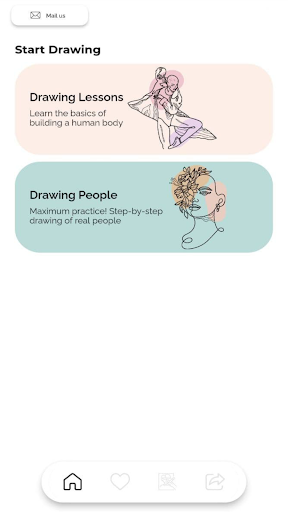
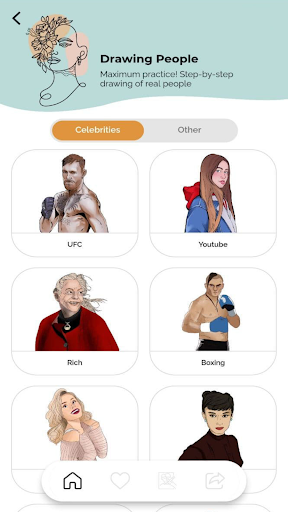
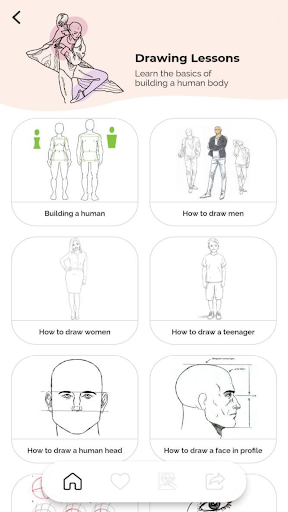
With the application "How to draw: Draw people step by step" you will learn how to draw a person, his face, arms, legs and other parts of the body step by step, a person in full growth, celebrities.
How to draw people? This is what all aspiring artists want to learn. In this application, you can learn in detail the skills of how to draw people. Everyone can draw people step by step. In the application you will find various detailed drawing lessons:
- How to draw people
- How to draw anime
- How to draw beautiful people or anime
- How to draw human, anime, manga characters
- How to draw eyes and lips, anime eyes
- How to draw hair, anime hair
- How to draw a head - anime head
- How to draw body parts like draw hands
With the drawing app, you will learn the basics of building the human body.
They are sequential instructions with illustrations and textual descriptions.
You will learn:
✏️ How to draw a woman, a man, a teenager, a person step by step, a human body, people step by step offline, famous celebrities, faces, a girl, body parts step by step, boys and girls step by step, clothes and outfits, celebrities, famous singers, famous tiktokers, anime, arms and legs, etc.
To consolidate the basic skills, there are a large number of drawing lessons for celebrities: draw famous tiktokers, draw famous youtubers, draw pop stars, draw bloggers, politicians, athletes, draw famous singers and other famous personalities,
Celebrities including:
✏️ Chloe, Ariana Grande, Michael Jackson, Messi, Donald Trump, Lady Diana, Justin Bieber, Joe Biden, Cristiano Ronaldo, Lady Gaga, Elon Musk, Selena Gomez, Mike Tyson, Jeff Bezos, Floyd Mayweather, Conor McGregor, etc.
In our drawing app, you can also choose lessons by gender or age of the person. For example, you can learn how to draw a girl step by step, or how to draw a boy, child, teenager.
For convenience, you can add the options you like to your favorites, so as not to forget to return to them at any convenient time.
In the How to Draw: Draw People Step by Step section, we will learn how to draw people from scratch and acquire the necessary artistic skills. Join us!
⚠️ Important!
All images from the drawing application are considered public. We do not intend to infringe copyright in any way and do not claim any intellectual property. We use images of unknown origin. If you are the author and owner of any of them and would like the image to be removed, please contact us. We'll fix what needs to be fixed.
Show more

1. Download MEmu installer and finish the setup

2. Start MEmu then open Google Play on the desktop

3. Search How to Draw People in Google Play
Install
4. Download and Install How to Draw People
5. On install completion click the icon to start

6. Enjoy using How to Draw People on PC with MEmu
MEmu Play is the best Android emulator, and 100 million users already enjoy its superb Android app experience. Powered by advanced virtualization technology, it lets you enjoy thousands of Android apps smoothly on your PC—including the most graphics-intensive ones.
Bigger screen with better graphics; Long duration, without limitation of battery or mobile data.
Full Keymapping support for precise control of keyboard and mouse or gamepad.
Multiple game accounts or tasks on single PC at one time with Multi-Instance manager.
Use How to Draw People on PC by following steps:



















![[3D Platformer] Super Bear Adventure PC](https://dl.memuplay.com/new_market/img/com.Earthkwak.Platformer.icon.2024-09-08-15-16-43.png)









